Type text, add images, blackout confidential details, add comments, highlights and more.
02. Sign it in a few clicks
Draw your signature, type it, upload its image, or use your mobile device as a signature pad.
03. Share your form with others
Send i589 forms uscis via email, link, or fax. You can also download it, export it or print it out.
How to use or fill out Where to Submit Your Form I-589 with DocHub
Ease of Setup
DocHub User Ratings on G2
Ease of Use
DocHub User Ratings on G2
Click ‘Get Form’ to open it in the editor.
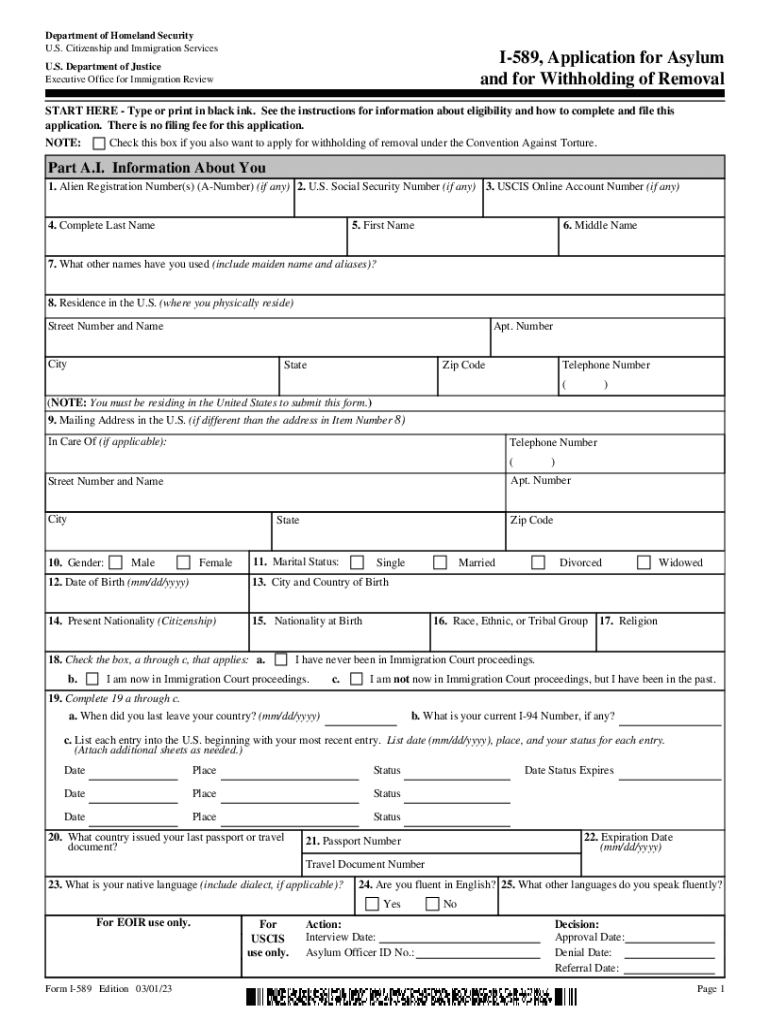
Begin with Part A.I. by entering your personal information, including your Alien Registration Number, Social Security Number, and full name. Ensure all details are accurate.
Fill in your residence and mailing address in the U.S. Make sure to include your phone number and check if you are currently residing in the U.S.
Complete the sections regarding your spouse and children if applicable. Provide their details such as names, dates of birth, and current status in the U.S.
In Part A.III., provide information about your background, including previous addresses and education history. Use additional sheets if necessary.
For Part B, detail your asylum claim by answering questions about past harm or mistreatment and fears of returning to your home country.
Review all entries for accuracy before signing at Part D. Utilize our platform’s features to save or print the completed form for submission.
Start using our platform today for free to streamline your Form I-589 submission process!
Fill out Where to Submit Your Form I-589 online It's free
Form I-589, Application for Asylum and for Withholding of
Provide the following information about your residences during the past 5 years. List your present address first. (NOTE: Use Form I-589 Supplement B, orRead more
REPORT DOCUMENTATION PAGE the Department of Defense, Executive Services and Communications. RETURN YOUR FORM TO THE ABOVE ORGANIZATION. TITLE AND SUBTITLE 5a
Cookie consent notice
This site uses cookies to enhance site navigation and personalize your experience.
By using this site you agree to our use of cookies as described in our Privacy Notice.
You can modify your selections by visiting our Cookie and Advertising Notice.