Virginia mechanic lien 2026

Get Form
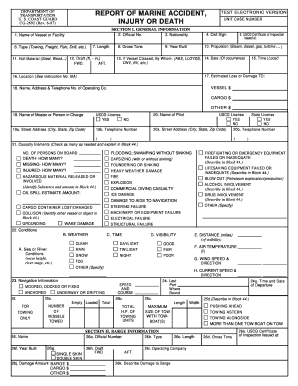
virginia mechanic lien Preview on Page 1

Here's how it works

01. Edit your form online
Type text, add images, blackout confidential details, add comments, highlights and more.
02. Sign it in a few clicks
Draw your signature, type it, upload its image, or use your mobile device as a signature pad.
03. Share your form with others
Send it via email, link, or fax. You can also download it, export it or print it out.

How to use or fill out Virginia Mechanic Lien with our platform

Form edit decoration
9.5
Ease of Setup
DocHub User Ratings on G2
9.0
Ease of Use
DocHub User Ratings on G2
  1. Click ‘Get Form’ to open the Virginia Mechanic Lien in the editor.
  2. Begin by entering the Circuit Court's name and address at the top of the form. This is essential for proper submission.
  3. Fill in your telephone number, followed by either the Tax Map Reference Number or Parcel Identification Number, ensuring accurate property identification.
  4. Provide the name and address of both the property owner and claimant. This information is crucial for legal notifications.
  5. Detail the type of materials or services furnished, along with the amount claimed. Be precise to avoid disputes.
  6. Describe the structure where work was done and provide a brief description and location of the real property involved.
  7. Indicate the date from which interest on the account is claimed, ensuring all dates are accurate for legal purposes.
  8. Finally, certify that you have mailed a copy of this memorandum to the property owner at their last known address and sign where indicated.

Start using our platform today to complete your Virginia Mechanic Lien form online for free!

be ready to get more

Complete this form in 5 minutes or less

Get form

Got questions?

We have answers to the most popular questions from our customers. If you can't find an answer to your question, please contact us.
Contact us

With DocHub, it’s quite simple. The service offers users an add-on called DocHub for Gmail, which you can locate in the Google Workspace Marketplace free of charge. Set it up and give it access to your Google account. Open your email with your virginia mechanic lien attached and click on the add-on button in the right-side panel. Log in to your DocHub account, and upload the form to our editor, where you can fill it out and sign.

In addition to an extensive toolset for editing PDFs on mobile devices, DocHub enables you to sign your virginia mechanic lien along the way. Open our editor in your web browser, make modifications using DocHub’s toolset, and finish your editing by eSigning the completed form.

Security and compliance

At DocHub, your data security is our priority. We follow HIPAA, SOC2, GDPR, and other standards, so you can work on your documents with confidence.

Learn more
ccpa2
pci-dss
gdpr-compliance
hipaa
soc-compliance
be ready to get more

Complete this form in 5 minutes or less

Get form