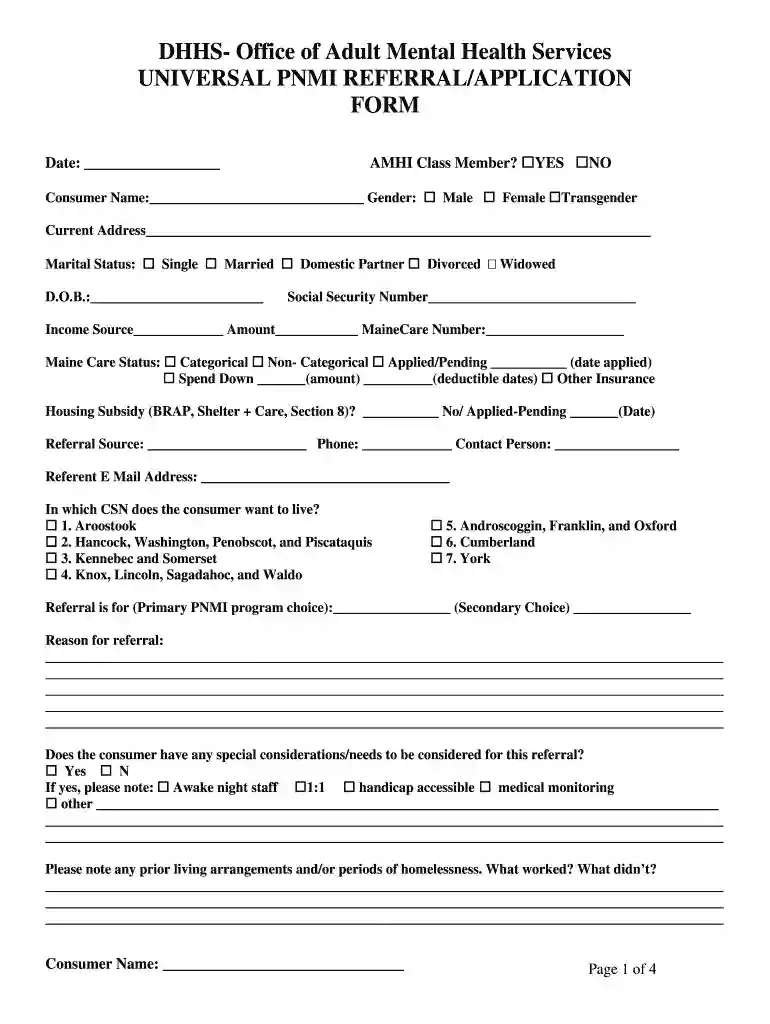
pnmi application maine Preview on Page 1

Pnmi 2026

Here's how it works

  • 01. Edit your pnmi application maine online

    Type text, add images, blackout confidential details, add comments, highlights and more.

  • 02. Sign it in a few clicks

    Draw your signature, type it, upload its image, or use your mobile device as a signature pad.

  • 03. Share your form with others

    Send pnmi via email, link, or fax. You can also download it, export it or print it out.

How to use or fill out pnmi with our platform

Form edit decoration
9.5
Ease of Setup
DocHub User Ratings on G2
9.0
Ease of Use
DocHub User Ratings on G2
  1. Click ‘Get Form’ to open the pnmi in the editor.
  2. Begin by entering the date at the top of the form. Then, indicate if the consumer is an AMHI Class Member by selecting 'YES' or 'NO'.
  3. Fill in the consumer's name, gender, current address, marital status, date of birth, and social security number in the respective fields.
  4. Provide details about income sources and amounts. Include MaineCare number and status, as well as any housing subsidies if applicable.
  5. Specify the referral source and contact information. Indicate which Community Support Network (CSN) the consumer prefers to live in.
  6. Detail the primary and secondary PNMI program choices along with reasons for referral and any special considerations needed.
  7. Complete sections regarding legal issues, diagnosis, current symptoms, treatment history, and medical updates as required.

Start filling out your pnmi form online for free today!

be ready to get more

Complete this form in 5 minutes or less

Security and compliance

At DocHub, your data security is our priority. We follow HIPAA, SOC2, GDPR, and other standards, so you can work on your documents with confidence.

pnmi meaning

My PMI Portal - Pima Medical Institute

No information is available for this page.

Learn more
If you believe that this page should be taken down, please follow our DMCA take down process here