Contractors affidavit 2026

Get Form
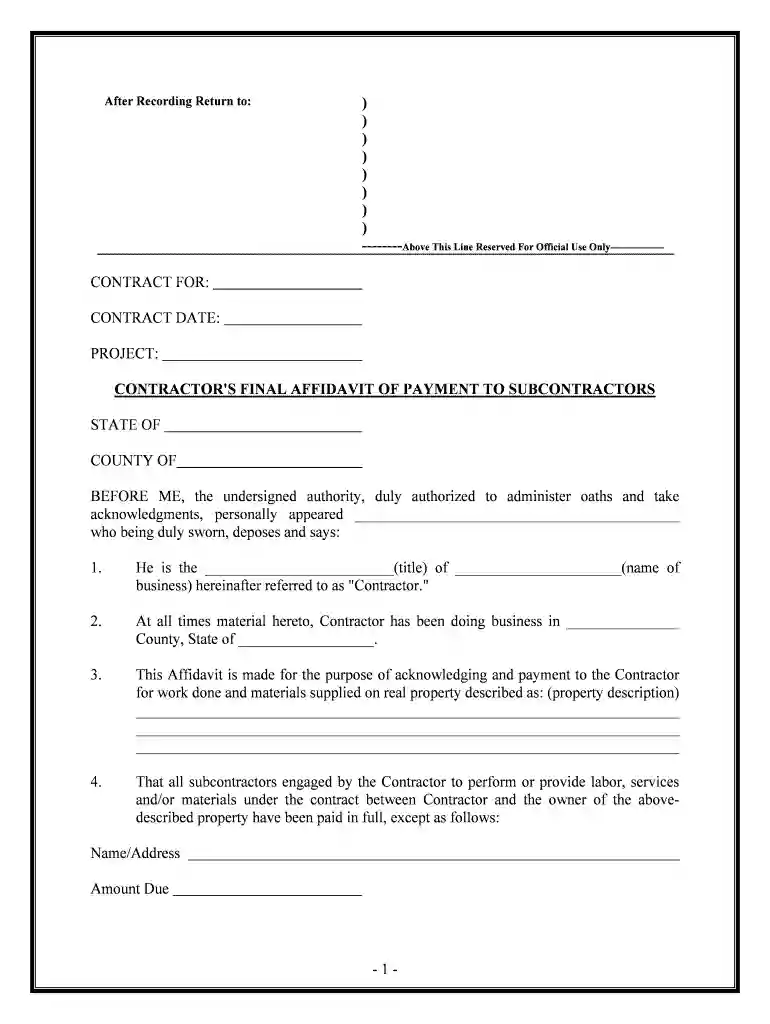
contractors affidavit Preview on Page 1

Here's how it works

01. Edit your form online
Type text, add images, blackout confidential details, add comments, highlights and more.

02. Sign it in a few clicks
Draw your signature, type it, upload its image, or use your mobile device as a signature pad.

03. Share your form with others
Send it via email, link, or fax. You can also download it, export it or print it out.

How to use or fill out contractors affidavit with our platform

Form edit decoration
9.5
Ease of Setup
DocHub User Ratings on G2
9.0
Ease of Use
DocHub User Ratings on G2
  1. Click ‘Get Form’ to open the contractor's affidavit in the editor.
  2. Begin by filling in the 'Contract for' section, specifying the type of contract you are working on.
  3. Enter the 'Contract Date' and 'Project' details to provide context for your affidavit.
  4. In the first paragraph, identify yourself as the Contractor by entering your title and business name.
  5. Specify your business location by filling in the county and state where you operate.
  6. Describe the property related to this affidavit in detail, ensuring all necessary information is included.
  7. List any subcontractors who have not been fully paid, including their names, addresses, and amounts due.
  8. Sign and date the affidavit at the bottom, ensuring all fields are completed accurately before submission.

Start using our platform today to streamline your document editing and signing process for free!

be ready to get more

Complete this form in 5 minutes or less

Get form

Got questions?

We have answers to the most popular questions from our customers. If you can't find an answer to your question, please contact us.
Contact us
Contract law typically involves the use of contractor affidavits. A contractor affidavit is a sworn statement by a contractor, stating their commitment to carry out the terms of a contract. This document serves as legal protection against disputes that arise during or after the completion of the job.
An affidavit is a sworn statement. The person must swear to the information and sign the document in front of a notary public. Affidavits should only contain information the person knows to be true from firsthand experience. They should not contain opinions or conclusions. Ex Parte.
Updated Dec 19, 2024. An affidavit is a written statement in which the signer or affiant verifies that the document is true. They differ from sworn oaths only in that the relevant parties must sign them instead of swearing them out loud.
Because affidavits are made under penalty of perjury, lying in an affidavit is a serious crime, which gives these documents docHub legal weight in court proceedings.

Security and compliance

At DocHub, your data security is our priority. We follow HIPAA, SOC2, GDPR, and other standards, so you can work on your documents with confidence.

Learn more
ccpa2
pci-dss
gdpr-compliance
hipaa
soc-compliance
be ready to get more

Complete this form in 5 minutes or less

Get form