




01. Edit your nj ppp program application online
Type text, add images, blackout confidential details, add comments, highlights and more.

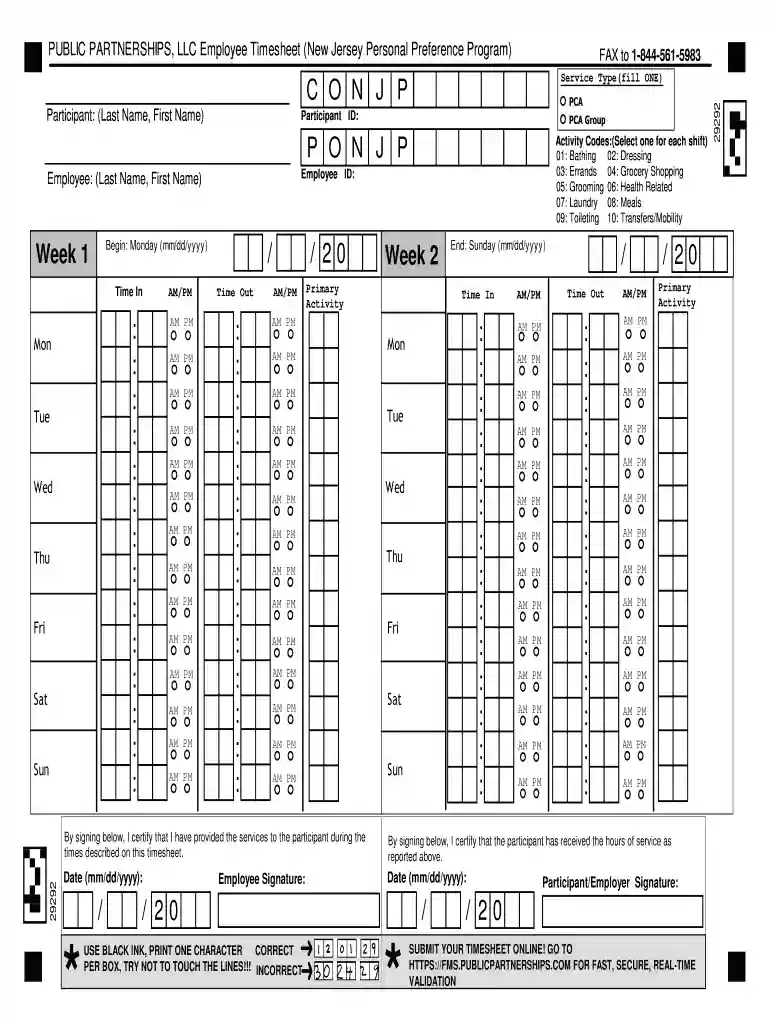
Type text, add images, blackout confidential details, add comments, highlights and more.

Draw your signature, type it, upload its image, or use your mobile device as a signature pad.

Send ppp program nj via email, link, or fax. You can also download it, export it or print it out.

Start filling out your personal preference program timesheets online today for free!
At DocHub, your data security is our priority. We follow HIPAA, SOC2, GDPR, and other standards, so you can work on your documents with confidence.
During this visit, the financial consultant will do an intake session with the individual, the employee and the party that will sign the timesheets. ThereRead more
PUBLIC PARTNERSHIPS, LLC Employee Timesheet (New Jersey Personal Preference Program). Begin: Monday (mm/dd/yyyy). End: Sunday (mm/dd/yyyy). ParticipantRead more
Jul 15, 2020 NetSuite 2020.2 includes a new accounting preference to give you control over the generation of revenue recognition forecast plans. TheRead more


