Type text, add images, blackout confidential details, add comments, highlights and more.
02. Sign it in a few clicks
Draw your signature, type it, upload its image, or use your mobile device as a signature pad.
03. Share your form with others
Send jkkp 6 via email, link, or fax. You can also download it, export it or print it out.
How to use or fill out jkkp 6 form with our platform
Ease of Setup
DocHub User Ratings on G2
Ease of Use
DocHub User Ratings on G2
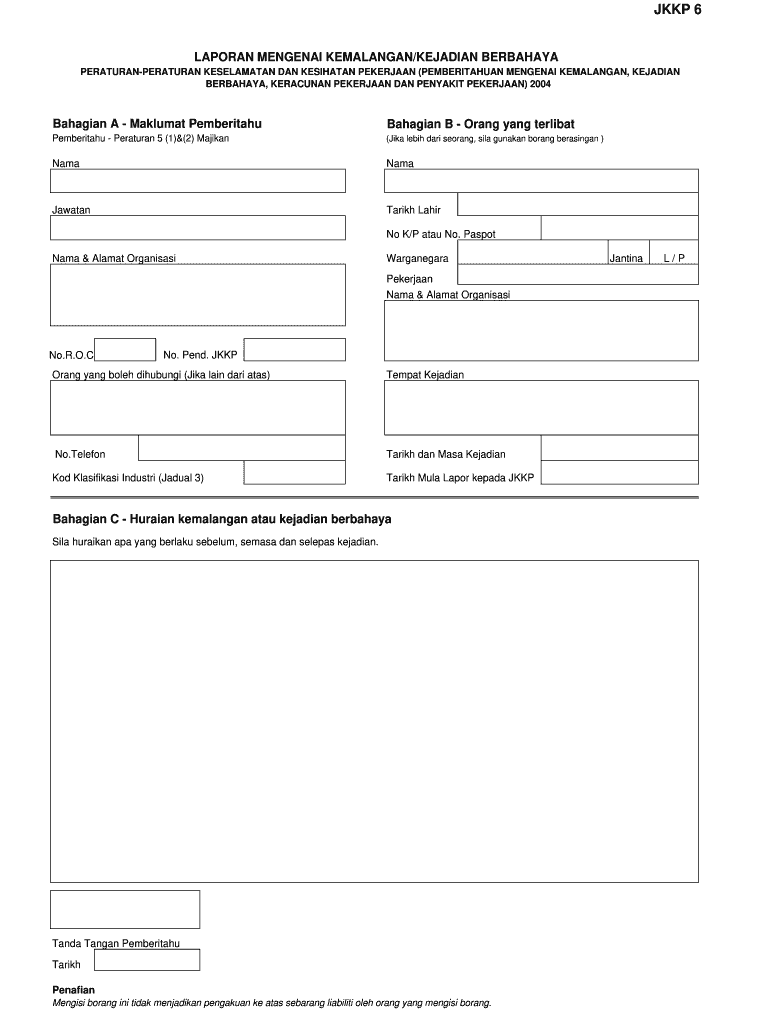
Click ‘Get Form’ to open the jkkp 6 form in the editor.
Begin with 'Bahagian A - Maklumat Pemberitahu'. Fill in your name, position, date of birth, and identification number (K/P or passport). Ensure that you provide accurate details for effective communication.
Next, complete the organization’s name and address. Include your citizenship status and job title. If applicable, provide the organization’s registration number (R.O.C) and JKKP registration number.
In 'Bahagian B - Orang yang terlibat', if there are multiple informants, use separate forms. Provide contact information for someone who can be reached if different from the informant.
Proceed to fill in the incident details under 'Bahagian C - Huraian kemalangan atau kejadian berbahaya'. Describe what occurred before, during, and after the incident clearly.
Finally, sign and date the form at the designated area. Remember that filling out this form does not imply any admission of liability.
Start using our platform today to fill out your jkkp 6 form online for free!
The report focuses on the role and responsibilities of the Department of Occupational Safety and Health (DOSH), also known as JKKP, in Malaysia.Read more
Cookie consent notice
This site uses cookies to enhance site navigation and personalize your experience.
By using this site you agree to our use of cookies as described in our Privacy Notice.
You can modify your selections by visiting our Cookie and Advertising Notice.