Type text, add images, blackout confidential details, add comments, highlights and more.
02. Sign it in a few clicks
Draw your signature, type it, upload its image, or use your mobile device as a signature pad.
03. Share your form with others
Send form 956a australia example via email, link, or fax. You can also download it, export it or print it out.
How to use or fill out 956a form sample filled with our platform
Ease of Setup
DocHub User Ratings on G2
Ease of Use
DocHub User Ratings on G2
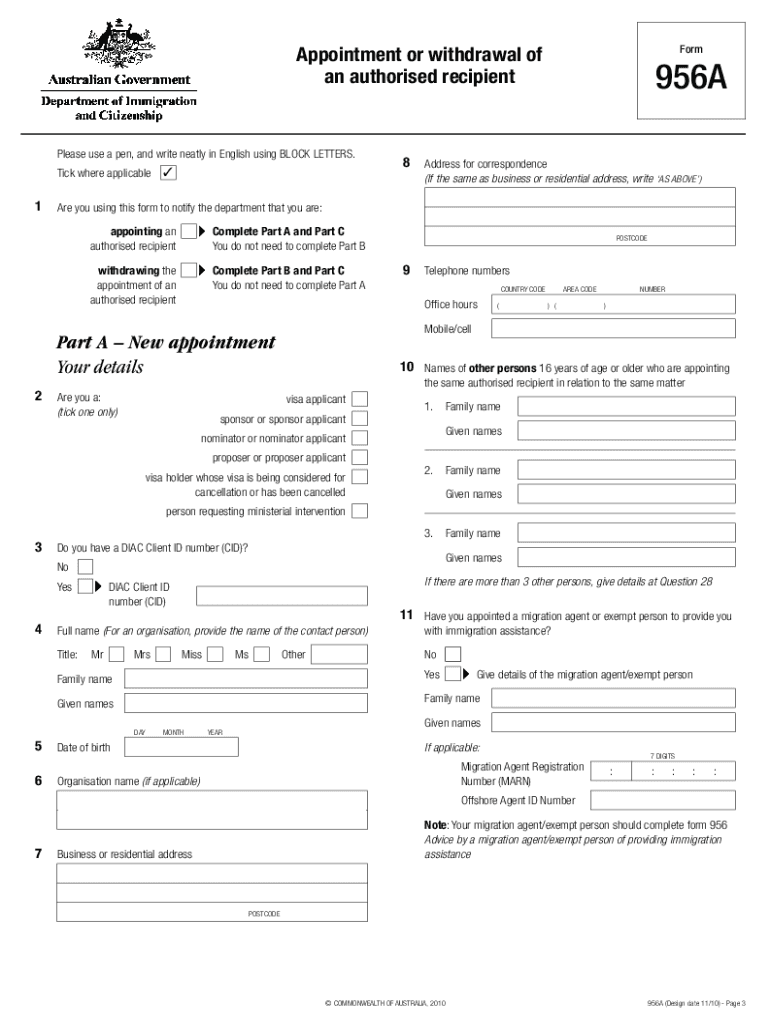
Click ‘Get Form’ to open the 956a form in the editor.
Begin by selecting whether you are appointing or withdrawing an authorised recipient. Complete Part A if appointing, or Part B if withdrawing.
In Part A, provide your details including your name, date of birth, and DIAC Client ID number if applicable. Ensure all information is written clearly in BLOCK LETTERS.
Fill in the authorised recipient's details in Part A, including their name and contact information. Indicate if they agree to receive documents electronically.
If you are withdrawing an appointment, complete Part B with similar details for the previous authorised recipient and confirm the withdrawal.
Finally, review all sections for accuracy before signing in Part C. Ensure that all necessary signatures are obtained from other persons involved.
Start using our platform today to easily fill out your 956a form sample for free!
Sample petitions and seal orders are available on our website for District Court or Justice/Municipal Court. Ensure that the seal forms are filled outRead more
Visitor visa (subclass 600) Application document checklist
Form 956A Appointment or withdrawal of an authorised recipient (the recipient completes the form and you must sign it). Page 2. Visitor visa (subclass 600)Read more
Cookie consent notice
This site uses cookies to enhance site navigation and personalize your experience.
By using this site you agree to our use of cookies as described in our Privacy Notice.
You can modify your selections by visiting our Cookie and Advertising Notice.