




01. Edit your registration and title application online
Type text, add images, blackout confidential details, add comments, highlights and more.

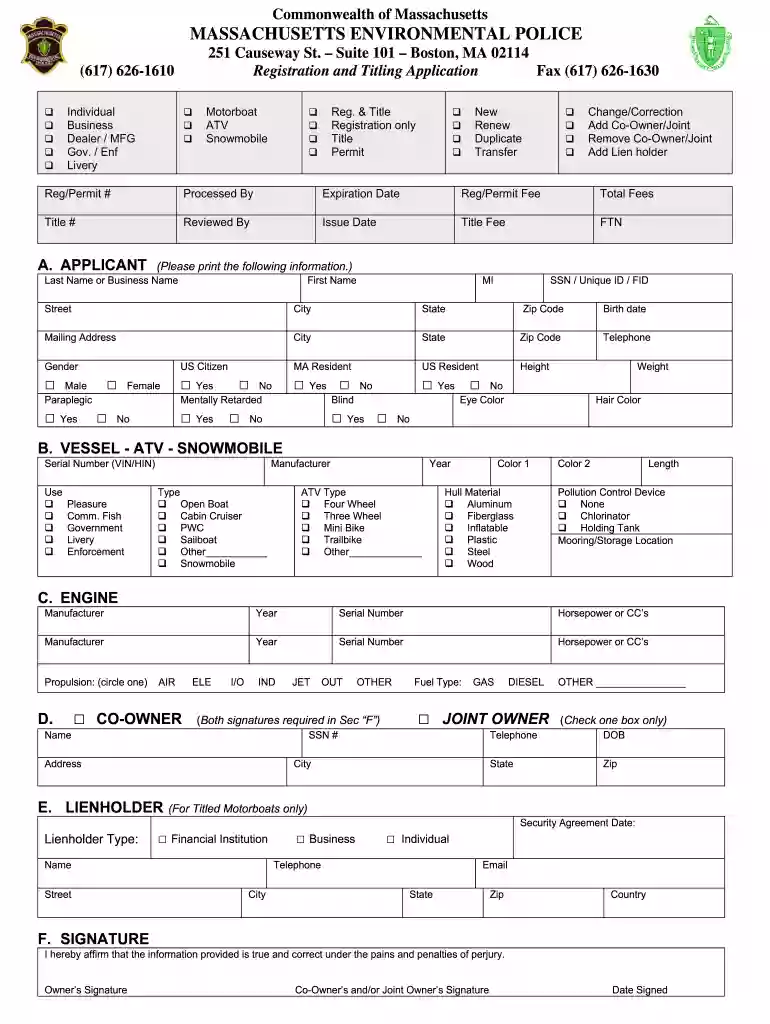
Type text, add images, blackout confidential details, add comments, highlights and more.

Draw your signature, type it, upload its image, or use your mobile device as a signature pad.

Send rmv registration and title application via email, link, or fax. You can also download it, export it or print it out.

Start using our platform today to easily complete your MA registration application online for free!
At DocHub, your data security is our priority. We follow HIPAA, SOC2, GDPR, and other standards, so you can work on your documents with confidence.
540 CMR, 18.02 - Application for General Registrations and General Registration Number Plates and Definitions. State Regulations; Compare. (1). (a) GeneralRead more
All persons accepting Comprehensive Medicaid Case Management (CMCM) services must be registered/authorized in the Welfare Management System - Recipient.Read more
To register and title a vehicle purchased from an individual (non-dealer), you will need the following: A completed Registration and Title Application.Read more


