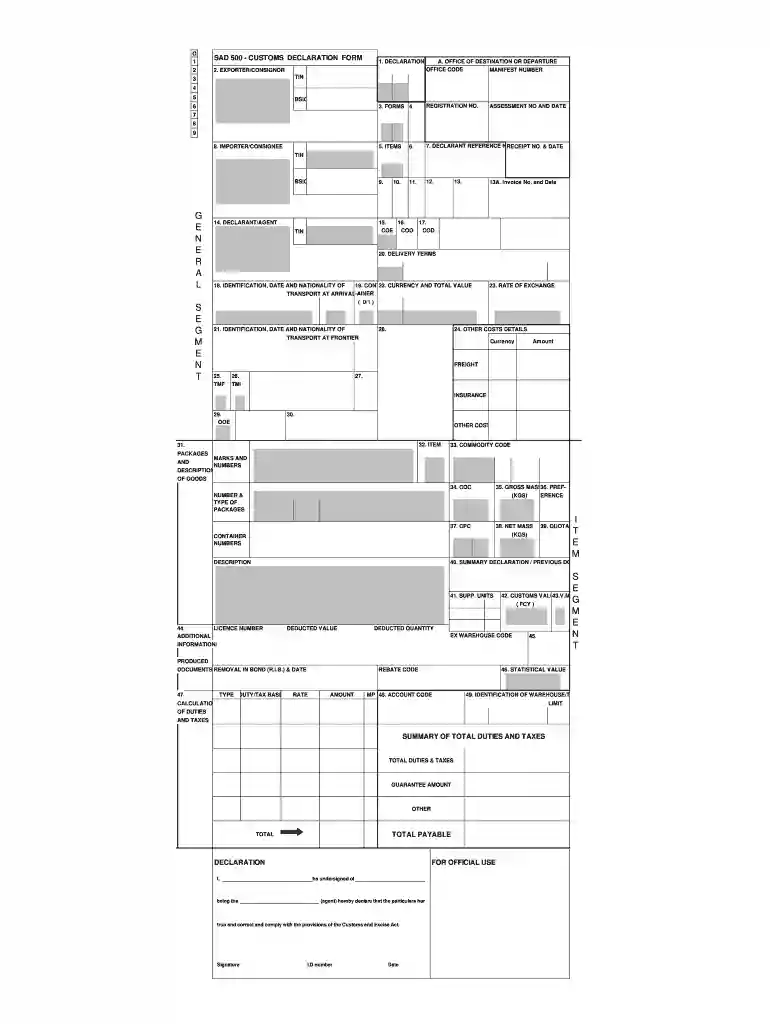
sad 500 customs declaration form Preview on Page 1

Sad500 2026

Here's how it works

  • 01. Edit your sad 500 customs declaration form online

    Type text, add images, blackout confidential details, add comments, highlights and more.

  • 02. Sign it in a few clicks

    Draw your signature, type it, upload its image, or use your mobile device as a signature pad.

  • 03. Share your form with others

    Send how to fill in sad500 via email, link, or fax. You can also download it, export it or print it out.

How to use or fill out sad500 with our platform

Form edit decoration
9.5
Ease of Setup
DocHub User Ratings on G2
9.0
Ease of Use
DocHub User Ratings on G2
  1. Click ‘Get Form’ to open the SAD 500 Customs Declaration Form in the editor.
  2. Begin by filling out the 'Exporter/Consignor' section. Enter your details, including the office of destination or departure and the manifest number.
  3. In the 'Items' section, provide a detailed description of each item being exported, including quantity and value.
  4. Complete the 'Importer/Consignee' section with relevant information such as TIN and contact details.
  5. Fill in the 'Delivery Terms' and ensure you include any necessary invoice numbers and dates for accurate processing.
  6. Review all sections for accuracy before signing at the bottom of the form, confirming that all information is true and correct.

Start using our platform today to streamline your SAD 500 form completion for free!

be ready to get more

Complete this form in 5 minutes or less

Security and compliance

At DocHub, your data security is our priority. We follow HIPAA, SOC2, GDPR, and other standards, so you can work on your documents with confidence.

sad500

South Africa - Temporary Entry

Jan 30, 2024 Goods exported under customs supervision with export documents SAD 500 and DA65 must be produced at the time of import clearance. The goodsRead more

Learn more
If you believe that this page should be taken down, please follow our DMCA take down process here