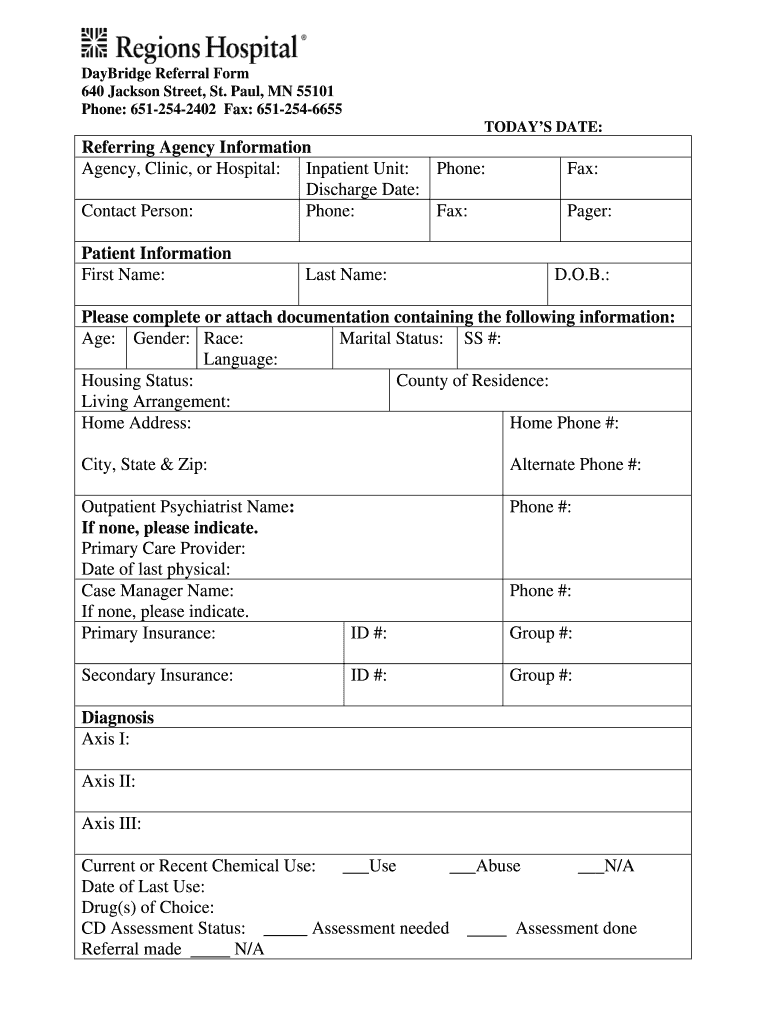
Regions daybridge referral form 2026

Get Form
daybridge regions Preview on Page 1

Here's how it works

01. Edit your daybridge regions online
Type text, add images, blackout confidential details, add comments, highlights and more.
02. Sign it in a few clicks
Draw your signature, type it, upload its image, or use your mobile device as a signature pad.
03. Share your form with others
Send daybridge regions reviews via email, link, or fax. You can also download it, export it or print it out.

How to use or fill out regions daybridge referral form with our platform

Form edit decoration
9.5
Ease of Setup
DocHub User Ratings on G2
9.0
Ease of Use
DocHub User Ratings on G2
  1. Click ‘Get Form’ to open the regions daybridge referral form in the editor.
  2. Begin by filling out the 'Referring Agency Information' section. Enter the agency, clinic, or hospital name, inpatient unit, phone number, discharge date, contact person’s name, and their phone and fax numbers.
  3. Next, move to the 'Patient Information' section. Fill in the patient's first and last name, date of birth (D.O.B.), age, gender, race, marital status, social security number (SS #), language preference, housing status, county of residence, living arrangement, home address including city, state & zip code, and both home and alternate phone numbers.
  4. Complete the 'Diagnosis' section by providing details for Axis I, II, III diagnoses. Indicate current or recent chemical use along with the date of last use and drug(s) of choice.
  5. Finally, review all sections for accuracy. Ensure you attach any required documentation such as history and physical assessments or commitment papers if applicable before submitting your form.

Start using our platform today to fill out your regions daybridge referral form online for free!

be ready to get more

Complete this form in 5 minutes or less

Get form

Got questions?

We have answers to the most popular questions from our customers. If you can't find an answer to your question, please contact us.
Contact us

eSignatures are a perfect alternative to traditional signing, as they save time, effort, and costs people spend on printing, scanning, and paper delivery. You can eSign your feedback survey utilizing a reliable and powerful online document processing services like DocHub. It complies with major eSignature policies (ESIGN and UETA), so all forms approved there are legally binding and have the same validity as manually signed ones.

If you store your paperwork in Google Drive, there is no need to download your regions daybridge on the computer and upload it back to our editor. A much simpler way is to set up a browser extension created by DocHub to streamline this flow. The extension allows editing PDFs right in your browser. Alternatively, you may integrate your DocHub and Gmail accounts for more efficient editing.

Security and compliance

At DocHub, your data security is our priority. We follow HIPAA, SOC2, GDPR, and other standards, so you can work on your documents with confidence.

Learn more
ccpa2
pci-dss
gdpr-compliance
hipaa
soc-compliance
be ready to get more

Complete this form in 5 minutes or less

Get form