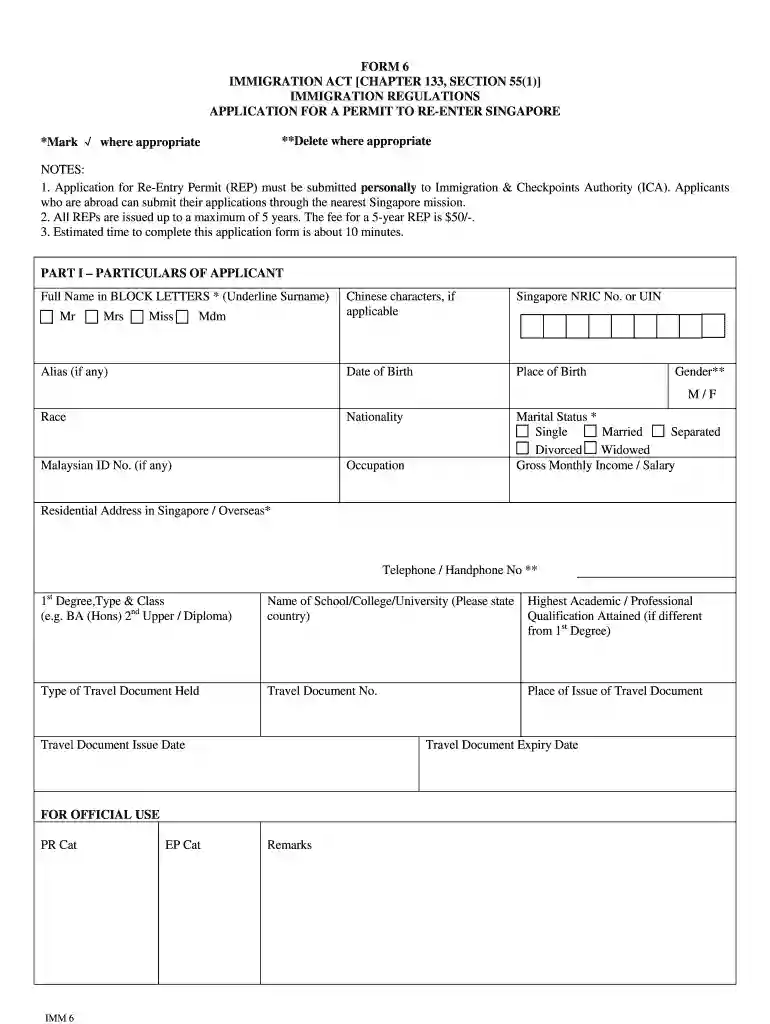
how to print entry permit form 5a Preview on Page 1

How to print re entry permit online 2026

Here's how it works

  • 01. Edit your how to print entry permit form 5a online

    Type text, add images, blackout confidential details, add comments, highlights and more.

  • 02. Sign it in a few clicks

    Draw your signature, type it, upload its image, or use your mobile device as a signature pad.

  • 03. Share your form with others

    Send ica form 5a via email, link, or fax. You can also download it, export it or print it out.

How to use or fill out how to print re entry permit online with our platform

Form edit decoration
9.5
Ease of Setup
DocHub User Ratings on G2
9.0
Ease of Use
DocHub User Ratings on G2
  1. Click ‘Get Form’ to open the application for a Re-Entry Permit in the editor.
  2. Begin by filling out Part I – Particulars of Applicant. Enter your title (Mr, Mrs, Miss, Mdm) and provide your full name in BLOCK LETTERS, underlining your surname.
  3. Complete the personal details including Singapore NRIC No. or UIN, date of birth, place of birth, gender, race, nationality, and marital status.
  4. Input your gross monthly income/salary and occupation. Provide your residential address in Singapore or overseas along with your contact number.
  5. Fill in educational qualifications by stating the type and class of your highest degree along with the name of the institution attended.
  6. In the travel document section, enter details such as type of travel document held, document number, place of issue, issue date, and expiry date.
  7. Proceed to Part II - Declaration. Confirm that all information provided is accurate and sign where indicated. If applicable, a parent or legal guardian must complete this section for applicants under 16 years old.

Start using our platform today to effortlessly fill out and print your Re-Entry Permit application online for free!

be ready to get more

Complete this form in 5 minutes or less

Security and compliance

At DocHub, your data security is our priority. We follow HIPAA, SOC2, GDPR, and other standards, so you can work on your documents with confidence.

entry permit form 5a

Travel and Re-Entry for F-1 Visa Holders

The ISSO can email a travel-signed I-20 to you to print out. To request a new I-20 with a travel signature, please complete our request form. Once you receiveRead more

Learn more
Re-entry Permit Receipt Status Check

You can check status of I-131 application on the USCIS website. Find your Application/Petition/Request Number in the list below. If you find your number onRead more

Learn more
Users Guide - WF-2760

Access the print settings in your print application. 11. Select Print Settings from the pop-up menu. 12. Select Plain Paper/Bright White Paper or EnvelopeRead more

Learn more
If you believe that this page should be taken down, please follow our DMCA take down process here