Type text, add images, blackout confidential details, add comments, highlights and more.
02. Sign it in a few clicks
Draw your signature, type it, upload its image, or use your mobile device as a signature pad.
03. Share your form with others
Send nacac secondary school report via email, link, or fax. You can also download it, export it or print it out.
How to use or fill out nacac school report with our platform
Ease of Setup
DocHub User Ratings on G2
Ease of Use
DocHub User Ratings on G2
Click ‘Get Form’ to open the nacac school report in the editor.
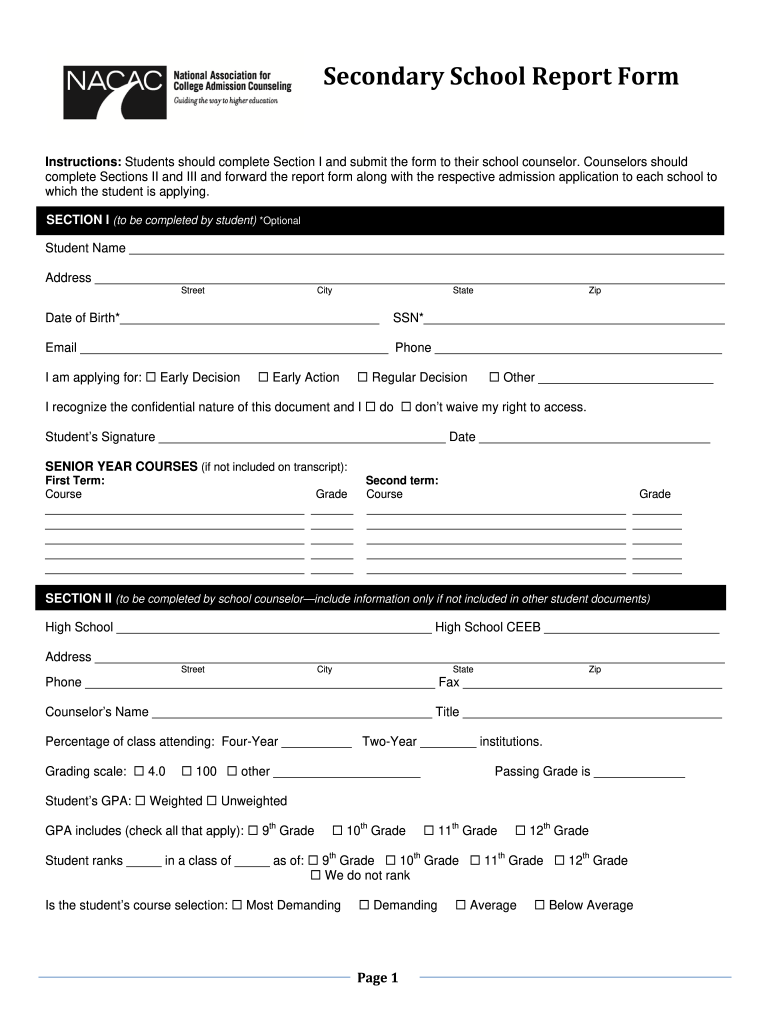
In Section I, students should fill in their personal information including name, address, date of birth, and contact details. Indicate the type of application (Early Decision, Early Action, etc.) and sign to acknowledge the confidentiality of the document.
List senior year courses and corresponding grades for both first and second terms if not already included on the transcript.
Counselors will complete Sections II and III. In Section II, provide high school details, grading scale, GPA information, and class rank. Ensure all fields are filled accurately.
In Section III, counselors should comment on the student’s academic ability and personal character. If necessary, attach additional pages or a recommendation letter.
Start using our platform today to streamline your nacac school report completion for free!
Nacac school report templateNacac school report pdfNacac school report sampleNacac school report exampleSchool Report Common AppSecondary School Report Common AppSecondary school report vs transcriptSecondary School Report PDF
Security and compliance
At DocHub, your data security is our priority. We follow HIPAA, SOC2, GDPR, and other standards, so you can work on your documents with confidence.
This guide is the National Association for College Admission Counseling (NACAC) commitment to principled conduct among professionals who support students.Read more
Cookie consent notice
This site uses cookies to enhance site navigation and personalize your experience.
By using this site you agree to our use of cookies as described in our Privacy Notice.
You can modify your selections by visiting our Cookie and Advertising Notice.