




01. Edit your nissan reimbursement claim online
Type text, add images, blackout confidential details, add comments, highlights and more.

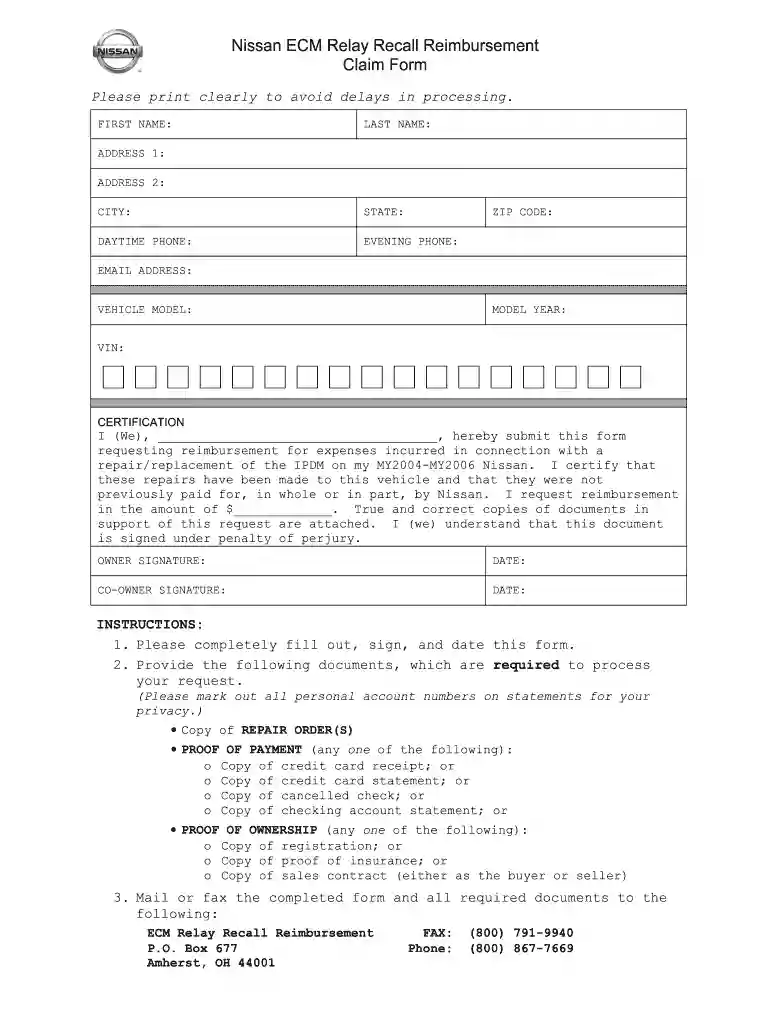
Type text, add images, blackout confidential details, add comments, highlights and more.

Draw your signature, type it, upload its image, or use your mobile device as a signature pad.

Send nissan claims via email, link, or fax. You can also download it, export it or print it out.

Start using our platform today to fill out your Nissan reimbursement claim form easily and for free!
At DocHub, your data security is our priority. We follow HIPAA, SOC2, GDPR, and other standards, so you can work on your documents with confidence.
Mar 31, 2014 Form 20-F. REGISTRATION STATEMENT PURSUANT TO SECTION 12(b) OR 12(g) OF THE SECURITIES EXCHANGE ACT OF 1934.Read more
October 25, 2021, customers can submit the appropriate Claim Form by April 25, 2022 for a reimbursement request to the Settlement Administrator.Read more
A W-‐9 form will need to be completed before any reimbursements can be issued. It is recommended that you complete and submit your W-‐9 prior to incurringRead more


