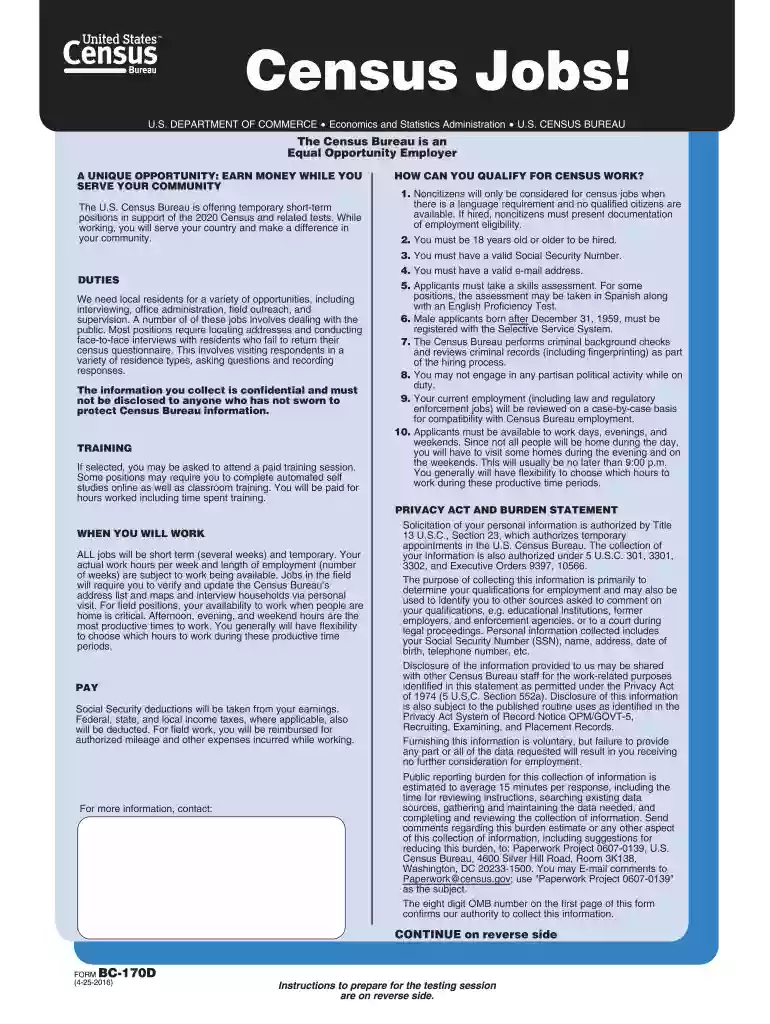
Bc 170d word census employment 4 25 2016 fillable-2026

Get Form
bc 170d word census employment 4 25 2016 fillable Preview on Page 1

Here's how it works

01. Edit your form online
Type text, add images, blackout confidential details, add comments, highlights and more.

02. Sign it in a few clicks
Draw your signature, type it, upload its image, or use your mobile device as a signature pad.

03. Share your form with others
Send it via email, link, or fax. You can also download it, export it or print it out.

How to use or fill out bc 170d word census employment 4 25 2016 fillable with our platform

Form edit decoration
9.5
Ease of Setup
DocHub User Ratings on G2
9.0
Ease of Use
DocHub User Ratings on G2
  1. Click ‘Get Form’ to open the BC-170D form in the editor.
  2. Begin with Section A – Applicant Personal Data. Fill in your legal name, Social Security Number, and date of birth clearly in the designated fields.
  3. Provide your residence address, ensuring to include city, state, and zip code. Use uppercase letters for clarity.
  4. In Section B – Application Data, mark an (X) in the boxes that apply to your work interests. This helps determine the types of positions you may qualify for.
  5. Complete Section C – Prior Work Experience by detailing your previous employers and job duties. Be sure to indicate if you supervised others.
  6. Finally, review all sections for accuracy before signing in Section H. Ensure all information is complete to avoid delays in processing.

Start filling out your BC-170D form today on our platform for free!

be ready to get more

Complete this form in 5 minutes or less

Get form

Got questions?

We have answers to the most popular questions from our customers. If you can't find an answer to your question, please contact us.
Contact us
Since not all people will be home during the day, you must be available to work days, evenings, and/or weekends. Visits will usually be no later than 9:00 p.m. You generally will have flexibility to choose which hours to work during these productive time periods.
We ask questions about whether a person worked last week and, if the answer is no, why he or she was not working. For those who were not working, we also ask whether he or she plans to return to work, and when they last worked.