




01. Edit your stamps by fax order form online
Type text, add images, blackout confidential details, add comments, highlights and more.

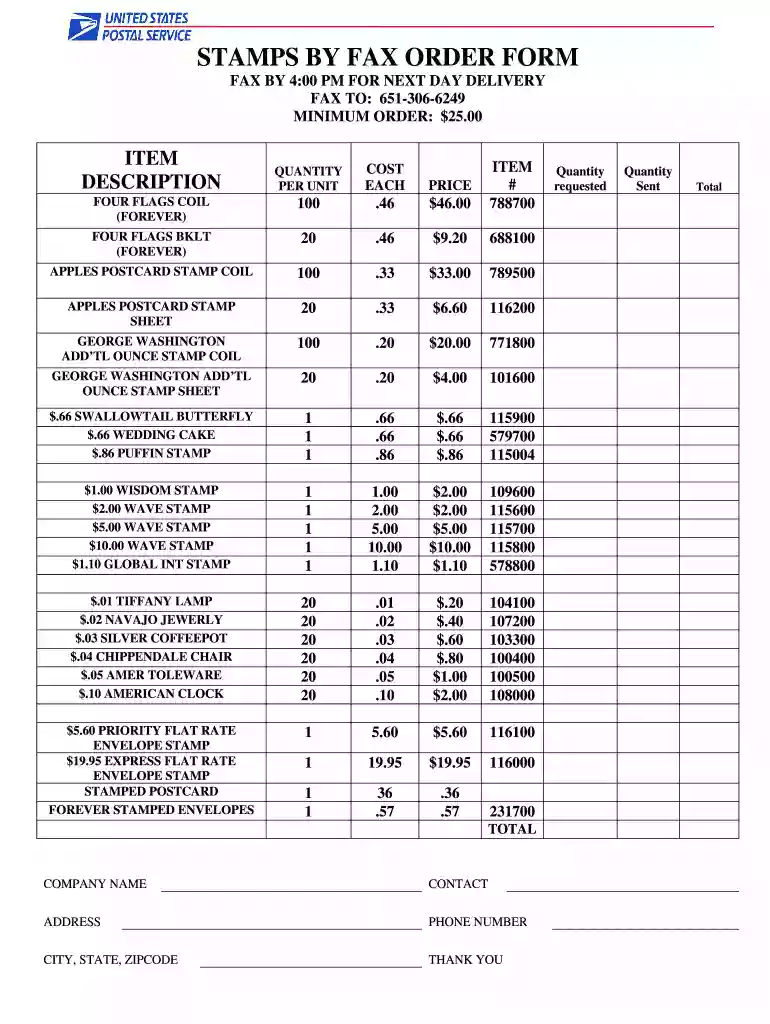
Type text, add images, blackout confidential details, add comments, highlights and more.

Draw your signature, type it, upload its image, or use your mobile device as a signature pad.

Send stamps by mail order form via email, link, or fax. You can also download it, export it or print it out.

Start filling out your stamps by fax order form today for free and experience effortless document management!
At DocHub, your data security is our priority. We follow HIPAA, SOC2, GDPR, and other standards, so you can work on your documents with confidence.
All other mailing supplies can be ordered by phone at 517.353.1683, by fax at 517.353.4426 using the Product Order Form, or by completing the SUPPLIES sectionRead more
Fax/Sales Fax. 01 204 0103. Switchboard. 01 204 4444. Italy (Milan). International Access Code: 00. Country Code: 39. City Code: 02. Website: support.euro.dell.Read more
What forms do I need to get the order? You must fill out all of Form CH-100, Request for Civil. Harassment Restraining Orders, and Form CLETS-001,.Read more


