Nda release form 2026

Get Form
nda release form Preview on Page 1

Here's how it works

01. Edit your nda release form online
Type text, add images, blackout confidential details, add comments, highlights and more.

02. Sign it in a few clicks
Draw your signature, type it, upload its image, or use your mobile device as a signature pad.

03. Share your form with others
Send what is a nda form via email, link, or fax. You can also download it, export it or print it out.

How to use or fill out nda release form with our platform

Form edit decoration
9.5
Ease of Setup
DocHub User Ratings on G2
9.0
Ease of Use
DocHub User Ratings on G2
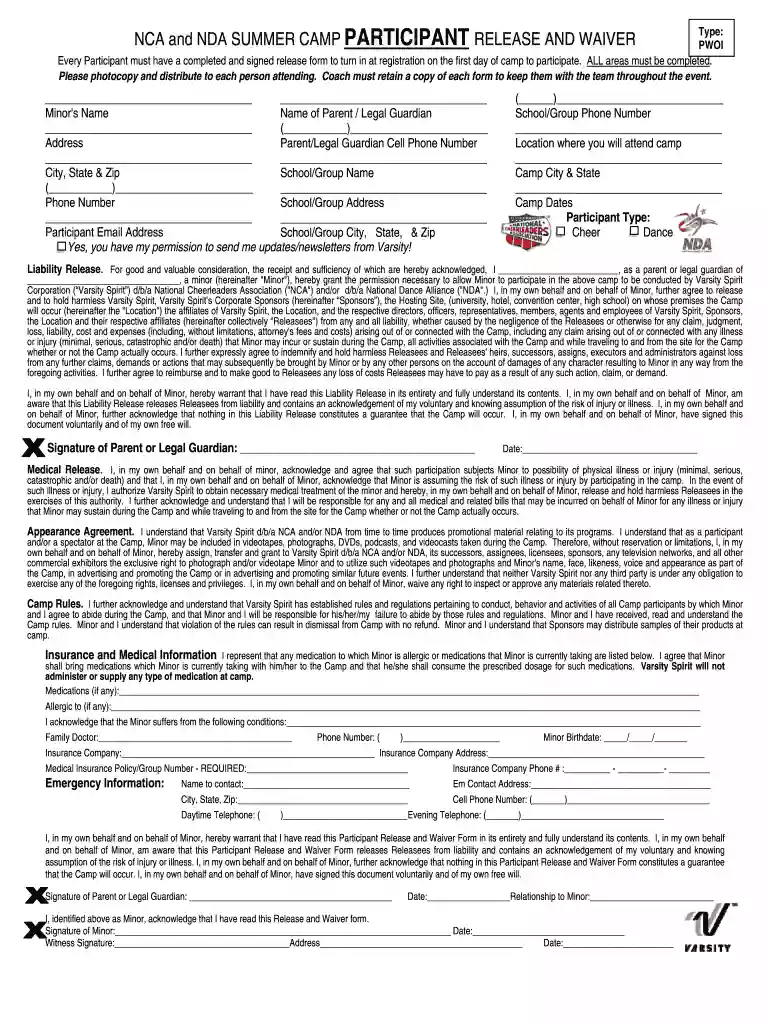
  1. Click ‘Get Form’ to open the nda release form in the editor.
  2. Begin by entering the Minor's Name and the Name of Parent/Legal Guardian in the designated fields.
  3. Fill in the Address, City, State & Zip, and Parent/Legal Guardian Cell Phone Number to ensure accurate contact information.
  4. Provide details for School/Group Name, Phone Number, and Address. This helps in identifying the participant's affiliation.
  5. Indicate the Location where you will attend camp along with Camp City & State and Camp Dates.
  6. Select Participant Type (Cheer or Dance) by checking the appropriate box.
  7. Review and complete the Liability Release section, ensuring all necessary permissions are granted for participation.
  8. Fill out Medical Release information including any allergies or medications that may be relevant during camp activities.
  9. Sign and date at the bottom of the form as a Parent or Legal Guardian, confirming your understanding of all terms outlined.

Start using our platform today to easily fill out your nda release form online for free!

be ready to get more

Complete this form in 5 minutes or less

Get form

Got questions?

We have answers to the most popular questions from our customers. If you can't find an answer to your question, please contact us.
Contact us
To get out of an NDA, you have to be sure that it is legally binding. For example, you cannot be liable for an NDA that covers up illegal activity by the issuer. A lawyer can help you assess your risks and determine how you should move forward.
A non-disclosure agreement (NDA) is a legally binding contract that establishes a confidential relationship between two parties: one that holds sensitive information and the other that will receive that sensitive information. The latter agrees that the information they receive wont be made available to others.
Typically, a legal professional writing the NDA will complete these steps: Step 1 - Describe the scope. Which information is considered confidential? Step 2 - Detail party obligations. Step 3 - Note potential exclusions. Step 4 - Set the term. Step 5 - Spell out consequences.
The Purpose of a Non-Disclosure Agreement Business models, test results and even embargoed press releases or product reviews can all be covered by an NDA. An NDA creates the legal framework to protect ideas and information from being stolen or shared with competitors or third parties.
To create an NDA simply and quickly, use a pre-existing non-disclosure agreement template like the pre-approved templates from docHub. You should simply: Log in to docHub and choose the NDA Template. Edit the template to include a description of the confidential information and the scope of the agreement.