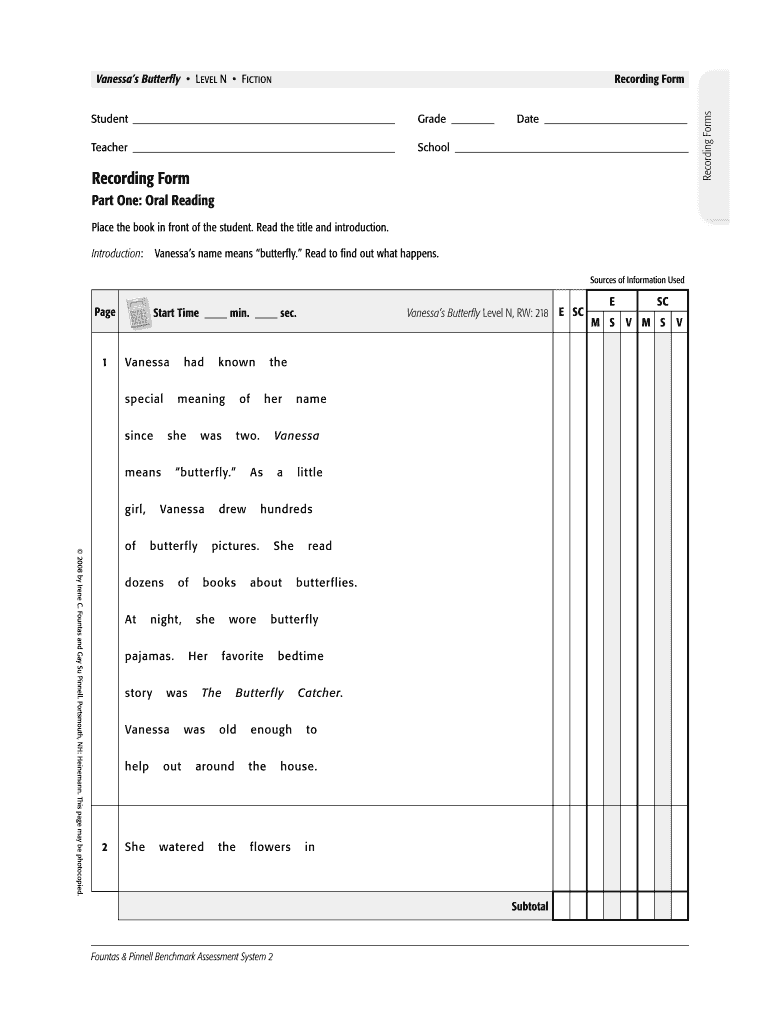
Vanessa's butterfly pdf 2026

Get Form
vanessa's butterfly running record Preview on Page 1

Here's how it works

01. Edit your vanessa's butterfly running record online
Type text, add images, blackout confidential details, add comments, highlights and more.
02. Sign it in a few clicks
Draw your signature, type it, upload its image, or use your mobile device as a signature pad.
03. Share your form with others
Send msv running records via email, link, or fax. You can also download it, export it or print it out.

How to use or fill out vanessa's butterfly pdf with our platform

Form edit decoration
9.5
Ease of Setup
DocHub User Ratings on G2
9.0
Ease of Use
DocHub User Ratings on G2
  1. Click ‘Get Form’ to open the Vanessa’s Butterfly PDF in the editor.
  2. Begin by filling in the student’s name, grade, date, teacher, and school at the top of the form. This information is essential for tracking progress.
  3. Proceed to Part One: Oral Reading. As you read through the text, note down the start time and end time for each reading session. This will help assess fluency.
  4. In the accuracy section, mark any errors made during reading. Use the provided scoring key to evaluate performance based on self-corrections and reading rate.
  5. Move on to Part Two: Comprehension Conversation. Engage with the student using prompts provided to gauge their understanding of the story. Circle scores reflecting their comprehension level.
  6. If desired, complete Part Three: Writing About Reading by guiding students through a writing prompt related to their understanding of Vanessa's journey.

Start using our platform today for free to enhance your document editing experience!

be ready to get more

Complete this form in 5 minutes or less

Get form

Got questions?

We have answers to the most popular questions from our customers. If you can't find an answer to your question, please contact us.
Contact us

Approving documents on a mobile device is fast, easy, and doesn’t require software installation when you have an account with DocHub. Sign in from any browser, complete your blank fields with your information, and click on Sign → Create your signature. You can draw your electronic signature just as you usually do on paper, add its picture to your vanessa's butterfly, or type in your name and stylize its look. Whatever option you select, your form will be valid.

You can complete and sign your vanessa's butterfly pdf on the internet, even on a tight deadline. All you need to access high quality editing tools on any device is a DocHub account, which you can sign up within a few moments. After you sign up, upload your file or find what you are searching for in our catalog, complete it utilizing the editing tools you need, and put your electronic signature on it at the end.

Security and compliance

At DocHub, your data security is our priority. We follow HIPAA, SOC2, GDPR, and other standards, so you can work on your documents with confidence.

Learn more
ccpa2
pci-dss
gdpr-compliance
hipaa
soc-compliance
be ready to get more

Complete this form in 5 minutes or less

Get form