01. Edit your spicy food challenge waiver form online
Type text, add images, blackout confidential details, add comments, highlights and more.
02. Sign it in a few clicks
Draw your signature, type it, upload its image, or use your mobile device as a signature pad.
03. Share your form with others
Send spicy food waiver form via email, link, or fax. You can also download it, export it or print it out.
How to use or fill out spicy food waiver form with our platform
Ease of Setup
DocHub User Ratings on G2
Ease of Use
DocHub User Ratings on G2
Click ‘Get Form’ to open the spicy food waiver form in the editor.
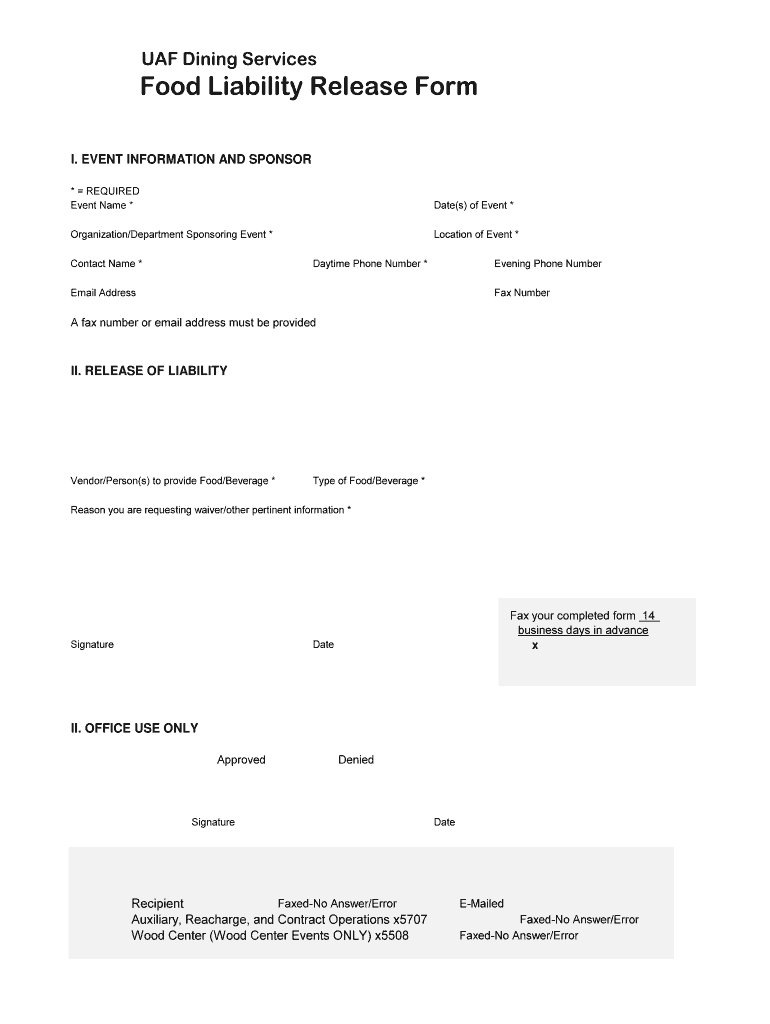
Begin by filling out the 'Event Information and Sponsor' section. Enter the event name, date(s), organization/department sponsoring the event, location, contact name, daytime phone number, and email address. Ensure that all required fields marked with an asterisk (*) are completed.
In the 'Release of Liability' section, provide details about the vendor or person supplying food/beverage and specify the type of food/beverage being served. This is crucial for liability purposes.
Explain your reason for requesting a waiver in the designated field. This information helps clarify your needs and ensures proper processing.
Finally, sign and date the form at the bottom. Remember to fax or email your completed form at least 14 business days before your event to ensure timely approval.
Start using our platform today to easily fill out your spicy food waiver form for free!
Jan 17, 2023 Tacos manager Al Pastor mistook them for a prospective player and gave them the sign up sheet and waiver in place of the sponsorship form.Read more
This Settlement Agreement is hereby entered into by and between Keep America Safe. And Beautiful (KASAB) and National Food Group, Inc (National Food).Read more
I, the undersigned participant in this eating contest (Contest), hereby stipulate that I am 18 years of age or older and I have valid photo identificationRead more
Cookie consent notice
This site uses cookies to enhance site navigation and personalize your experience.
By using this site you agree to our use of cookies as described in our Privacy Notice.
You can modify your selections by visiting our Cookie and Advertising Notice.