



Alabama will template 2026

Get Form
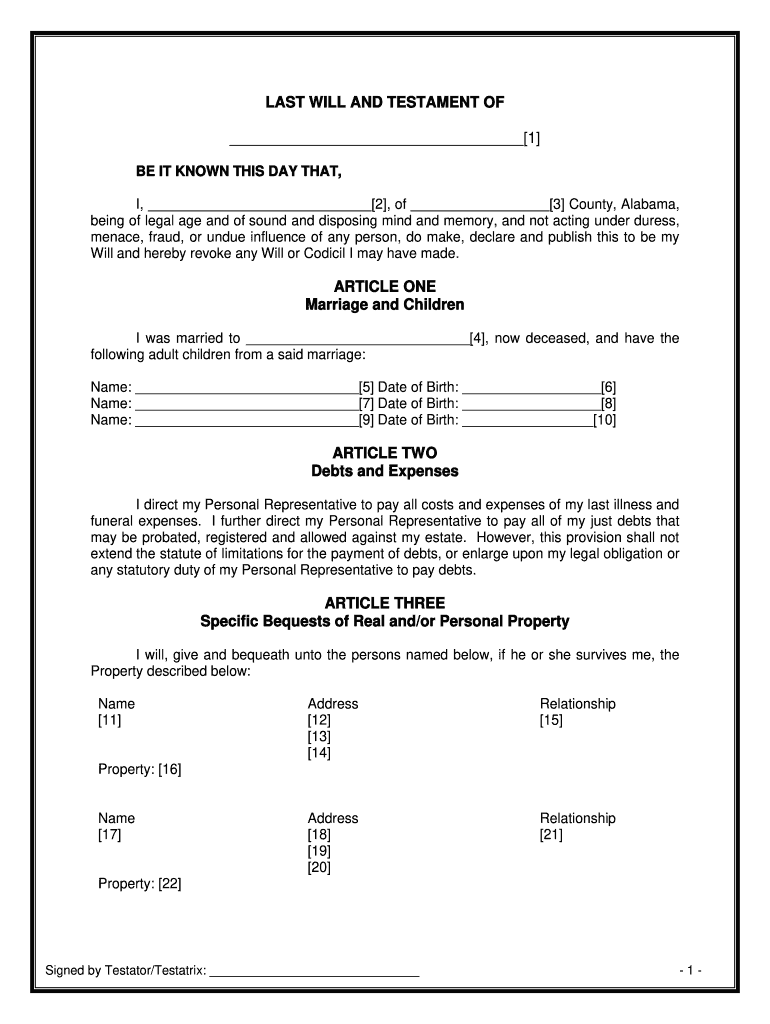
alabama last will and testament template Preview on Page 1

Here's how it works

01. Edit your alabama last will and testament template online
Type text, add images, blackout confidential details, add comments, highlights and more.

02. Sign it in a few clicks
Draw your signature, type it, upload its image, or use your mobile device as a signature pad.

03. Share your form with others
Send last will and testament alabama via email, link, or fax. You can also download it, export it or print it out.

How to use or fill out Alabama Will Template with Our Platform

Form edit decoration
9.5
Ease of Setup
DocHub User Ratings on G2
9.0
Ease of Use
DocHub User Ratings on G2
  1. Click ‘Get Form’ to open the Alabama Will template in the editor.
  2. Begin by filling in your name and county of residence at the top of the document. This establishes your identity as the testator.
  3. In Article One, provide details about your marriage and children. Fill in the names and dates of birth for each child you wish to include.
  4. Proceed to Article Two, where you will direct your Personal Representative regarding debts and expenses. Ensure clarity on how these should be handled.
  5. In Article Three, list specific bequests of property. Clearly state the names, addresses, relationships, and properties being bequeathed.
  6. Continue through Articles Four to Eight, detailing your homestead distribution, residuary clause, and appointing a Personal Representative. Make sure all names are accurate.
  7. Finally, review all sections for accuracy before signing. Use our platform’s features to save or print your completed will for free.

Start using our platform today to easily create and manage your Alabama Will!

be ready to get more

Complete this form in 5 minutes or less

Get form

Got questions?

We have answers to the most popular questions from our customers. If you can't find an answer to your question, please contact us.
Contact us
No, in Alabama, you dont need to docHub your will to make it legal. However, Alabama allows you to make your will self-proving, and youll need to use a notary if you want to do that. A self-proving will speeds up probate because the court can accept the will without contacting the witnesses who signed it.
However, you may want independent witnesses so no one can claim someone unduly influenced you. Notary: An Alabama will does not have to have a notary publics signature. But you will require a notary if you want to use a self-proving affidavit.
You do not have to have a will, but it is a good idea, especially if you have a house and land. If you do not have a will, your property will pass to your closest relatives and be divided as set by Alabama law. Your property does not go to the state if you dont have a will unless no family members are left.
Any person in possession of the Will must, by Alabama law, deliver the Will to the Probate Court or to a person who is able to have the Will probated. A person in possession of the Will can be required to produce it.
Many people think making a will is a complicated process that requires the help of an attorney. However, if you have a simple estate plan, you can successfully write your own will without a lawyer.

Security and compliance

At DocHub, your data security is our priority. We follow HIPAA, SOC2, GDPR, and other standards, so you can work on your documents with confidence.

Learn more
ccpa2
pci-dss
gdpr-compliance
hipaa
soc-compliance

People also ask

A will must be in writing. It should be typed or printed. The person signing the will must be 18 or older and be of sound mind. It must be dated, signed and also witnessed by at least two people.

alabama a template