




Here's how it works

01. Edit your multi tenant lease agreements online
Type text, add images, blackout confidential details, add comments, highlights and more.

02. Sign it in a few clicks
Draw your signature, type it, upload its image, or use your mobile device as a signature pad.

03. Share your form with others
Send standard industrial commercial multi tenant lease pdf via email, link, or fax. You can also download it, export it or print it out.
How to use or fill out standard multi tenant lease with our platform

- Click ‘Get Form’ to open the standard multi tenant lease in the editor.
- Begin by filling in the 'Parties' section with the names of the Lessor and Lessee, along with the date of reference.
- In the 'Premises' section, enter the address and details of the property being leased, including any specific rights related to parking.
- Complete the 'Term' section by specifying the original term duration and commencement date.
- Fill in financial details such as 'Base Rent', 'Security Deposit', and any adjustments as outlined in relevant paragraphs.
- Review sections regarding permitted use, insurance obligations, and maintenance responsibilities to ensure compliance.
- Once all fields are completed, utilize our platform's signing feature to securely sign and distribute the lease document.
Start using our platform today for free to streamline your lease management process!
Fill out standard multi tenant lease online
It's free
It's free
Security and compliance
At DocHub, your data security is our priority. We follow HIPAA, SOC2, GDPR, and other standards, so you can work on your documents with confidence.
Learn more


Related forms

Ontario Rental Application Form 410
The document provides a comprehensive guide on how to fill out the Ontario Rental Application Form (OREA Form 410), deta ...
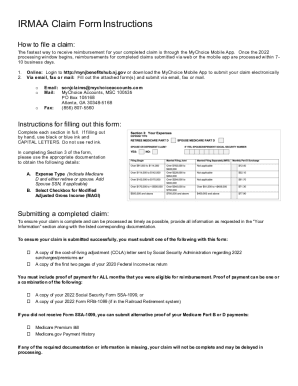
State of New Jersey IRMAA Claim Form
The document is a notice from the New Jersey State Health Benefits Program (NJ SHBP/SEHBP) informing eligible retirees a ...

Water and Smoke Mitigation Scope Sheet
The document is a comprehensive Water and Smoke Mitigation Scope Sheet designed for estimating damage and necessary reme ...

Presidential Memorial Certificate Request Form
The document is a Presidential Memorial Certificate Request Form, allowing eligible individuals to request additional or ...

Lethal Dose Worksheet
The document is a lesson plan focused on calculating and comparing the toxicity of various substances, specifically aspi ...
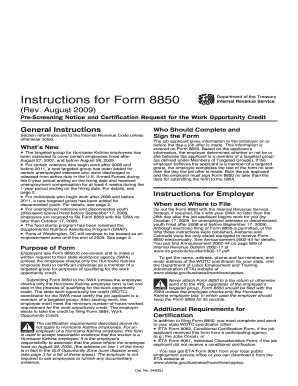
Form 8850 Instructions
The document provides detailed instructions for Form 8850, which is used by employers to pre-screen and request certific ...

Physics Lab Report Template
The document outlines an AP Physics lab focused on dynamics, specifically examining the vector nature of forces, tension ...

South Dakota CNA Registry Application
The document provides application instructions for individuals seeking to obtain endorsement on the South Dakota Certifi ...