Type text, add images, blackout confidential details, add comments, highlights and more.
02. Sign it in a few clicks
Draw your signature, type it, upload its image, or use your mobile device as a signature pad.
03. Share your form with others
Send ds 449 form via email, link, or fax. You can also download it, export it or print it out.
How to use or fill out salon chemical release form with our platform
Ease of Setup
DocHub User Ratings on G2
Ease of Use
DocHub User Ratings on G2
Click ‘Get Form’ to open the salon chemical release form in the editor.
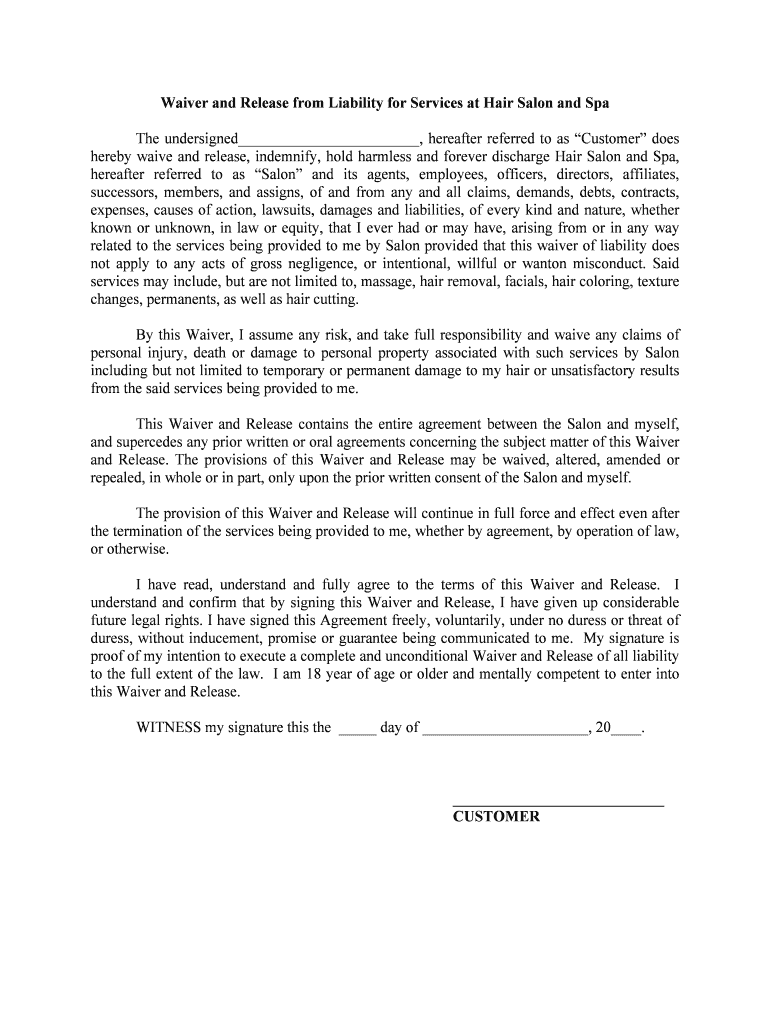
Begin by entering your name in the designated field, where it states 'The undersigned'. This identifies you as the customer.
Review the waiver section carefully. Ensure you understand that you are waiving any claims related to services provided by the salon, including potential risks associated with hair treatments.
In the section regarding assumption of risk, confirm your understanding and acceptance of responsibility for any personal injury or damage that may occur during services.
Sign and date the form at the bottom. Make sure to include the date clearly to validate your agreement.
If required, have a witness sign next to your signature to complete the process.
Start using our platform today for free to streamline your salon's document management!
Fill out salon chemical release form online It's free
Salon chemical release form templateSalon chemical release form pdfFree Salon chemical release formHair salon Waiver form freeSalon chemical release form onlineHair Color consent formHair salon new client consent formHair salon consent form
Security and compliance
At DocHub, your data security is our priority. We follow HIPAA, SOC2, GDPR, and other standards, so you can work on your documents with confidence.
Hair Smoothing Products That Could Release Formaldehyde
Communication standard, salon owners and other em- ployers must have an MSDS for each product used in the salon that contains a hazardous chemical. EmployRead more
On September 21, 2025, an academic salon focusing on bio-art and synthetic biology was held in Beijing. Organized by the CAFA-BEIJING team and hosted at a
Cookie consent notice
This site uses cookies to enhance site navigation and personalize your experience.
By using this site you agree to our use of cookies as described in our Privacy Notice.
You can modify your selections by visiting our Cookie and Advertising Notice.