Nebraska notary form 2026

Get Form
blank notary form Preview on Page 1

Here's how it works

01. Edit your blank notary form online
Type text, add images, blackout confidential details, add comments, highlights and more.

02. Sign it in a few clicks
Draw your signature, type it, upload its image, or use your mobile device as a signature pad.

03. Share your form with others
Send notary form via email, link, or fax. You can also download it, export it or print it out.

How to use or fill out Nebraska Notary Form with DocHub

Form edit decoration
9.5
Ease of Setup
DocHub User Ratings on G2
9.0
Ease of Use
DocHub User Ratings on G2
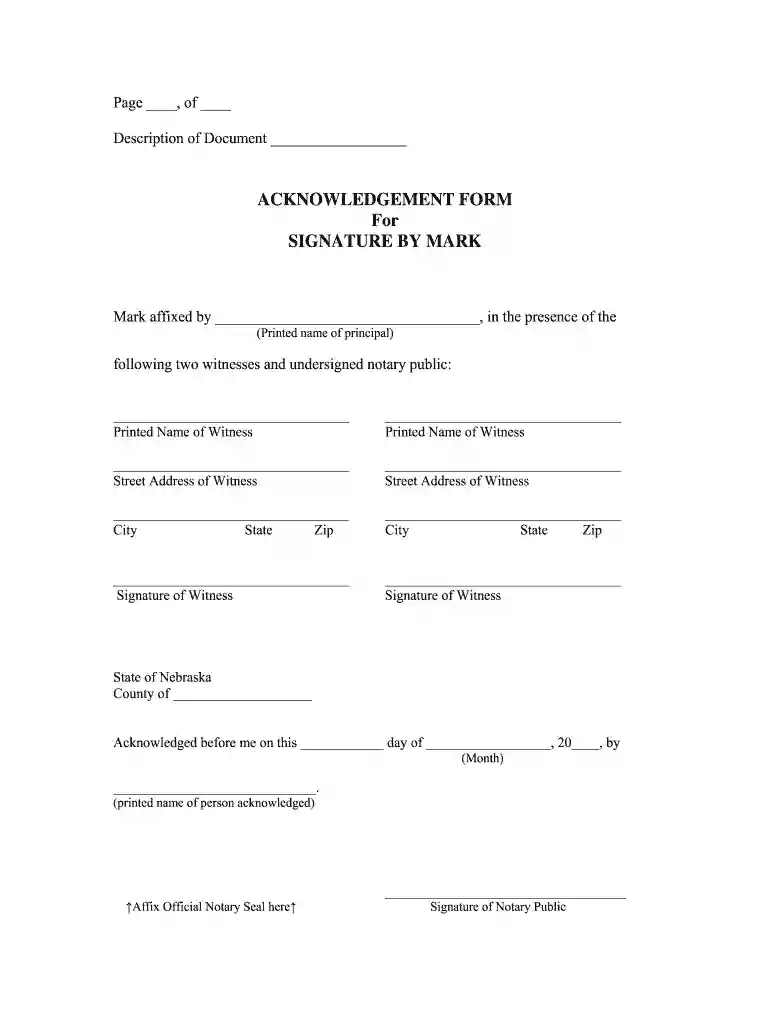
  1. Click ‘Get Form’ to open the Nebraska Notary Form in our editor.
  2. Begin by entering the page number and total pages at the top of the form. This helps in organizing your document.
  3. In the 'ACKNOWLEDGEMENT FORM' section, provide the printed name of the principal who is signing. Ensure this is accurate as it verifies their identity.
  4. Next, list the names and addresses of two witnesses. Fill in their printed names, street addresses, cities, states, and zip codes carefully.
  5. Have each witness sign in the designated signature fields to validate their presence during the acknowledgment.
  6. In the 'State of Nebraska' section, fill in the county where the acknowledgment takes place along with the date of acknowledgment.
  7. Finally, ensure that you affix your official notary seal and sign as a notary public to complete the form.

Start using our platform today for free to streamline your document editing and signing process!

be ready to get more

Complete this form in 5 minutes or less

Get form

Got questions?

We have answers to the most popular questions from our customers. If you can't find an answer to your question, please contact us.
Contact us
Nebraska allows the following notarial acts to be performed online: Taking acknowledgments. Performing jurats. Taking verifications or proofs.
Failing to require signers to be present at the notarization is the number one claim of misconduct against Notaries.
A signer must meet face-to-face with a Notary in order to have their signature docHubd. Be sure that any person whose signature needs notarization is available and can attend your appointment with the Notary Public. A Notary cannot docHub a persons signature over the phone or video chat.

Security and compliance

At DocHub, your data security is our priority. We follow HIPAA, SOC2, GDPR, and other standards, so you can work on your documents with confidence.

Learn more
ccpa2
pci-dss
gdpr-compliance
hipaa
soc-compliance
be ready to get more

Complete this form in 5 minutes or less

Get form