




01. Edit your student information request form online
Type text, add images, blackout confidential details, add comments, highlights and more.

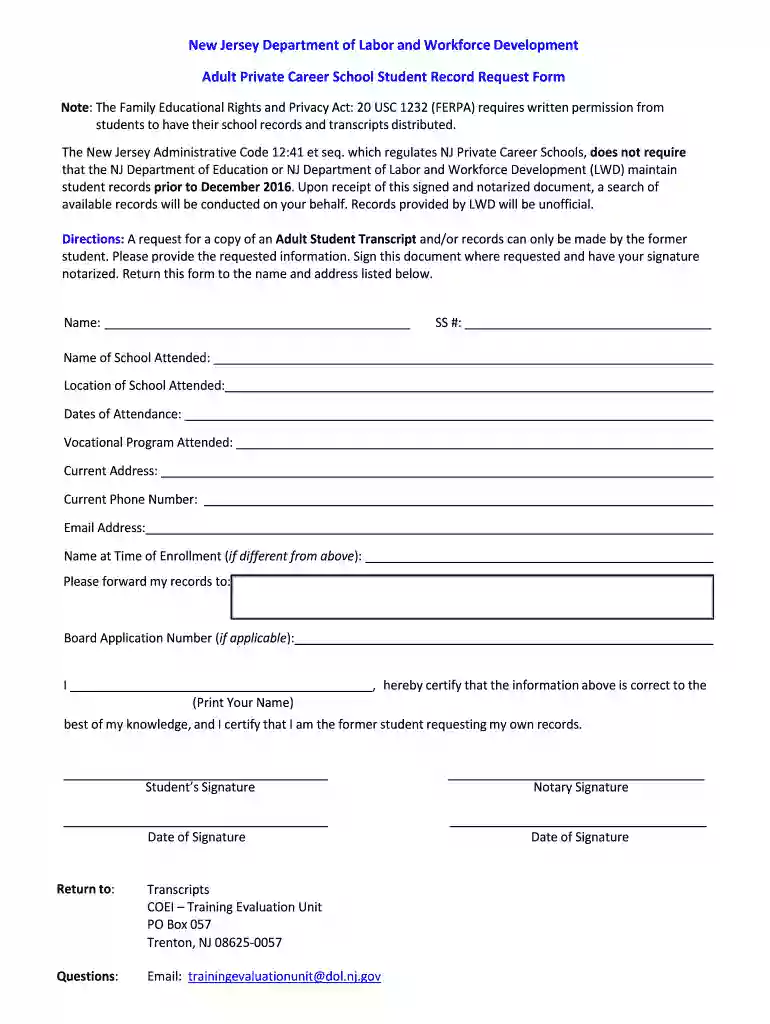
Type text, add images, blackout confidential details, add comments, highlights and more.

Draw your signature, type it, upload its image, or use your mobile device as a signature pad.

Send it via email, link, or fax. You can also download it, export it or print it out.

Start using our platform today to easily fill out and submit your request form for free!
With DocHub, it’s quite simple. The editor offers users an add-on called DocHub for Gmail, which you can find in the Google Workspace Marketplace without being charged. Install it and grant it access to your Google account. Open your email with your Adult Private Career School Student Record Request Form attached and click on the add-on button in the right-side panel. Log in to your DocHub account, and upload the form to our editor, where you can complete it and sign.
It is a no-brainer on a computer or via a mobile device to complete a Adult Private Career School Student Record Request Form with DocHub. All you need to do is open any installed browser on your smartphone and proceed to the DocHub website. Once authenticated, add your document and open it in editing mode. Use our toolbar to make your edits and save modifications. Optionally, keep your file in your files or send it to a recipient on the spot.
At DocHub, your data security is our priority. We follow HIPAA, SOC2, GDPR, and other standards, so you can work on your documents with confidence.
If you are a student seeking letters and certifications, you must submit a request form to the Registrars Office requests take 2-5 business days to process
Through four structured pathways tailored to elementary, middle, and high school students as well as adult learners, we deliver learning experiences that varyRead more
Directions: A request for a copy of an Adult Student Transcript and/or records can only be made by the former student. Please provide the requested information.Read more


