BOGO Card Order Form 2013 cropmarks-2026

Get Form
bogo signs Preview on Page 1

Here's how it works

01. Edit your bogo signs online
Type text, add images, blackout confidential details, add comments, highlights and more.

02. Sign it in a few clicks
Draw your signature, type it, upload its image, or use your mobile device as a signature pad.

03. Share your form with others
Send it via email, link, or fax. You can also download it, export it or print it out.

How to use or fill out BOGO Card Order Form 2013 cropmarks with our platform

Form edit decoration
9.5
Ease of Setup
DocHub User Ratings on G2
9.0
Ease of Use
DocHub User Ratings on G2
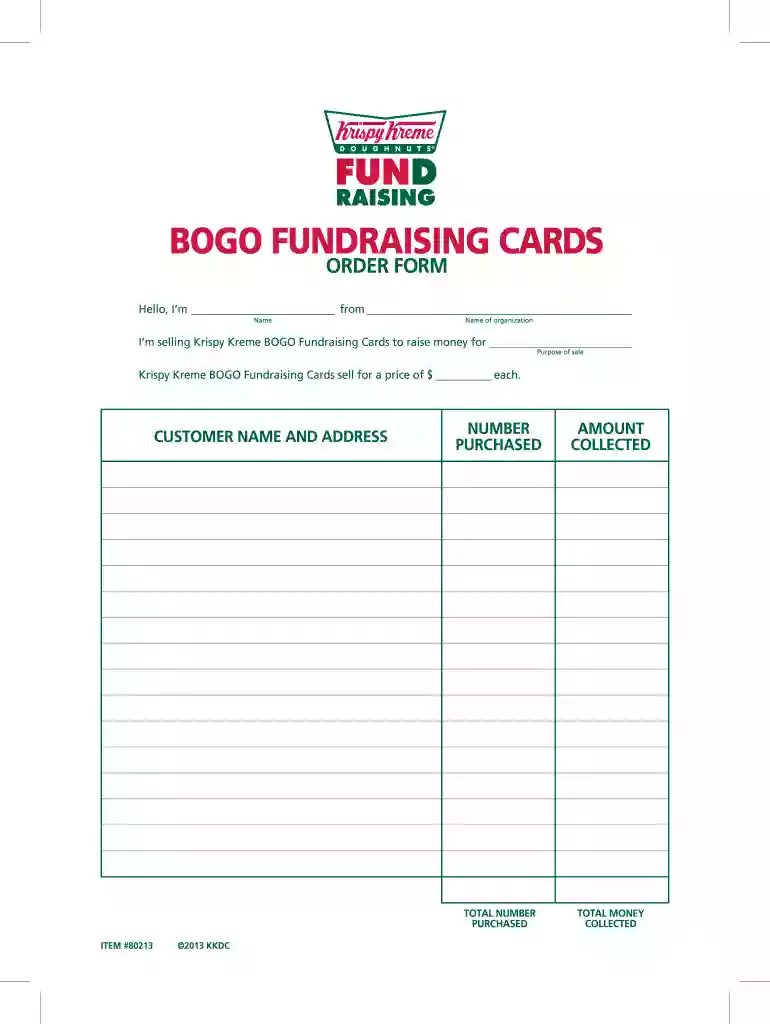
  1. Click ‘Get Form’ to open the BOGO Card Order Form in the editor.
  2. Begin by entering your name in the designated field at the top of the form. This personalizes your order and identifies you as the seller.
  3. Next, fill in the name of your organization. This is important for tracking sales and ensuring funds are allocated correctly.
  4. Indicate the purpose of your sale in the provided section. Clearly stating this helps potential buyers understand what their purchase supports.
  5. In the 'Customer Name and Address' section, input each customer's details accurately to ensure proper delivery and communication.
  6. For each card sold, record the number purchased and amount collected in their respective fields. This will help you keep track of sales.
  7. Finally, calculate and enter the total number of cards purchased and total money collected at the bottom of the form for a complete overview.

Start using our platform today to streamline your form completion process for free!

be ready to get more

Complete this form in 5 minutes or less

Get form

Got questions?

We have answers to the most popular questions from our customers. If you can't find an answer to your question, please contact us.
Contact us

With DocHub, it’s pretty simple. The platform offers users an add-on called DocHub for Gmail, which you can locate in the Google Workspace Marketplace without being charged. Install it and grant it access to your Google account. Open your email with your BOGO Card Order Form 2013 cropmarks attached and click on the add-on button in the right-side panel. Log in to your DocHub account, and upload the form to our editor, where you can complete it and sign.

If you are searching for a state-specific BOGO Card Order Form 2013 cropmarks sample, you will find it in our DocHub Forms & Templates catalog. Use the search field, enter your form’s name, and search through the results for your state. You may also filter out irrelevant results while exploring our catalog by categories.

Register your OG Card to get a FREE Box of 6 Original Glazed Doughnuts for every dozen Original Glazed purchase! Purchase an OG Card now through any of our add-on options.
Krispy Kreme Fundraising doughnuts are 50% less than the Original Glazed retail price which means, you can make a lot of dough for your chosen charity by selling them at full price. Are Krispy Kreme Fundraising doughnuts smaller than normal doughnuts dozens?
Each certificate can be redeemed at Krispy Kreme for one dozen Original Glazed doughnuts. (Redemption at retail shops only, not valid at grocery stores or other retail outlets that carry Krispy Kreme products.) They are Convenient! Redeem your certificate anytime you visit Krispy Kreme.

Security and compliance

At DocHub, your data security is our priority. We follow HIPAA, SOC2, GDPR, and other standards, so you can work on your documents with confidence.

Learn more
ccpa2
pci-dss
gdpr-compliance
hipaa
soc-compliance

People also ask

free doughnut just Sign up for Krispy Kreme Rewards and earn a free doughnut of your choice its as simple as that.
BOGO CARDS A Fundraising exclusive product and a GREAT value! Each card is valid for 1 FREE dozen Original Glazed doughnuts with the purchase of any dozen. Redeemable up to 10 times.

Related links