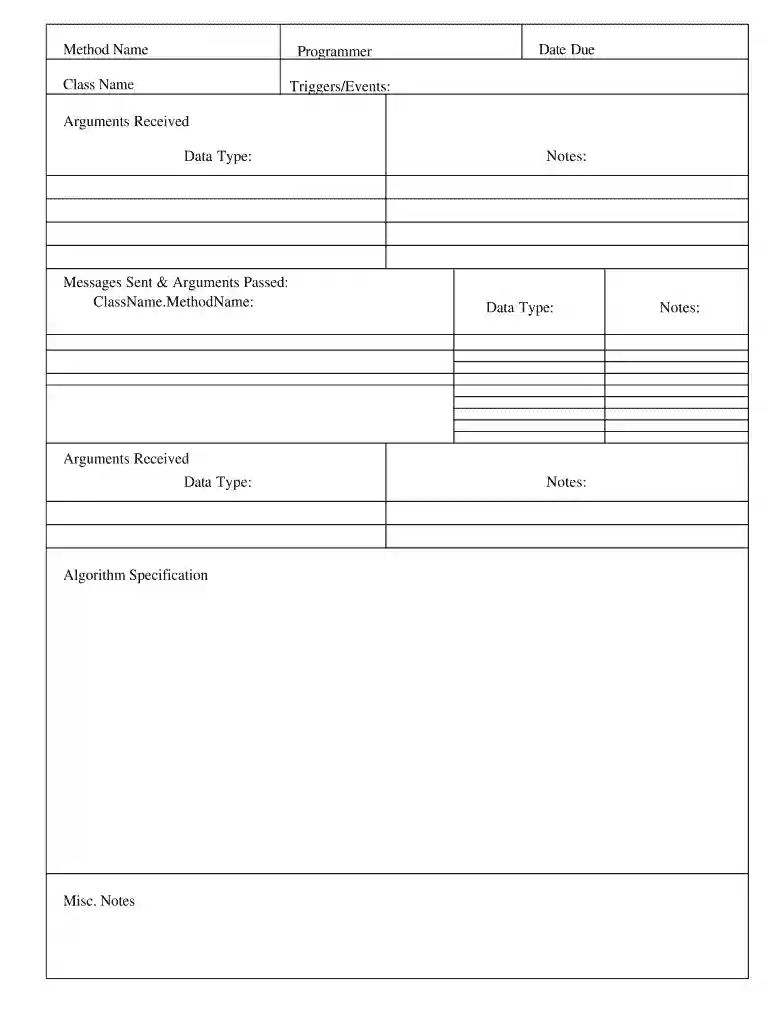
method specification form Preview on Page 1

Method specification form 2026

Here's how it works

  • 01. Edit your method specification form online

    Type text, add images, blackout confidential details, add comments, highlights and more.

  • 02. Sign it in a few clicks

    Draw your signature, type it, upload its image, or use your mobile device as a signature pad.

  • 03. Share your form with others

    Send form specification via email, link, or fax. You can also download it, export it or print it out.

How to use or fill out method specification form with our platform

Form edit decoration
9.5
Ease of Setup
DocHub User Ratings on G2
9.0
Ease of Use
DocHub User Ratings on G2
  1. Click ‘Get Form’ to open the method specification form in the editor.
  2. Begin by filling in the 'Method Name' field, ensuring it accurately reflects the function you are specifying.
  3. In the 'Programmer' section, enter your name or the name of the individual responsible for this method.
  4. Complete the 'Class Name' field with the appropriate class that contains this method.
  5. Specify the 'Date Due' to indicate when this method should be completed.
  6. Detail any 'Triggers/Events' that will initiate this method, providing clarity on its usage context.
  7. For each argument received, specify its name and data type under 'Arguments Received'.
  8. In 'Messages Sent & Arguments Passed', outline what messages will be sent and any arguments associated with them.
  9. Fill out the 'Algorithm Specification' section with a clear description of how your method operates.
  10. Use the 'Misc. Notes' section for any additional information or clarifications needed regarding your method.

Start using our platform today to streamline your document editing and form completion for free!

be ready to get more

Complete this form in 5 minutes or less

Security and compliance

At DocHub, your data security is our priority. We follow HIPAA, SOC2, GDPR, and other standards, so you can work on your documents with confidence.

Related links

User Guide

tox is an environment orchestrator. Use it to define how to setup and execute various tools on your projects. The tool can set up environments for and invoke:.

Learn more
Specification Template Compilation

The purpose of this document is to communicate the purchasers requirements for active roadway barrier system (referred to as the barrier system) toRead more

Learn more
Functional Specification Document Template.docx - University IT

Aug 30, 2017 Included in this document will be the detailed functional requirements including use cases, system inputs and outputs, process flows, diagrams,Read more

Learn more
If you believe that this page should be taken down, please follow our DMCA take down process here