Type text, add images, blackout confidential details, add comments, highlights and more.
02. Sign it in a few clicks
Draw your signature, type it, upload its image, or use your mobile device as a signature pad.
03. Share your form with others
Send commercial roof inspection form via email, link, or fax. You can also download it, export it or print it out.
How to use or fill out highland roof inspection with our platform
Ease of Setup
DocHub User Ratings on G2
Ease of Use
DocHub User Ratings on G2
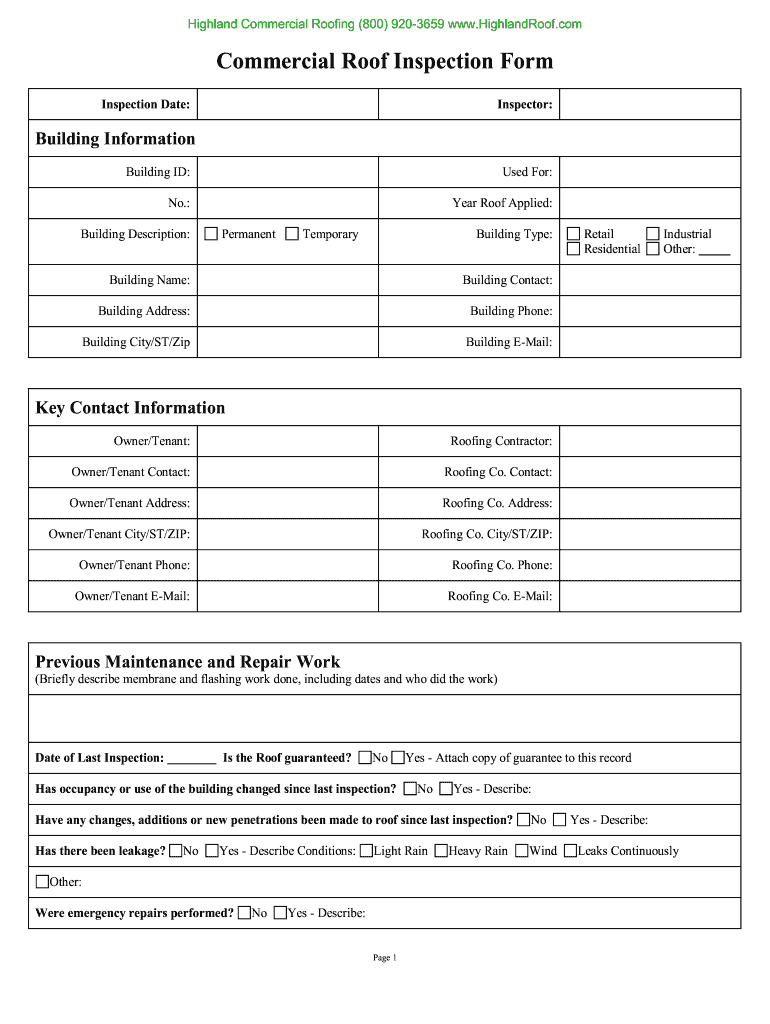
Click ‘Get Form’ to open the Highland Roof Inspection form in the editor.
Begin by entering the 'Inspection Date' and 'Inspector' details at the top of the form. This establishes a clear record of when the inspection took place.
Fill in the 'Building Information' section, including 'Building ID', 'Used For', and 'Year Roof Applied'. Ensure all fields are accurately completed for effective documentation.
In the 'Key Contact Information' section, provide details for both the owner/tenant and roofing contractor. This includes names, addresses, phone numbers, and emails to facilitate communication.
Document any previous maintenance or repair work in the designated area. Include dates and descriptions to maintain a comprehensive history of roof conditions.
Proceed through each condition assessment section (e.g., Interior, Exterior, Metal Flashings) by marking the appropriate codes (G, F, P) based on your observations.
Finally, review all entries for accuracy before saving or sharing your completed inspection form directly from our platform.
Start using our platform today to streamline your roof inspection process for free!
Fill out highland roof inspection online It's free
Please call the Building and Zoning office at 618-654-9891 at least twenty four (24) hours prior to requested inspection time. Venting. Felt. Ice andRead more
Cookie consent notice
This site uses cookies to enhance site navigation and personalize your experience.
By using this site you agree to our use of cookies as described in our Privacy Notice.
You can modify your selections by visiting our Cookie and Advertising Notice.