Type text, add images, blackout confidential details, add comments, highlights and more.
02. Sign it in a few clicks
Draw your signature, type it, upload its image, or use your mobile device as a signature pad.
03. Share your form with others
Send it via email, link, or fax. You can also download it, export it or print it out.
How to use or fill out wb40 with our platform
Ease of Setup
DocHub User Ratings on G2
Ease of Use
DocHub User Ratings on G2
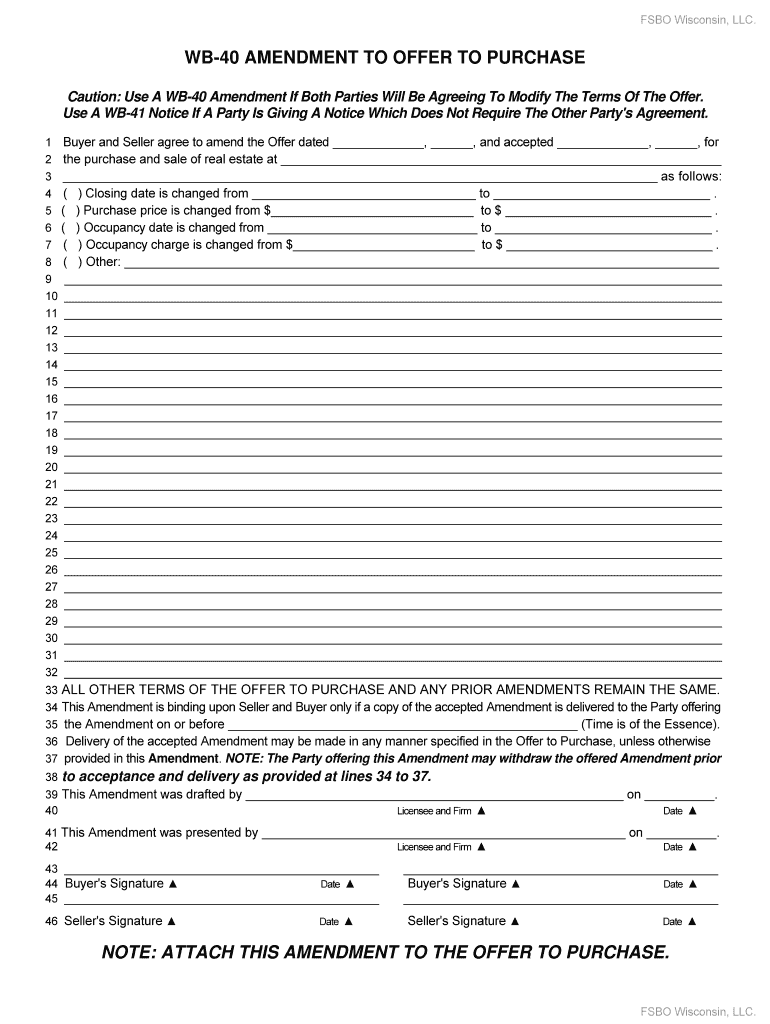
Click ‘Get Form’ to open the wb40 Amendment in the editor.
Begin by entering the date of the original offer in the first blank field. This is crucial for referencing the correct agreement.
In the next section, specify the property address where the transaction is taking place. Ensure accuracy to avoid any legal issues.
Review each amendment option carefully. For changes like closing date, purchase price, or occupancy date, check the corresponding box and fill in the new details.
If there are additional amendments not listed, utilize the 'Other' section to clearly outline these changes.
Complete all signature fields at the end of the document. Both buyer and seller must sign and date to validate this amendment.
Start editing your wb40 form online for free today!
Parking Map | Parking and Transportation - Business Services
View UI Parking Map. The University of Iowa Parking and Transportation Business Services 100 West Campus Transportation Center Iowa City, Iowa 52242 319-335-Read more
May 1, 2022 WB-40 AMENDMENT TO OFFER TO PURCHASE. CAUTION: Use a WB-40 Amendment if both Parties will be agreeing to modify the terms of the Offer.Read more
Cookie consent notice
This site uses cookies to enhance site navigation and personalize your experience.
By using this site you agree to our use of cookies as described in our Privacy Notice.
You can modify your selections by visiting our Cookie and Advertising Notice.