Type text, add images, blackout confidential details, add comments, highlights and more.
02. Sign it in a few clicks
Draw your signature, type it, upload its image, or use your mobile device as a signature pad.
03. Share your form with others
Send 2023 par q via email, link, or fax. You can also download it, export it or print it out.
How to use or fill out gym par q with our platform
Ease of Setup
DocHub User Ratings on G2
Ease of Use
DocHub User Ratings on G2
Click ‘Get Form’ to open the gym PAR-Q in the editor.
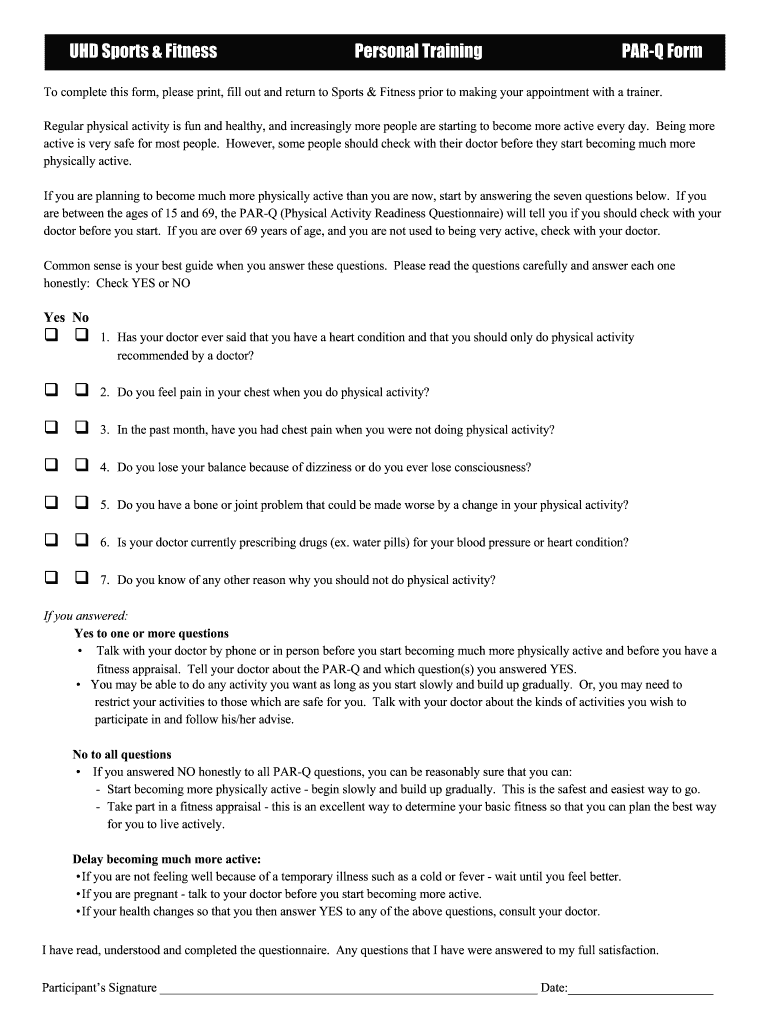
Begin by answering the seven questions regarding your health. Check 'YES' or 'NO' for each question honestly, as this will determine if you need to consult a doctor before starting physical activity.
If you answered 'YES' to any question, follow the guidance provided and consider discussing your answers with your doctor.
Next, fill out your personal information in the Health History section, including your name, contact details, and exercise preferences.
Indicate your current exercise habits and goals by completing the relevant fields about types of exercises you enjoy and how much time you can commit.
Review all sections carefully to ensure accuracy before saving or exporting your completed form for submission.
Start using our platform today to easily complete your gym PAR-Q form online for free!
Gym par q questionnaire pdfGym par q pdfPAR-Q Questionnaire pdfPAR-Q questionnaire PDF 2025PAR-Q form downloadGym par q scoringPAR-Q questionsPAR-Q+ plus
Security and compliance
At DocHub, your data security is our priority. We follow HIPAA, SOC2, GDPR, and other standards, so you can work on your documents with confidence.
This questionnaire will tell you whether it is necessary for you to seek further advice from your doctor. OR a qualified exercise professional before becomingRead more
Cookie consent notice
This site uses cookies to enhance site navigation and personalize your experience.
By using this site you agree to our use of cookies as described in our Privacy Notice.
You can modify your selections by visiting our Cookie and Advertising Notice.