
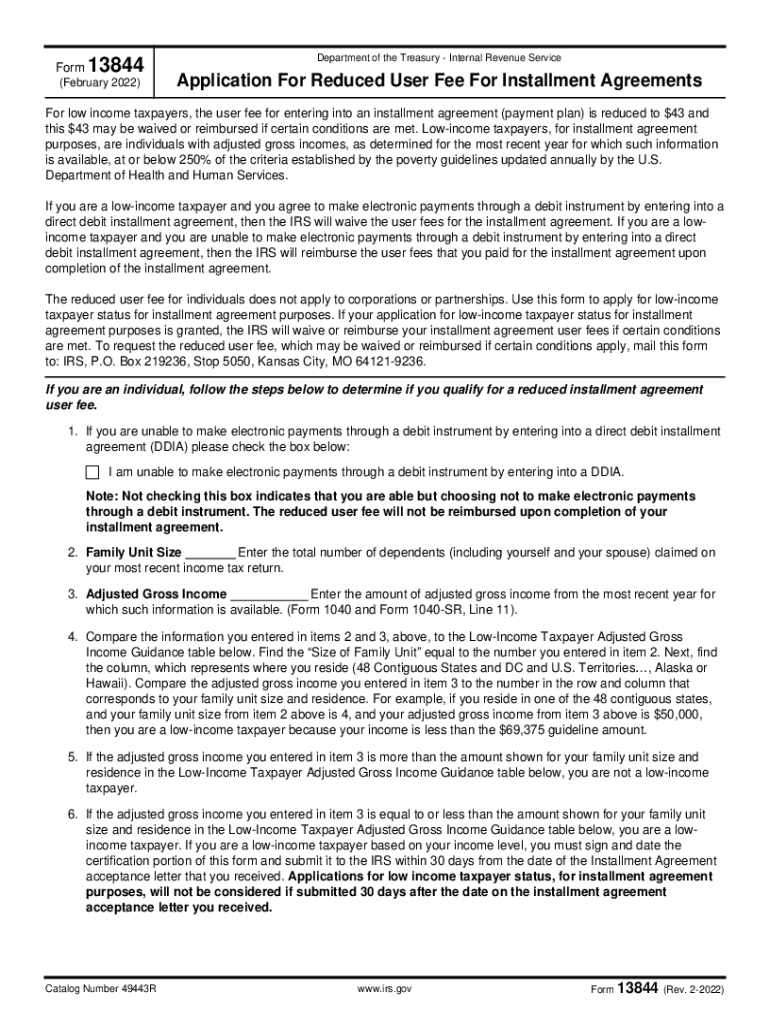







Definition and Meaning of IRS Form
The "IRS form" generally refers to any official document issued by the Internal Revenue Service (IRS) that taxpayers use to report income, claim deductions and credits, calculate taxes owed, and communicate financial information to the IRS. These forms are vital for ensuring taxpayers comply with federal tax laws, manage their tax liability, and fulfill their obligations accurately.
Types of IRS Forms
- 1040 Series: Used by individuals to file annual income tax returns.
- W-2 Form: Reports an employee's annual wages and taxes withheld.
- W-9 Form: Provides your Taxpayer Identification Number (TIN) to clients or financial institutions.
- 941 Form: Employers use this to report payroll taxes withheld from employees’ wages.
Each form type serves a specific purpose and caters to different aspects of tax filing and financial reporting.
How to Use the IRS Form
Using IRS forms involves accurately completing sections with required financial details, filing them with the IRS, and paying any taxes owed. Proper use is critical for personal or business financial management.
Step-by-Step Guide
- Identify the Correct Form: Determine which form corresponds to your needs, such as Form 1040 for individual tax returns.
- Gather Required Documents: Collect necessary financial documents like 1099s, W-2s, or receipts for deductions.
- Complete Form Sections: Fill in all required information accurately, including personal details, income information, and any deductions or credits.
- Calculate Taxes Owed: Use the form’s instructions to determine your total tax liability.
- Submit Completed Form: Submit the form through the IRS’s online platform, mail, or a professional tax preparer.
How to Obtain the IRS Form
You can acquire IRS forms through various channels depending on your preference, ensuring you have the latest version for submission.
Methods to Obtain Forms
- IRS Website: Download and print forms directly from the official IRS site.
- Local IRS Offices: Visit an IRS office for printed copies.
- Tax Software: Access forms through tax preparation software like TurboTax or QuickBooks.
- Libraries and Post Offices: Some locations provide paper copies of common tax forms during tax season.
Steps to Complete the IRS Form
Completing an IRS form involves a systematic approach to ensure accuracy and compliance with tax laws.
Detailed Steps
- Read Instructions Carefully: Each form comes with specific instructions that guide the taxpayer on necessary inputs.
- Fill Personal Information: Include your name, address, and Social Security Number (SSN) or Employer Identification Number (EIN) as applicable.
- Report Income: Enter all sources of income such as wages, dividends, and other relevant income.
- Claim Deductions/Credits: Identify eligible deductions like education credits or mortgage interest.
- Review for Accuracy: Carefully check all entries to prevent errors that could lead to processing delays or audits.
- Sign and Date: Ensure the form is signed and dated before submission.
Who Typically Uses the IRS Form
IRS forms are crucial tools for a diverse group of individuals and entities required to report income and other relevant information to the IRS.


Common Users
- Individuals: Workers and retirees using forms like 1040 to file annual taxes.
- Businesses: Both small (LLCs, sole proprietorships) and large-scale corporations submitting forms such as 941 for payroll reporting.
- Employees and Contractors: Issued W-2s or required to submit forms such as W-9 for TIN verification.
- Self-employed Individuals: Using Schedule C for reporting business income and expenses.

Key Elements of an IRS Form
Recognizing the essential components of an IRS form aids in accurate and complete submission.
Fundamental Elements
- Form Number and Title: Identifies the purpose and type of the form.
- Tax Year: Indicates the fiscal year for which the form is filed.
- Detailed Instructions: Provides step-by-step guidance for each section.
- Data Fields: Sections for reporting income, adjustments, deductions, and credits.
- Signature Area: A mandatory section for authentication of information supplied.
IRS Guidelines
The IRS establishes specific guidelines that dictate how forms should be completed, submitted, and filed.
Adherence to Guidelines
- Timeliness: Ensure submission by the appropriate deadline to avoid penalties.
- Accuracy: Double-check calculations to prevent inconsistencies.
- Compliance: Follow instructions to ensure all legal requirements are met.
Filing Deadlines and Important Dates
Managing deadlines is crucial for mitigating penalties and maintaining good standing with the IRS.
Key Dates
- April 15: Generally the deadline for filing individual tax returns.
- Quarterly Deadlines: Important for estimated tax payments, typically due in April, June, September, and January.
- End of Fiscal Year: Relevant for businesses that do not follow the calendar year.
Being aware of these crucial dates ensures timely compliance and prevents late fees.
Digital vs. Paper Version
Both digital and paper versions of IRS forms have distinct benefits and considerations for usage.
Digital Forms
- Convenience: Online submission is faster and more accessible.
- Eco-friendly: Reduces paper consumption.
- Automated Calculations: Many tax software solutions provide checks and balances to catch errors.
Paper Forms
- Accessibility: Useful in areas with limited internet access.
- Traditional Preference: Some prefer physical documentation for personal records.




