Type text, add images, blackout confidential details, add comments, highlights and more.

02. Sign it in a few clicks
Draw your signature, type it, upload its image, or use your mobile device as a signature pad.

03. Share your form with others
Send it via email, link, or fax. You can also download it, export it or print it out.

How to use or fill out ga account with our platform
Ease of Setup
DocHub User Ratings on G2
Ease of Use
DocHub User Ratings on G2
Click ‘Get Form’ to open the ga account document in the editor.
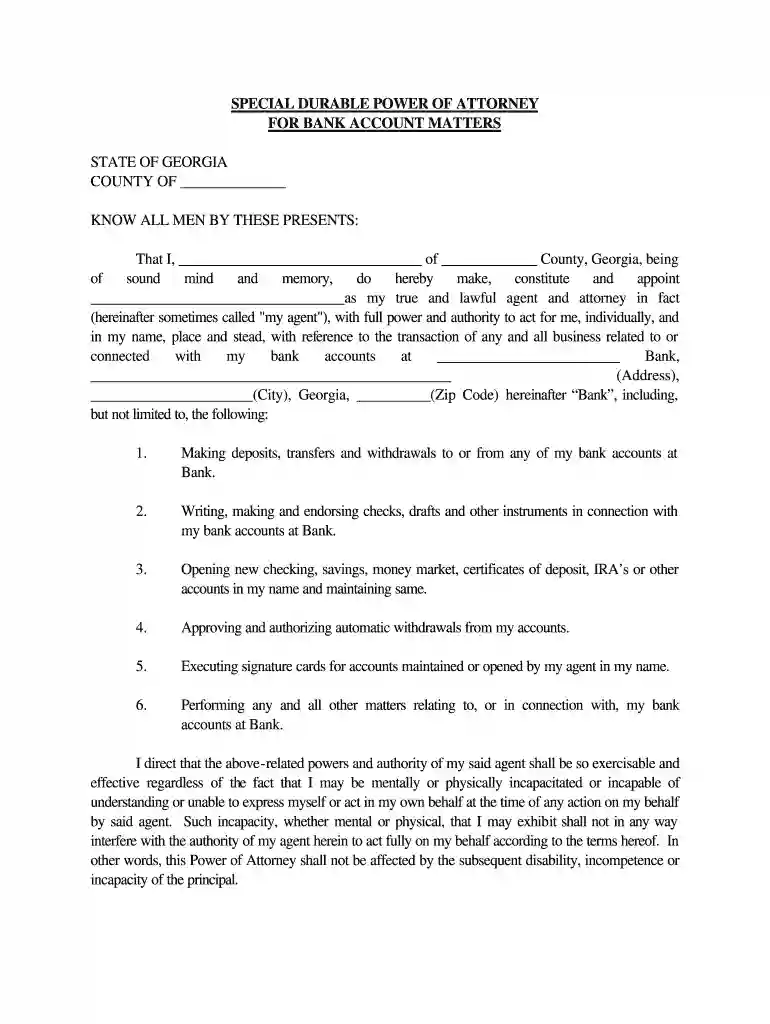
Begin by filling in your name and county at the top of the form. Ensure that you provide accurate information as this identifies you as the principal.
Next, designate your agent by entering their name in the specified field. This person will have authority over your bank accounts.
Fill in the bank's name and address where indicated. This is crucial for ensuring that your agent can act on your behalf regarding your specific bank accounts.
Review each power granted to your agent, such as making deposits or withdrawals, and ensure they align with your intentions. You may add any additional powers if necessary.
Finally, sign and date the document at the bottom. Make sure to have witnesses sign as well, confirming they are not related to you and that you are of sound mind.
Start using our platform today for free to streamline filling out your ga account!
Ga account sign inGa account sign upWww Gateway GA Gov My account/LoginWww Gateway GA gov renewal My account/login pageGa account createGateway gov loginGA Gateway Mobile loginWww Gateway GA gov application
Security and compliance
At DocHub, your data security is our priority. We follow HIPAA, SOC2, GDPR, and other standards, so you can work on your documents with confidence.
How to find out who is the Admin on the GA4 account
Nov 26, 2023 To check the admins, navigate to the Admin section in your GA4 account and look under Account Access Management or Property Access Management.Read more
Cookie consent notice
This site uses cookies to enhance site navigation and personalize your experience.
By using this site you agree to our use of cookies as described in our Privacy Notice.
You can modify your selections by visiting our Cookie and Advertising Notice.