




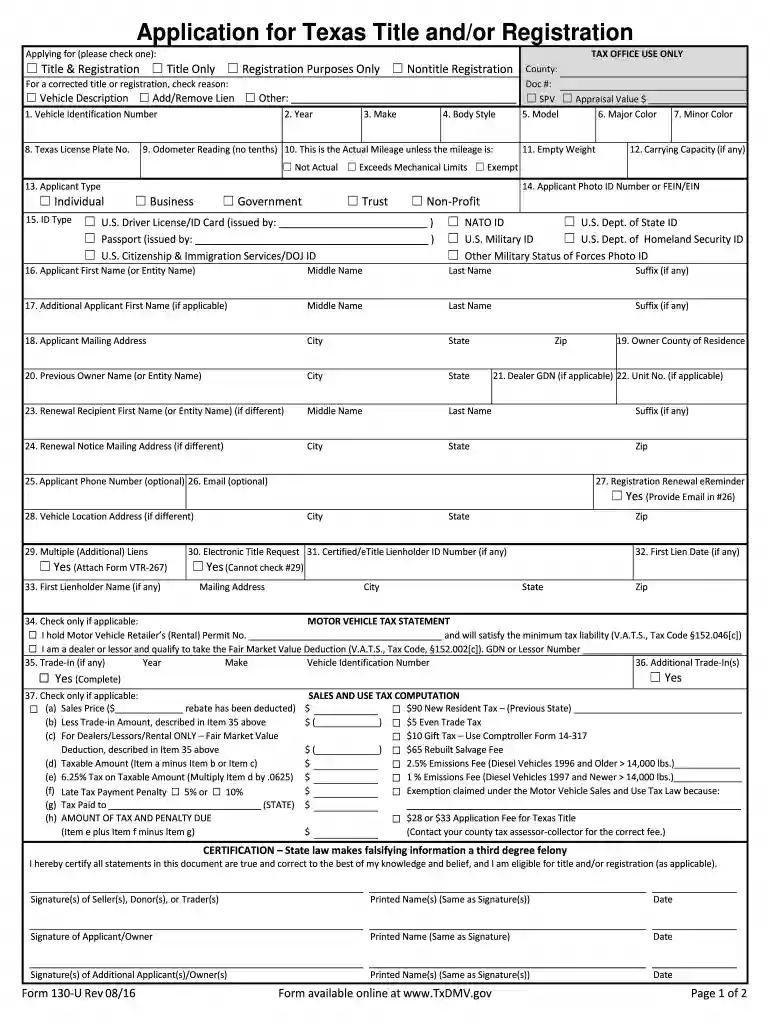
01. Edit your 130u online
Type text, add images, blackout confidential details, add comments, highlights and more.

Type text, add images, blackout confidential details, add comments, highlights and more.

Draw your signature, type it, upload its image, or use your mobile device as a signature pad.

Send form 130 u via email, link, or fax. You can also download it, export it or print it out.

Start using our platform today to simplify your Texas 130 U form completion for free!
At DocHub, your data security is our priority. We follow HIPAA, SOC2, GDPR, and other standards, so you can work on your documents with confidence.
Browse press releases, fact sheets, contact info, logos, b-roll and multimedia assets, answers to common questions and additional corporate information.
Download, fill out and sign the 130-U form here: Application for Texas Title and/or Registration Form; Sign title front and back; Mail title and 130-U form to:Read more
For title or registration information, contact your county tax assessor-collector or the Texas Department of Motor Vehicles at. 1-888-368-4689 or 512-465-3000.Read more


