Optus billing services pty ltd 2026

Get Form
optus pay my bill Preview on Page 1

Here's how it works

01. Edit your optus pay my bill online
Type text, add images, blackout confidential details, add comments, highlights and more.
02. Sign it in a few clicks
Draw your signature, type it, upload its image, or use your mobile device as a signature pad.
03. Share your form with others
Send optuspaymybill via email, link, or fax. You can also download it, export it or print it out.

How to use or fill out optus billing services pty ltd with our platform

Form edit decoration
9.5
Ease of Setup
DocHub User Ratings on G2
9.0
Ease of Use
DocHub User Ratings on G2
  1. Click ‘Get Form’ to open it in the editor.
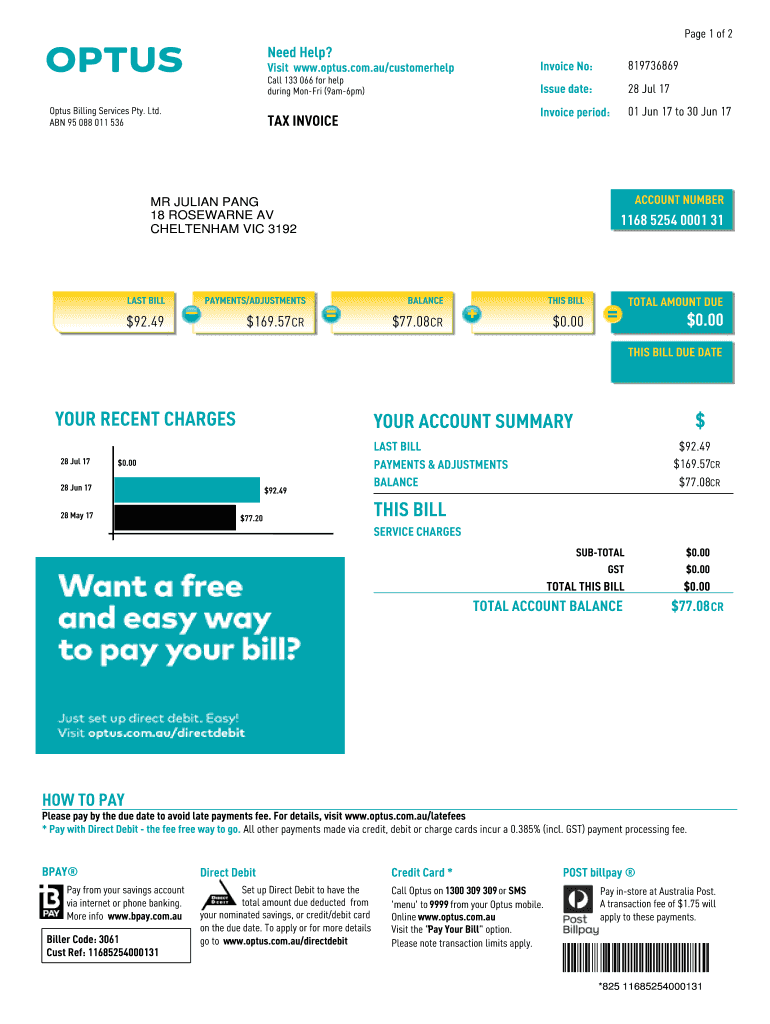
  2. Begin by entering your Invoice Number at the top of the form. This is essential for identifying your account.
  3. Fill in your Account Number, which can be found on the invoice. This helps ensure that payments are processed correctly.
  4. Review the 'Last Bill' and 'Payments/Adjustments' sections to confirm any previous transactions and current balance.
  5. In the 'How to Pay' section, select your preferred payment method. You can choose Direct Debit, BPAY®, or Credit Card options.
  6. If opting for Direct Debit, follow the prompts to set up your payment details securely within our platform.
  7. Finally, review all entered information for accuracy before saving or submitting your completed form.

Start using our platform today for free and streamline your billing process effortlessly!

be ready to get more

Complete this form in 5 minutes or less

Get form

Got questions?

We have answers to the most popular questions from our customers. If you can't find an answer to your question, please contact us.
Contact us
Optus Billing Services Pty. Ltd. provides billing and collection services. The Company sends bills, receives payments, and allocates and enforces product and services.
You can cancel your direct debit via My Optus app or through My Account Cancellation will occur immediately. Note. If you choose not to pay your account by direct debit, a $2.20 processing fee may be charged to your monthly bill(s).
If you cancel and your account ends up in credit, youre eligible for a refund. Log in to your Optus account to check your balance, then contact support to initiate the refund. Make sure to provide your account number, the refund amount, and how youd like to receive it.
Optus - Mobile Phones, nbn, Home Internet and Entertainment.
You can contact Optus using our online messaging. Simply log in with your My Account details in My Optus app or click on the Messaging icon on the bottom right of this page. To help you, our Optus Digital Assistant will respond instantly and connect you to an expert if your question needs to be escalated.

Security and compliance

At DocHub, your data security is our priority. We follow HIPAA, SOC2, GDPR, and other standards, so you can work on your documents with confidence.

Learn more
ccpa2
pci-dss
gdpr-compliance
hipaa
soc-compliance

People also ask

You can call us on 1300 309 309 to make a credit or debit card payment over the phone. Note. For payment using card youll be charged a 0.358% (incl. GST) Payment Processing Fee.

1300309309