Type text, add images, blackout confidential details, add comments, highlights and more.
02. Sign it in a few clicks
Draw your signature, type it, upload its image, or use your mobile device as a signature pad.
03. Share your form with others
Send example of an addendum to a document via email, link, or fax. You can also download it, export it or print it out.
How to Use or Fill Out Addendum with Our Platform
Ease of Setup
DocHub User Ratings on G2
Ease of Use
DocHub User Ratings on G2
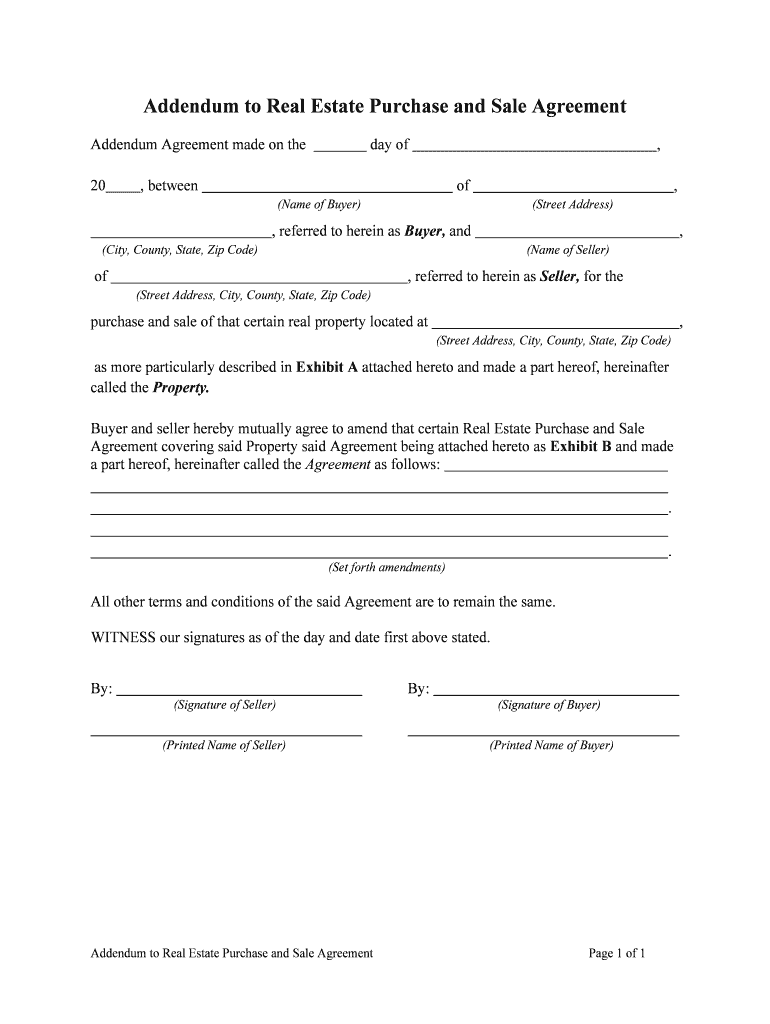
Click ‘Get Form’ to open the addendum in the editor.
Begin by entering the date of the agreement at the top of the form. This is crucial for establishing a timeline for your transaction.
Fill in the name and address of the Buyer in the designated fields. Ensure accuracy as this information identifies who is purchasing the property.
Next, input the Seller's name and address in their respective sections. This confirms who is selling the property.
Specify the property details, including its street address, city, county, state, and zip code. This section should match any previous agreements to avoid confusion.
In the amendments section, clearly outline any changes to be made to the original Real Estate Purchase and Sale Agreement. Be specific to ensure all parties understand these modifications.
Finally, both Buyer and Seller should sign and print their names at the bottom of the form to validate this addendum.
Start editing your addendum today for free on our platform!
addendum | Wex | US Law | LII / Legal Information Institute
An addendum is an addition to a finished document, such as a contract. The most common addendum is an attachment or exhibit at the end of such a document.Read more
Addendum for Coastal Area Property - TREC - Texas.gov
Search name or license number, email license type, broker or sales agent, inspector, easement right of way agent, real estate appraiser, appraisal managementRead more
The addendum is an addition in the second edition of The Klingon Dictionary. Addendum. When talking about Klingon, the addendum refers to the last twenty pagesRead more
Cookie consent notice
This site uses cookies to enhance site navigation and personalize your experience.
By using this site you agree to our use of cookies as described in our Privacy Notice.
You can modify your selections by visiting our Cookie and Advertising Notice.