Type text, add images, blackout confidential details, add comments, highlights and more.

02. Sign it in a few clicks
Draw your signature, type it, upload its image, or use your mobile device as a signature pad.

03. Share your form with others
Send dd 1966 via email, link, or fax. You can also download it, export it or print it out.

How to use or fill out dd form 1966 with our platform
Ease of Setup
DocHub User Ratings on G2
Ease of Use
DocHub User Ratings on G2
Click ‘Get Form’ to open the DD Form 1966 in the editor.
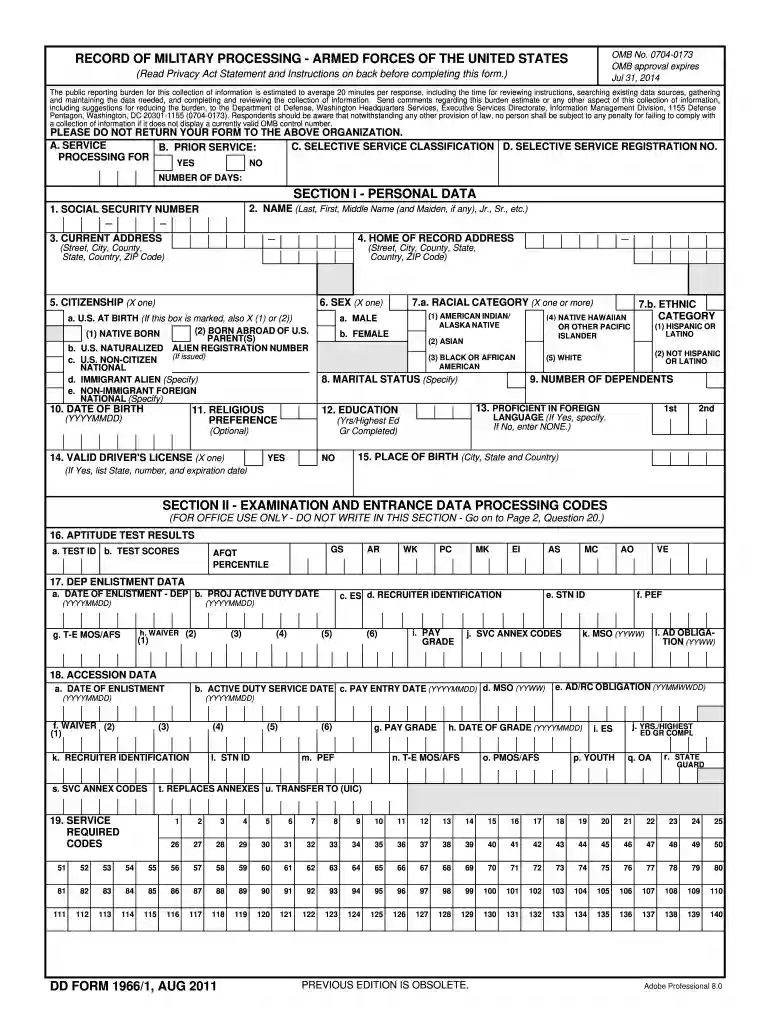
Begin by filling out Section I - Personal Data. Enter your Social Security Number, full name, current address, and home of record address. Ensure all information is typed or printed legibly.
In Section II, provide examination and entrance data processing codes. This section is for office use only; however, ensure you have your aptitude test results ready for reference.
Proceed to Section III and list your educational background. Include all high schools and colleges attended along with dates in YYYYMM format.
Complete Section IV by certifying that the information provided is accurate. Your signature must be witnessed by a recruiter.
Finally, review all sections for accuracy before submitting. Use our platform's features to save and share your completed form easily.
Start using our platform today to fill out your DD Form 1966 online for free!
The public reporting burden for this collection of information, 0704-0173, is estimated to average 20 minutes per response, including the time for reviewingRead more
Mar 5, 2014 At the outset~ I would like to say that this paper to be presented does not concern itself so much with the 8ns.wer solution to theRead more
Cookie consent notice
This site uses cookies to enhance site navigation and personalize your experience.
By using this site you agree to our use of cookies as described in our Privacy Notice.
You can modify your selections by visiting our Cookie and Advertising Notice.