




Here's how it works



How to use or fill out Minnesota Rules with our platform

- Click ‘Get Form’ to open the Minnesota Rules document in the editor.
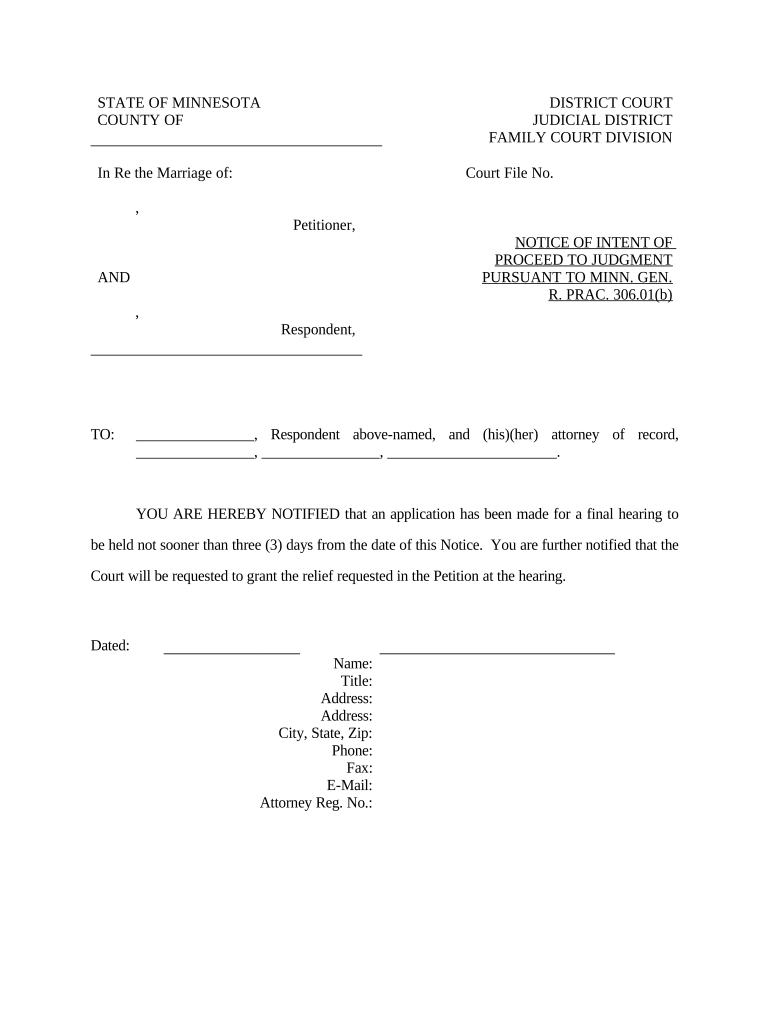
- Begin by filling in the 'Court File No.' section at the top of the form. This number is essential for identifying your case.
- In the 'Petitioner' and 'Respondent' fields, enter the names of both parties involved in the case. Ensure accuracy to avoid any delays.
- Next, complete the notification section by entering the name and contact details of the respondent's attorney, if applicable.
- Fill in your name, title, address, city, state, zip code, phone number, fax number, email address, and attorney registration number in the designated fields at the bottom of the form.
- Review all entered information for accuracy before saving or exporting your completed document.
Start using our platform today to streamline your document editing and ensure a smooth filing process!
It's free
Got questions?
Can I type my eSignature on my minnesota rules?
Sure, a typed name is recognized as a valid electronic signature when you create it on your document using a compliant solution like DocHub. Simply import your minnesota rules to our editor, click Sign in the top tool pane → Create your signature → Type your name in the appropriate tab, and choose how it will appear on your document.
Do I need to set up software to edit my minnesota rules?
If you edit your minnesota rules with DocHub, you merely require a stable internet connection and virtually any web browser installed on your device. No need to install any third-party applications or study guides. Simply open a tab with DocHub, drag and drop your file, and modify it immediately.
Security and compliance
At DocHub, your data security is our priority. We follow HIPAA, SOC2, GDPR, and other standards, so you can work on your documents with confidence.
Learn more




