Type text, add images, blackout confidential details, add comments, highlights and more.
02. Sign it in a few clicks
Draw your signature, type it, upload its image, or use your mobile device as a signature pad.
03. Share your form with others
Send it via email, link, or fax. You can also download it, export it or print it out.
How to use or fill out motion contempt with our platform
Ease of Setup
DocHub User Ratings on G2
Ease of Use
DocHub User Ratings on G2
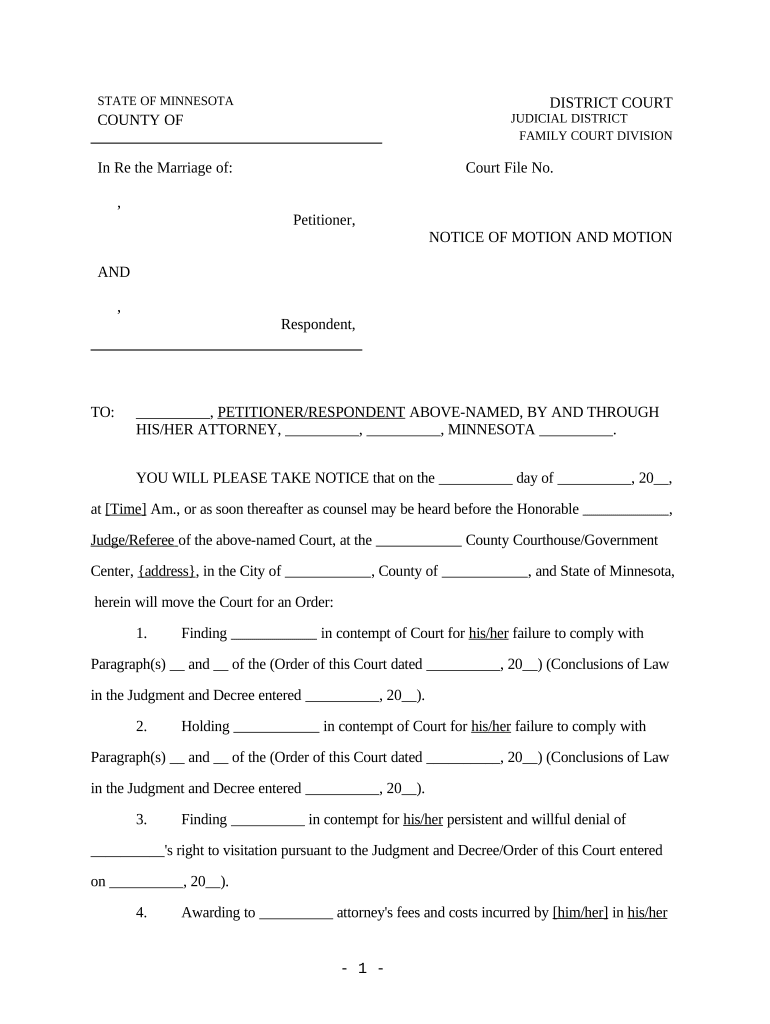
Click ‘Get Form’ to open the motion contempt document in the editor.
Begin by filling in the names of the Petitioner and Respondent at the top of the form. Ensure that you accurately enter their full names as they appear in court documents.
Next, input the Court File Number, which is essential for identifying your case within the court system.
In the section regarding notice details, specify the date and time of the motion hearing. This information is crucial for notifying all parties involved.
Proceed to outline each ground for contempt clearly. Fill in any relevant paragraphs from previous orders that are being violated, ensuring clarity and precision.
Finally, complete your contact information at the bottom of the form, including your name, attorney ID number, address, and telephone number to ensure proper communication.
Start using our platform today to streamline your motion contempt process for free!
Motion for civil contempt/EnforcementMotion for contempt Family courtWhat happens when you file a motion for contemptContempt of court mn consequencesMotion for contempt child support floridaMn Contempt of Court formsMotion for contempt mnCan i file a motion for contempt without an attorney
Security and compliance
At DocHub, your data security is our priority. We follow HIPAA, SOC2, GDPR, and other standards, so you can work on your documents with confidence.
Filing a Motion for Contempt - Connecticut Judicial Branch
To file a motion for contempt you have to fill out the following 2 forms. Once you finish your paperwork, you must take it to the Superior Court Clerks office.Read more
However the contempt is initiated, the motion or notice or order must be served at least five days before the hearing, but the time may be shortened for.Read more
Cookie consent notice
This site uses cookies to enhance site navigation and personalize your experience.
By using this site you agree to our use of cookies as described in our Privacy Notice.
You can modify your selections by visiting our Cookie and Advertising Notice.