Type text, add images, blackout confidential details, add comments, highlights and more.
02. Sign it in a few clicks
Draw your signature, type it, upload its image, or use your mobile device as a signature pad.
03. Share your form with others
Send it via email, link, or fax. You can also download it, export it or print it out.
How to use or fill out Pennsylvania Civil with our platform
Ease of Setup
DocHub User Ratings on G2
Ease of Use
DocHub User Ratings on G2
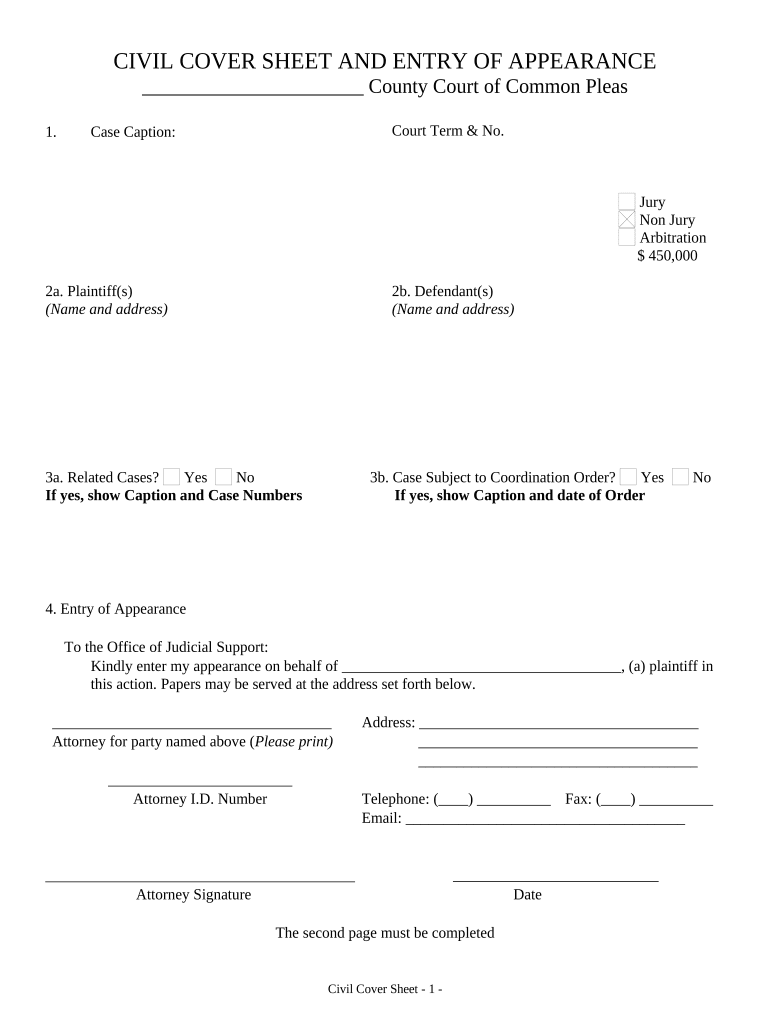
Click ‘Get Form’ to open the Pennsylvania Civil Cover Sheet in the editor.
Begin by entering the Court Term & No. and Case Caption at the top of the form. This information is crucial for identifying your case.
Indicate whether your case is a Jury or Non-Jury trial, and specify if it involves Arbitration along with the amount in controversy.
Fill in the Plaintiff(s) and Defendant(s) sections with their names and addresses. Ensure accuracy as this information is vital for legal notifications.
Answer questions regarding related cases and coordination orders by selecting 'Yes' or 'No' and providing additional details if applicable.
In the Entry of Appearance section, print your name as the attorney representing the plaintiff, along with your Attorney I.D. Number, address, telephone, fax, and email.
Sign and date the form at the bottom to validate your entry of appearance before submission.
Start using our platform today to fill out your Pennsylvania Civil forms online for free!
Civil Service Commission paRules of Civil Procedure PaPa civil Service AdjudicationsCivil court PhiladelphiaPA docket search by namePa Rules of Civil Procedure answer to complaintPa state Civil Service Commission jobsCivil Service Commission Philadelphia
Security and compliance
At DocHub, your data security is our priority. We follow HIPAA, SOC2, GDPR, and other standards, so you can work on your documents with confidence.
Pennsylvania Courts of Common Pleas - Civil Dockets
Nov 17, 2025 Pennsylvanias trial courts are the Courts of Common Pleas (CCPs), which are divided into 60 judicial districts. CCPs hear major civil andRead more
This includes, but is not limited to, juvenile cases, expunged cases, limited access cases (Act 5 of 2016), and civil cases in the Courts of Common Pleas.Read more
Cookie consent notice
This site uses cookies to enhance site navigation and personalize your experience.
By using this site you agree to our use of cookies as described in our Privacy Notice.
You can modify your selections by visiting our Cookie and Advertising Notice.