Type text, add images, blackout confidential details, add comments, highlights and more.
02. Sign it in a few clicks
Draw your signature, type it, upload its image, or use your mobile device as a signature pad.
03. Share your form with others
Send it via email, link, or fax. You can also download it, export it or print it out.
How to use or fill out jurors trial with our platform
Ease of Setup
DocHub User Ratings on G2
Ease of Use
DocHub User Ratings on G2
Click ‘Get Form’ to open the jurors trial document in the editor.
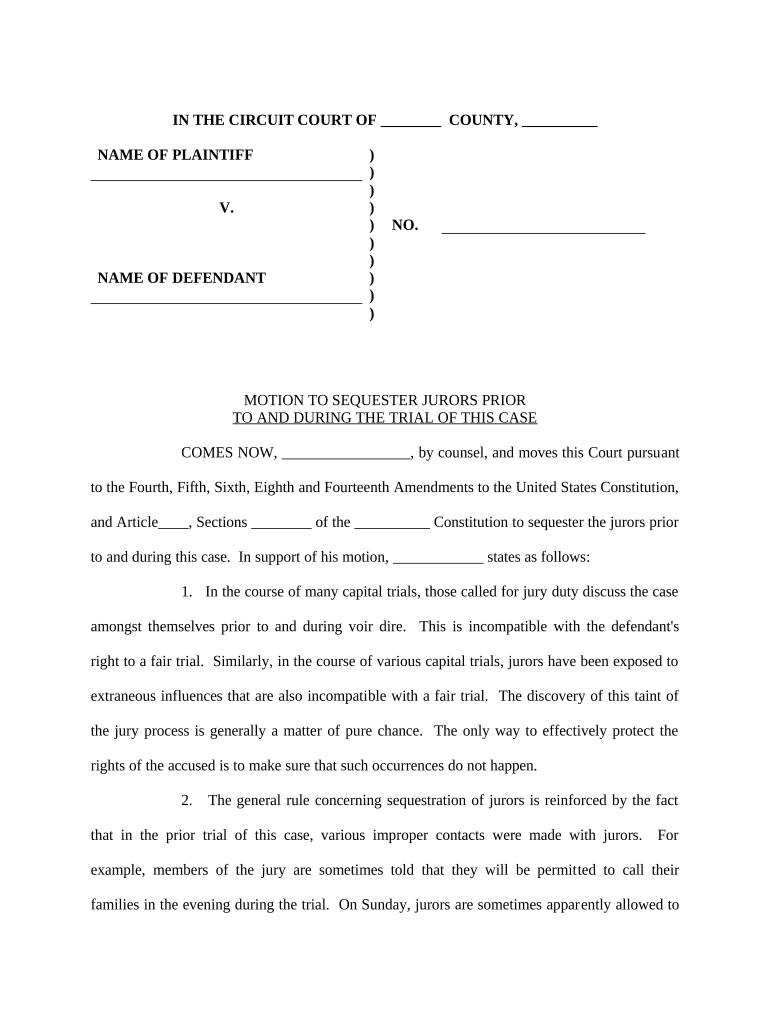
Begin by filling in the 'NAME OF PLAINTIFF' and 'NAME OF DEFENDANT' fields at the top of the form. Ensure that you enter accurate names as these are crucial for identifying the parties involved.
In the section labeled 'MOTION TO SEQUESTER JURORS', clearly state your motion. Use the provided space to articulate your reasons for requesting juror sequestration, referencing any relevant amendments or legal precedents.
Continue through each numbered point, providing detailed explanations and supporting arguments as necessary. Make sure to address any specific concerns regarding juror exposure to external influences.
Complete the signature section at the bottom of the form, ensuring that all required signatures are included before submission.
Finally, utilize our platform's features to save, share, or print your completed document for free, ensuring you have a copy for your records.
Start using our platform today to streamline your jurors trial documentation process!
What happens after a jury trialJury trial processHow long is a petit jury trialWhat are the three stages of jury selectionTrial juror vs grand jurorWhat kind of trials have juriesJury trial examplesWhat type of cases are heard by a petit jury
Security and compliance
At DocHub, your data security is our priority. We follow HIPAA, SOC2, GDPR, and other standards, so you can work on your documents with confidence.
Cookie consent notice
This site uses cookies to enhance site navigation and personalize your experience.
By using this site you agree to our use of cookies as described in our Privacy Notice.
You can modify your selections by visiting our Cookie and Advertising Notice.