Release liability form 2026

Get Form
release liability form Preview on Page 1

Here's how it works

01. Edit your form online
Type text, add images, blackout confidential details, add comments, highlights and more.
02. Sign it in a few clicks
Draw your signature, type it, upload its image, or use your mobile device as a signature pad.
03. Share your form with others
Send it via email, link, or fax. You can also download it, export it or print it out.

How to use or fill out release liability form with DocHub

Form edit decoration
9.5
Ease of Setup
DocHub User Ratings on G2
9.0
Ease of Use
DocHub User Ratings on G2
  1. Click ‘Get Form’ to open the release liability form in our editor.
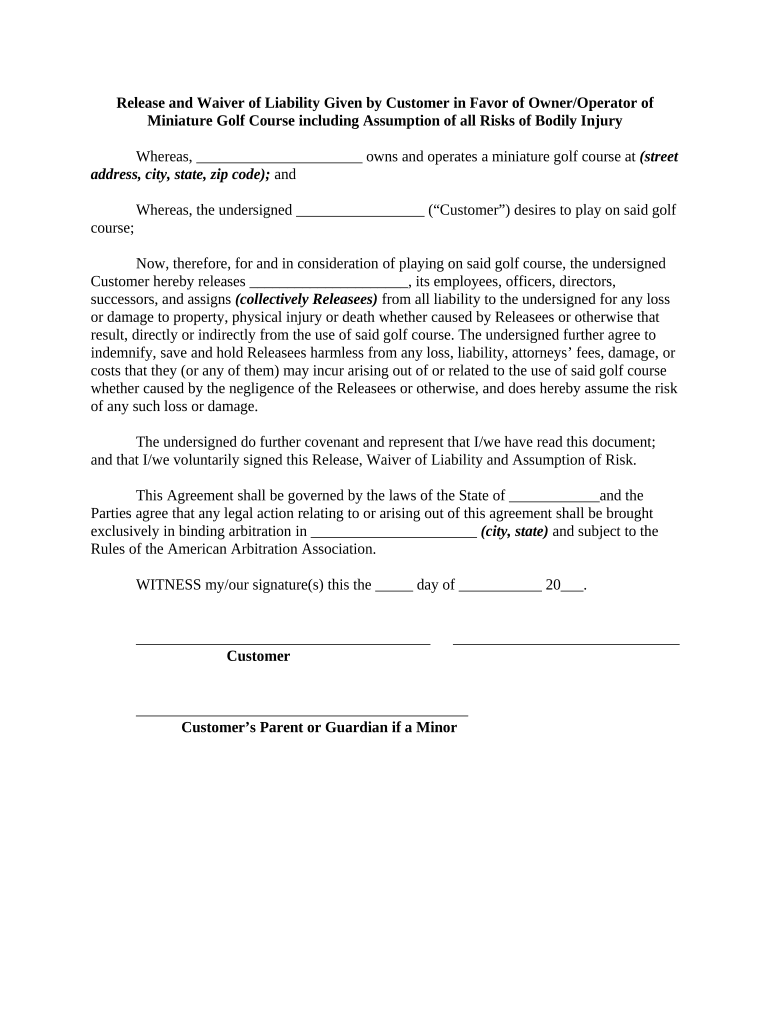
  2. Begin by filling in the name of the owner/operator of the miniature golf course at the designated space. This identifies who is being released from liability.
  3. Next, enter your name as the Customer in the specified field. This personalizes the agreement and confirms your participation.
  4. In the section regarding assumption of risk, read through carefully and ensure you understand that you are releasing all claims against the owner/operator for any injuries or damages incurred while using the golf course.
  5. If applicable, a parent or guardian must sign on behalf of a minor. Fill in their name and relationship to confirm consent.
  6. Finally, date your signature at the bottom of the form to validate your agreement. Ensure all fields are completed before submitting.

Start using our platform today to easily fill out and manage your release liability forms for free!

be ready to get more

Complete this form in 5 minutes or less

Get form

Got questions?

We have answers to the most popular questions from our customers. If you can't find an answer to your question, please contact us.
Contact us
Easily create, share, and sign digital waivers and release forms, directly from your mobile device or computer. Accelerate the completion of digital waivers and release forms with form sharing and electronic signature capture.
A release of liability (commonly referred to as a liability waiver or exculpatory agreement) given by an individual in favor of a service provider or other company providing access to an activity.
It depends on your state. In California, notarization isnt typically required by the DMV but may be requested for added protection in private sales.
A release of liability, also known as a liability waiver or a hold harmless agreement, is a contract in which one party agrees not to hold another party liable for damages or injury.
A general release of liability, also known as a liability waiver, is a contract between two parties to release one party from liability or harm that may arise from ordinary negligence in advance of an incident occuring.

Security and compliance

At DocHub, your data security is our priority. We follow HIPAA, SOC2, GDPR, and other standards, so you can work on your documents with confidence.

Learn more
ccpa2
pci-dss
gdpr-compliance
hipaa
soc-compliance
be ready to get more

Complete this form in 5 minutes or less

Get form

People also ask

While creating your own release forms is possible, its important to consider a few things before you decide to do so. Consent forms involve intricate legal considerations that have to be specifically tailored to the situation at hand and adhere to certain laws and regulations.

Related links