Type text, add images, blackout confidential details, add comments, highlights and more.
02. Sign it in a few clicks
Draw your signature, type it, upload its image, or use your mobile device as a signature pad.
03. Share your form with others
Send it via email, link, or fax. You can also download it, export it or print it out.
How to Use or Fill Out the Name Change Form with Our Platform
Ease of Setup
DocHub User Ratings on G2
Ease of Use
DocHub User Ratings on G2
Click ‘Get Form’ to open it in the editor.
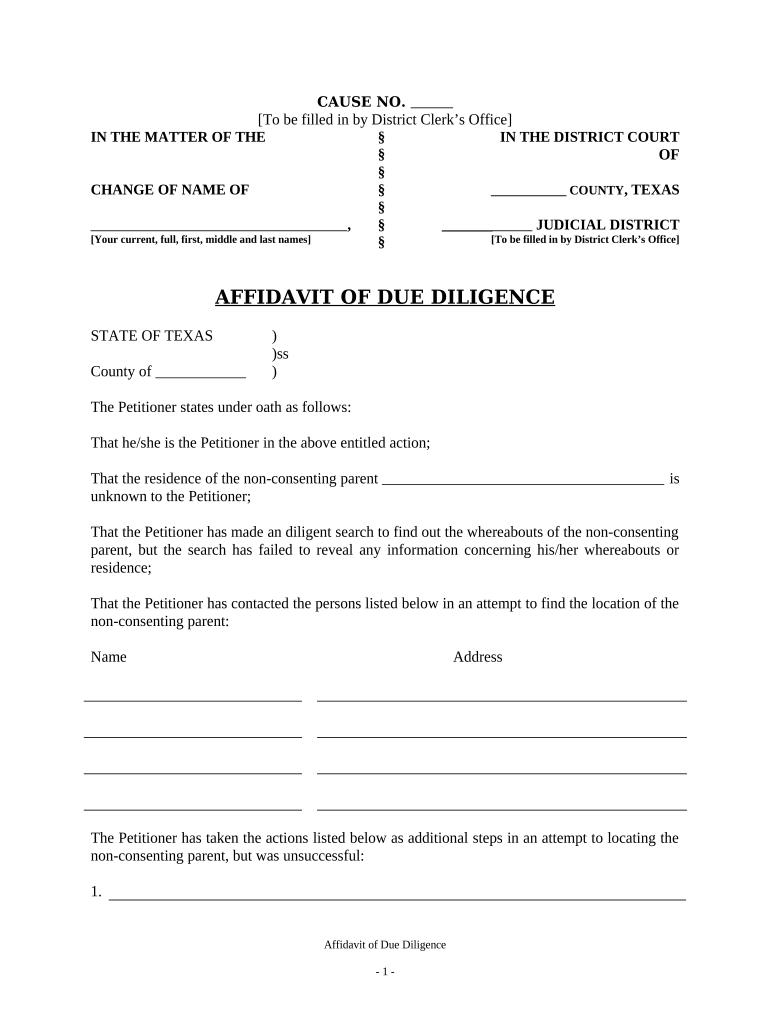
Begin by filling in the 'Cause No.' section, which is designated for the District Clerk’s Office. Leave this blank for now.
In the 'In the Matter of the Change of Name of' section, enter your current full name, including first, middle, and last names.
Proceed to the 'Affidavit of Due Diligence' section. Here, you will need to provide details about your efforts to locate the non-consenting parent. Fill in their last known address and any attempts made to contact them.
Complete the statement regarding whether the non-consenting parent is in military service and provide their last known address along with a telephone number if available.
Finally, sign and date the affidavit at the bottom. Ensure that you have a notary public ready to witness your signature.
Start using our platform today for free to streamline your name change process!
Of name change usaName change NYC onlineHow to legally change your last name in NYHow to legally change your name in NY after marriageOf name change costOf name change formCopy of name change certificate NYCHow to legally change your name after marriage
Security and compliance
At DocHub, your data security is our priority. We follow HIPAA, SOC2, GDPR, and other standards, so you can work on your documents with confidence.
How To: Update Your Legal Name - BC Knowledge for Students
Two original proofs are required. If there is not enough documentation to support your name change request, the request will not be accepted or processed.Read more
You can legally change your name by filing papers in court. If a judge agrees, they will give you a court order that states your new legal name.Read more
Cookie consent notice
This site uses cookies to enhance site navigation and personalize your experience.
By using this site you agree to our use of cookies as described in our Privacy Notice.
You can modify your selections by visiting our Cookie and Advertising Notice.