




Here's how it works

01. Edit your how should a letter of recommendation be formatted online
Type text, add images, blackout confidential details, add comments, highlights and more.

02. Sign it in a few clicks
Draw your signature, type it, upload its image, or use your mobile device as a signature pad.

03. Share your form with others
Send a letter of recommendation via email, link, or fax. You can also download it, export it or print it out.
How to use or fill out letter recommendation with our platform

- Click ‘Get Form’ to open the letter recommendation in the editor.
- Begin by filling in the return address section at the top. Enter your name, street address, city, state, and zip code.
- Next, input the date of writing the letter in the designated field.
- In the recipient section, provide the name of the person receiving the letter and their company details including street address and location.
- Proceed to fill in the name of the individual for whom you are providing a reference. This is crucial for personalizing your recommendation.
- Craft your message starting with a greeting. Then, write a brief introduction about your relationship with the candidate and highlight their strengths and qualifications for the position.
- Conclude with an offer to discuss further if needed, and finish with your printed name and signature fields.
Start using our platform today to create impactful letters of recommendation effortlessly!
Fill out letter recommendation online
It's free
It's free
Security and compliance
At DocHub, your data security is our priority. We follow HIPAA, SOC2, GDPR, and other standards, so you can work on your documents with confidence.
Learn more


Related forms
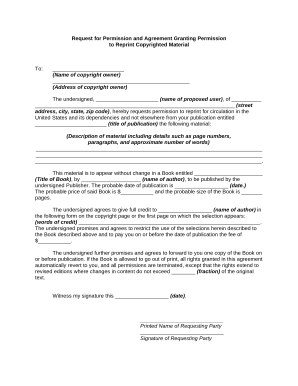
Permission granting copyrighted
The document is a formal request for permission to reprint copyrighted material from a specified publication for inclusi ...


