Type text, add images, blackout confidential details, add comments, highlights and more.
02. Sign it in a few clicks
Draw your signature, type it, upload its image, or use your mobile device as a signature pad.
03. Share your form with others
Send wh 530 via email, link, or fax. You can also download it, export it or print it out.
How to use or fill out WH 530 with our platform
Ease of Setup
DocHub User Ratings on G2
Ease of Use
DocHub User Ratings on G2
Click ‘Get Form’ to open the WH 530 application in the editor.
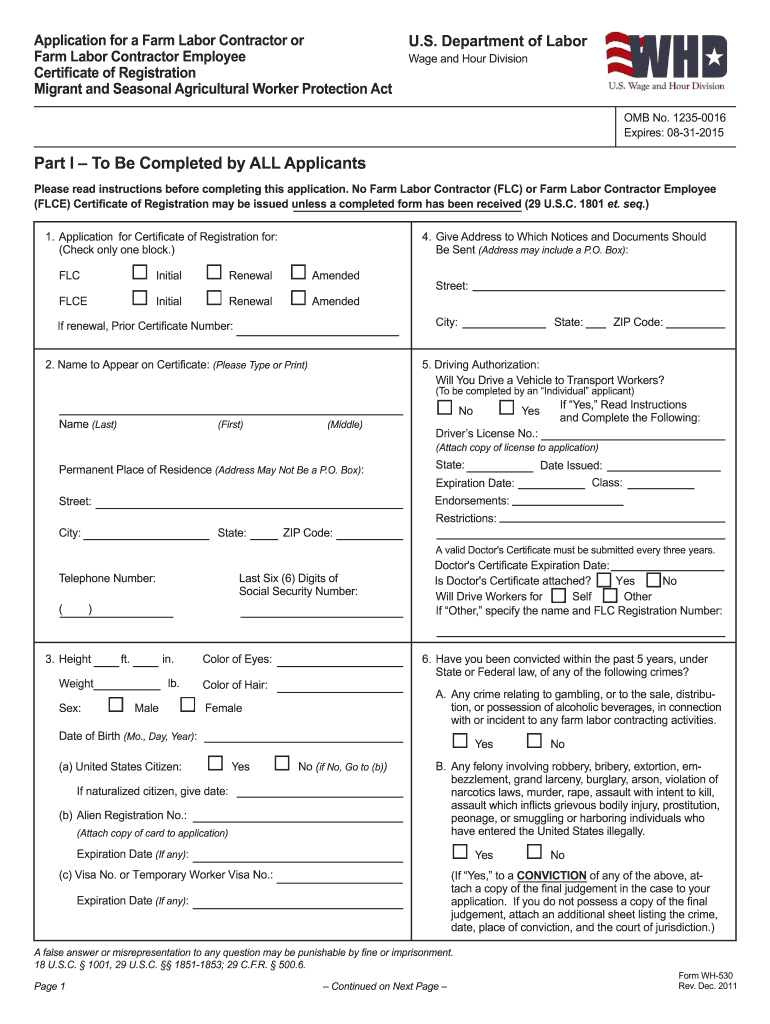
Begin with Part I, where all applicants must provide their name, address, and select whether they are applying as a Farm Labor Contractor (FLC) or a Farm Labor Contractor Employee (FLCE). Ensure you check the appropriate box for initial, renewal, or amended applications.
Fill in your driving authorization details if applicable. Indicate whether you will drive workers and provide your driver's license number along with any necessary documentation.
Proceed to Part II if applying as an FLC. Here, specify your business structure (individual, corporation, etc.) and list activities involving migrant workers. Provide details about transportation methods and housing compliance if applicable.
Complete Part III only if applying as an FLCE. Enter your employer's identification information and the planned start date for farm labor activities.
Review all sections for accuracy before submitting. Use our platform’s features to save your progress and ensure all required documents are attached.
Start filling out your WH 530 form today on our platform for free!
Application for a farm labor contractor or farm - Stanford Libraries
Application for a farm labor contractor or farm labor contractor employee, certificate of registration, Migrant and Seasonal Agricultural Worker Protection Act.
WHO MAY SUBMIT A FORM WH-530? This form is used to apply to the U.S. Department of Labors Wage and Hour Division (WHD) for an initial or renewal.Read more
Cookie consent notice
This site uses cookies to enhance site navigation and personalize your experience.
By using this site you agree to our use of cookies as described in our Privacy Notice.
You can modify your selections by visiting our Cookie and Advertising Notice.