Type text, add images, blackout confidential details, add comments, highlights and more.
02. Sign it in a few clicks
Draw your signature, type it, upload its image, or use your mobile device as a signature pad.
03. Share your form with others
Send it via email, link, or fax. You can also download it, export it or print it out.
How to use or fill out how to write a letter to a friend with our platform
Ease of Setup
DocHub User Ratings on G2
Ease of Use
DocHub User Ratings on G2
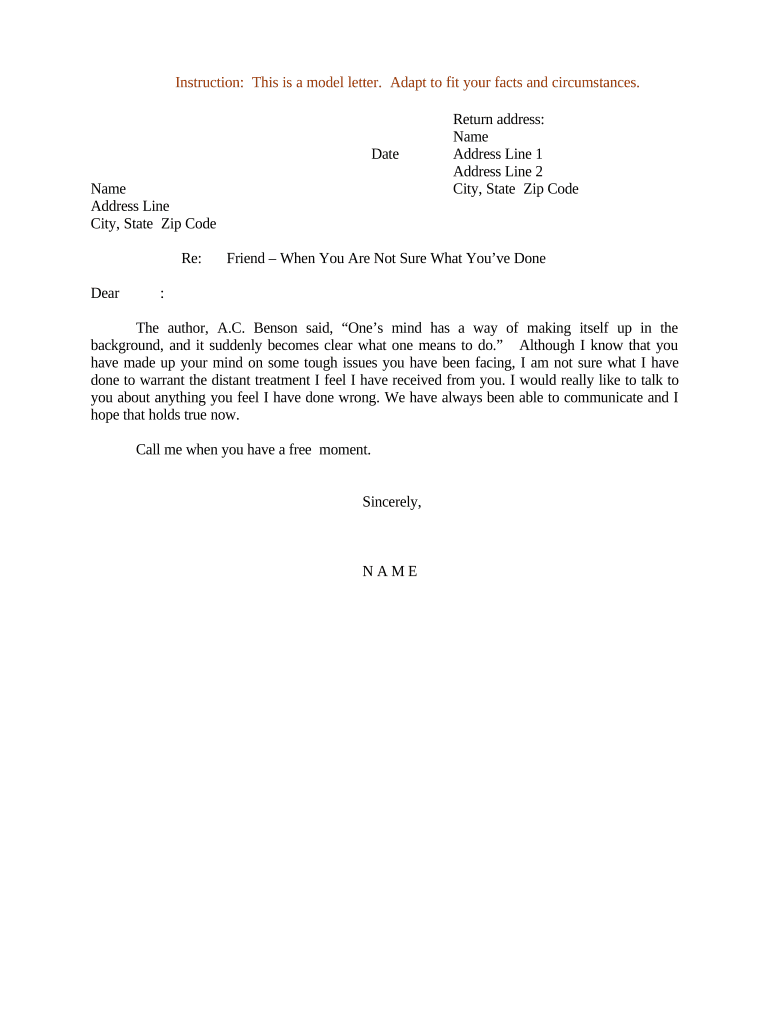
Click ‘Get Form’ to open the letter template in the editor.
Begin by entering the date at the top of the letter. This sets the context for your correspondence.
Fill in your name and address details, including city, state, and zip code. This personalizes your letter and provides your friend with your contact information.
In the 'Re:' section, you can specify the subject of your letter if desired, or leave it blank for a casual approach.
Start your message with 'Dear [Friend's Name]'. This establishes a friendly tone right from the beginning.
Compose your message in the body of the letter. Use this space to express your thoughts and feelings clearly and sincerely.
Conclude with a closing statement such as 'Sincerely,' followed by your name. This wraps up your letter nicely.
Start creating heartfelt letters today using our platform for free!
Fill out how to write a letter to a friend online It's free
How to write a letter to a friend expressing your feelingsHow to write a letter to a friend for kidsHow to write a letter to a friend you missHow to write a letter to a friend in EnglishWrite a letter to your best friendHow to write a letter to a friend you haven t seen in yearsShort letter for a friendHow to write a letter to a friend Grade 4
Security and compliance
At DocHub, your data security is our priority. We follow HIPAA, SOC2, GDPR, and other standards, so you can work on your documents with confidence.
Sep 20, 2023 To my friends, You are the pieces of my puzzle that make me whole. This is for you :) There are people in this world who I have been searching for all my life.Read more
Cookie consent notice
This site uses cookies to enhance site navigation and personalize your experience.
By using this site you agree to our use of cookies as described in our Privacy Notice.
You can modify your selections by visiting our Cookie and Advertising Notice.