Mediation arbitration 2026

Get Form
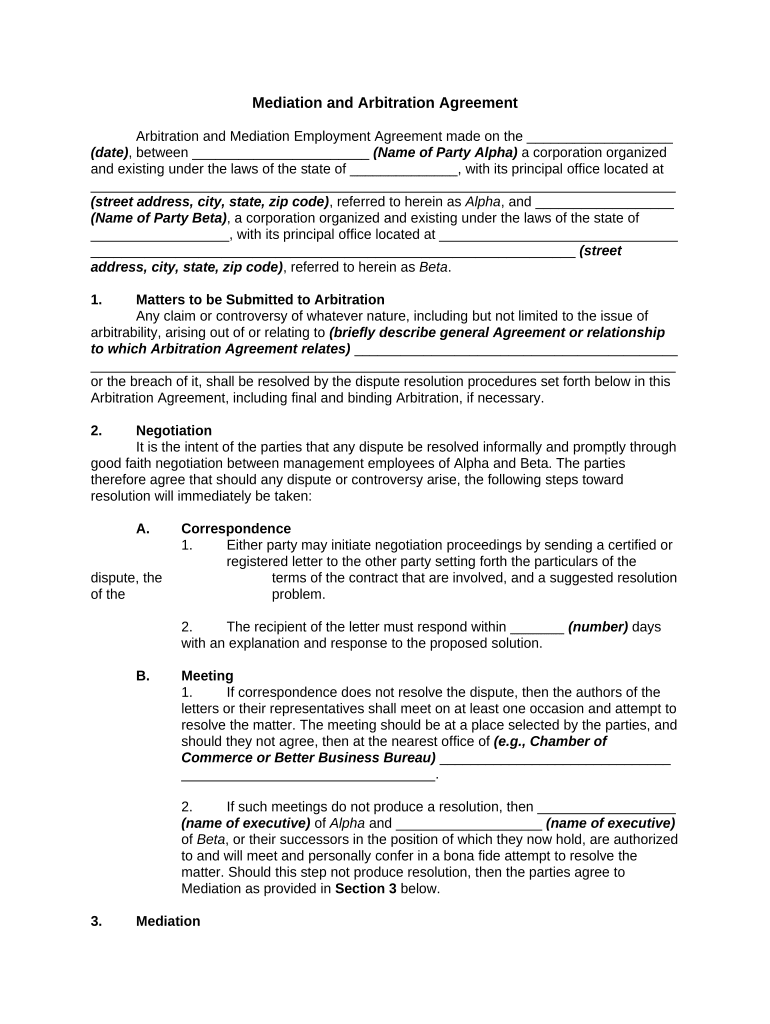
mediation arbitration Preview on Page 1

Here's how it works

01. Edit your form online
Type text, add images, blackout confidential details, add comments, highlights and more.
02. Sign it in a few clicks
Draw your signature, type it, upload its image, or use your mobile device as a signature pad.
03. Share your form with others
Send it via email, link, or fax. You can also download it, export it or print it out.

How to use or fill out mediation arbitration with our platform

Form edit decoration
9.5
Ease of Setup
DocHub User Ratings on G2
9.0
Ease of Use
DocHub User Ratings on G2
  1. Click ‘Get Form’ to open the Mediation and Arbitration Agreement in the editor.
  2. Begin by filling in the date at the top of the form, followed by the names of Party Alpha and Party Beta, including their respective addresses. This establishes the parties involved in the agreement.
  3. In Section 1, briefly describe any claims or controversies that may arise from your agreement. This sets the context for potential disputes.
  4. Proceed to Section 2 on Negotiation. Fill in the number of days required for a response after initiating negotiation proceedings via certified letter.
  5. In Section 3, specify the name of the mediator or organization that will facilitate mediation if necessary. Ensure you also indicate any timeframes for this process.
  6. Complete Section 4 regarding Arbitration by detailing how disputes will be initiated and any relevant timelines for responses and counterclaims.
  7. Finally, ensure all parties sign and print their names along with their titles at the end of the document to finalize the agreement.

Start using our platform today to streamline your mediation arbitration process for free!

be ready to get more

Complete this form in 5 minutes or less

Get form

Got questions?

We have answers to the most popular questions from our customers. If you can't find an answer to your question, please contact us.
Contact us

With DocHub, you can easily sign your mediation arbitration or any other document on iOS, even without setting up additional programs. You can access your DocHub account from any internet-connected browser and fill out and sign your form in any preferred method with just a few clicks.

You can easily edit and complete your mediation arbitration on any iOS device. Open an internet browser of your choice, visit the DocHub website, authorize or create a new account, add your file for editing, and make your desired alterations. Our service is mobile-friendly, so using its functions on your smartphone will be a no-brainer, even on the first try.

With mediation, the final decision is a docHubed agreement between the two conflicting parties, while arbitration calls on an arbitrator to analyze the case details and docHub a verdict. Mediation vs. Arbitration: Whats the Difference? | MetLife metlife.com stories legal mediation-vs- metlife.com stories legal mediation-vs-
- Arbitration = Dispute resolution without going to court (think agreement). - Arbitrage = Profiting from market inefficiencies (think profit). Understanding the clear distinction between these terms is crucial for anyone involved in business.
Mediation does not impose a solution and it is not binding until the parties docHub and sign a settlement agreement. If a settlement cannot be docHubed, the parties are welcome to continue with the arbitration process. Unlike an arbitrator, a mediator has no power to decide a dispute.

Security and compliance

At DocHub, your data security is our priority. We follow HIPAA, SOC2, GDPR, and other standards, so you can work on your documents with confidence.

Learn more
ccpa2
pci-dss
gdpr-compliance
hipaa
soc-compliance

People also ask

Disadvantages Not compulsory; Concerns exist around the enforceability of a mediation agreement; All parties must agree to a resolution as the result is not guaranteed; Can be difficult if either party are withholding information; Mediation may not be appropriate if one of the parties required public disclosure; Mediation advantages and disadvantages - SYSTECH systech-int.com insights thoughts medi systech-int.com insights thoughts medi

Related links