Type text, add images, blackout confidential details, add comments, highlights and more.

02. Sign it in a few clicks
Draw your signature, type it, upload its image, or use your mobile device as a signature pad.

03. Share your form with others
Send it via email, link, or fax. You can also download it, export it or print it out.

How to use or fill out motion pretrial with our platform
Ease of Setup
DocHub User Ratings on G2
Ease of Use
DocHub User Ratings on G2
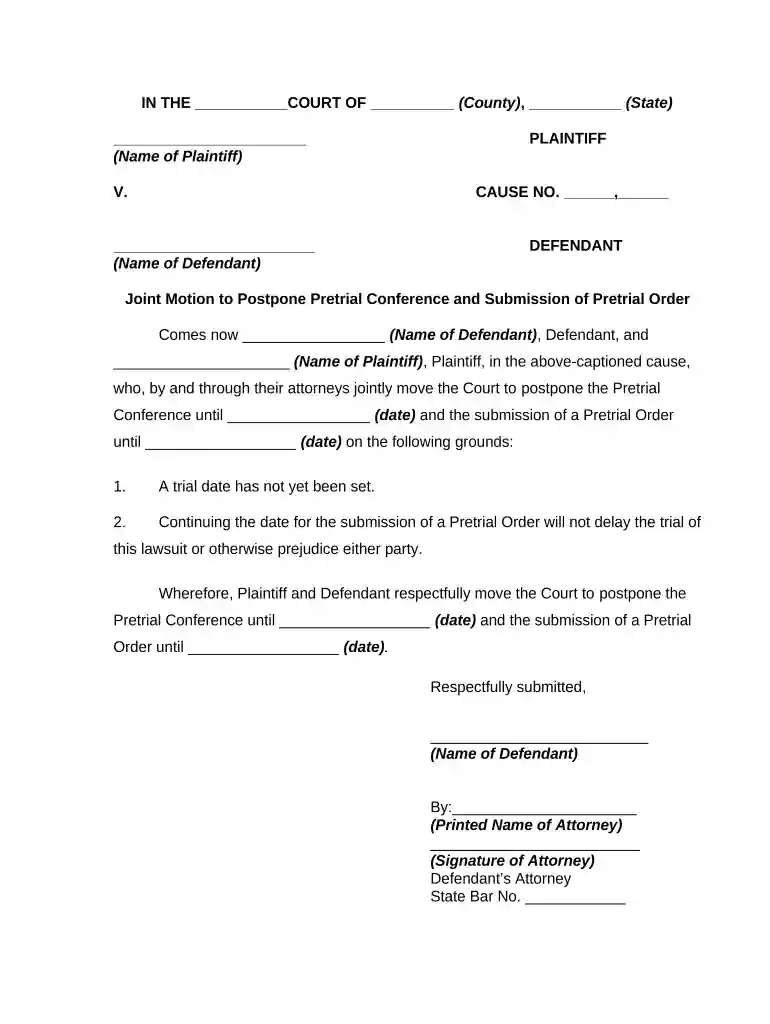
Click ‘Get Form’ to open the motion pretrial document in the editor.
Begin by filling in the court name, county, and state at the top of the form. This information is crucial for identifying the jurisdiction.
Next, enter the names of both the Plaintiff and Defendant in their respective fields. Ensure accuracy as this identifies the parties involved.
In the section for postponing the Pretrial Conference, specify a new date for both the conference and submission of the Pretrial Order. Clearly articulate your reasons in point 1 and point 2.
Finally, have both attorneys sign and print their names at the bottom of the form. Include their State Bar numbers to validate representation.
Start using our platform today to streamline your motion pretrial process for free!
Pre trial motions examplesWhat is a pretrial for a felonyPre trial motions in civil casesPre trial motions in criminal casesWhat is the pre trial processCan you go to jail at a pre trial hearingCan a case be dismissed at a motion hearingTypes of motions in criminal court
Security and compliance
At DocHub, your data security is our priority. We follow HIPAA, SOC2, GDPR, and other standards, so you can work on your documents with confidence.

A motion for summary judgement is the most common mechanism by which FOIA cases are resolved. It is a pre-trial motion in which one party asserts that thereRead more
A motion is an application to the court made by the prosecutor or defense attorney, requesting that the court make a decision on a certain issue before theRead more
Cookie consent notice
This site uses cookies to enhance site navigation and personalize your experience.
By using this site you agree to our use of cookies as described in our Privacy Notice.
You can modify your selections by visiting our Cookie and Advertising Notice.