Type text, add images, blackout confidential details, add comments, highlights and more.
02. Sign it in a few clicks
Draw your signature, type it, upload its image, or use your mobile device as a signature pad.
03. Share your form with others
Send counseling sheet via email, link, or fax. You can also download it, export it or print it out.
How to use or fill out counseling form online with our platform
Ease of Setup
DocHub User Ratings on G2
Ease of Use
DocHub User Ratings on G2
Click ‘Get Form’ to open the counseling form in the editor.
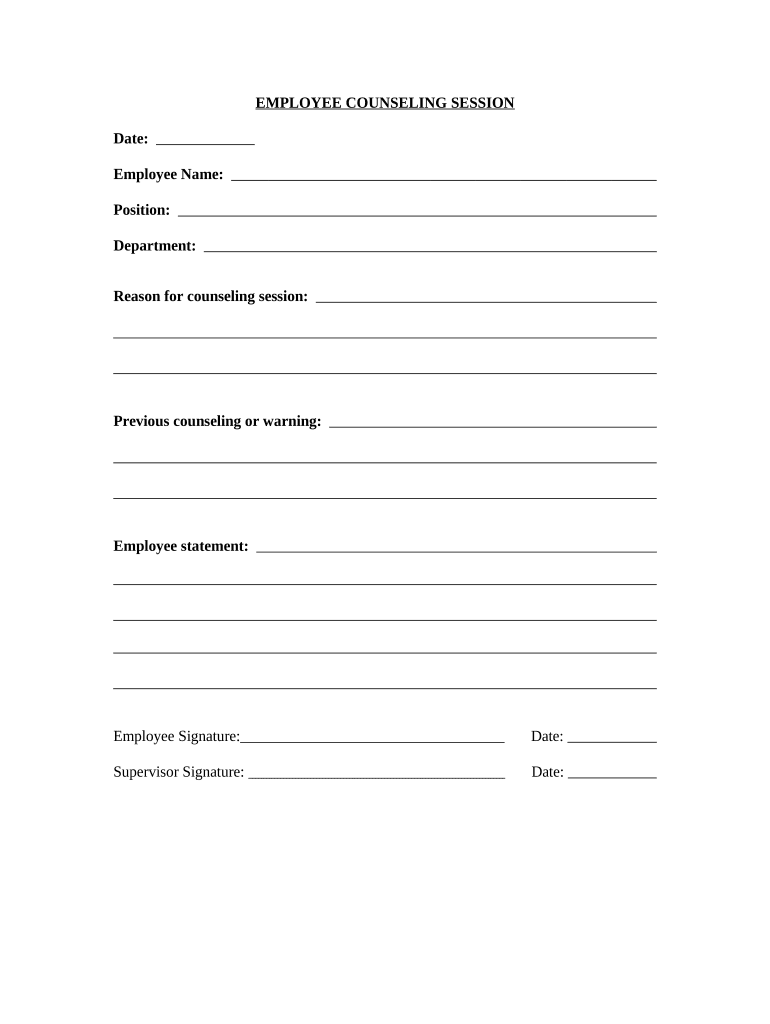
Begin by entering the date of the session in the designated field at the top of the form.
Fill in your name as the employee, along with your position and department to provide context for the counseling session.
In the 'Reason for counseling session' section, clearly outline the purpose of this meeting. Be concise yet informative.
If applicable, note any previous counseling or warnings that may relate to this session in the provided space.
The 'Employee statement' section allows you to express your thoughts or concerns regarding the counseling. Take your time to articulate your perspective.
Sign and date at the bottom of the form where indicated, ensuring all required fields are completed before submission.
Finally, have your supervisor sign and date their section to finalize the document.
Start filling out your counseling form online for free today!
Free counseling form onlineDA Form 4856Mental health counseling form onlineArmy counseling form onlineMilitary counseling form onlineDevelopmental counseling FORMCOUNSELING FORM Army pdfDA Form 4856 fillable
Security and compliance
At DocHub, your data security is our priority. We follow HIPAA, SOC2, GDPR, and other standards, so you can work on your documents with confidence.
Virginia Board of Counseling - Applications and Forms
CSAC-A applications are now accepted through our online system. Click here to begin the CSAC-A application by Examination. Reinstatement. ReinstatementRead more
Cookie consent notice
This site uses cookies to enhance site navigation and personalize your experience.
By using this site you agree to our use of cookies as described in our Privacy Notice.
You can modify your selections by visiting our Cookie and Advertising Notice.