Type text, add images, blackout confidential details, add comments, highlights and more.

02. Sign it in a few clicks
Draw your signature, type it, upload its image, or use your mobile device as a signature pad.

03. Share your form with others
Send printable fmla forms for family member via email, link, or fax. You can also download it, export it or print it out.

How to use or fill out FMLA with our platform
Ease of Setup
DocHub User Ratings on G2
Ease of Use
DocHub User Ratings on G2
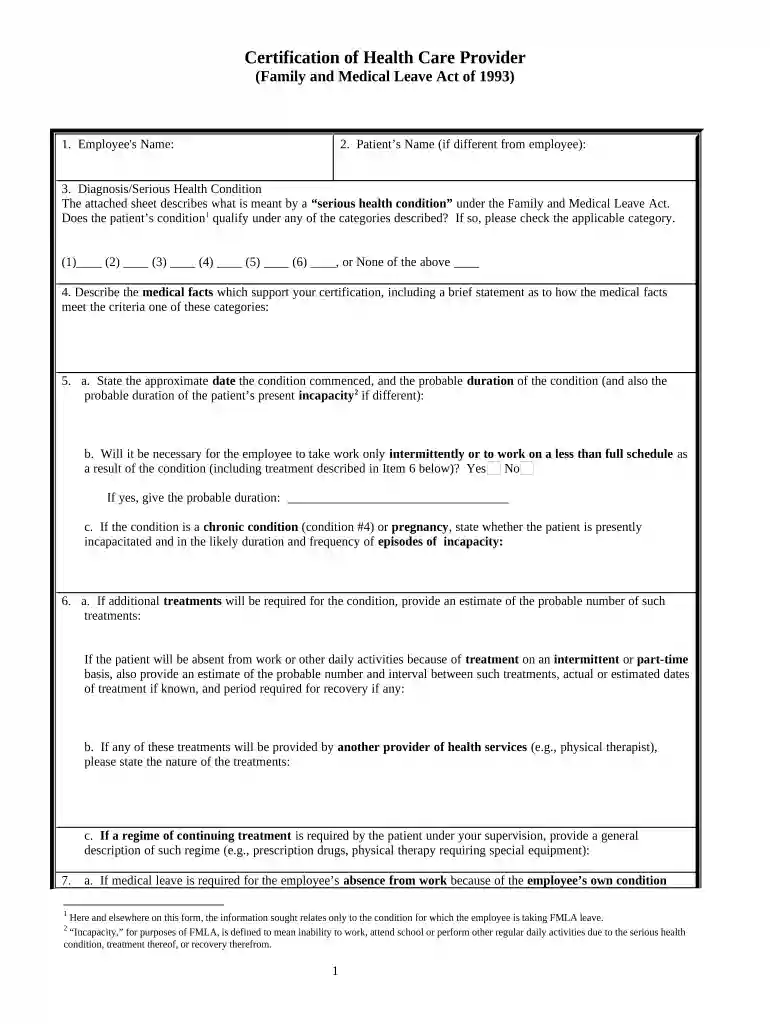
Click ‘Get Form’ to open the FMLA Certification of Health Care Provider in the editor.
Begin by entering the Employee's Name and, if applicable, the Patient’s Name in the designated fields.
In the Diagnosis/Serious Health Condition section, review the attached sheet for categories of serious health conditions. Check all that apply.
Provide a detailed description of medical facts supporting your certification in the corresponding field.
Indicate the approximate date the condition commenced and its probable duration. Specify if intermittent work is necessary and provide details if applicable.
If additional treatments are required, estimate their frequency and duration. Include any relevant information about other healthcare providers involved.
Complete sections regarding whether medical leave is needed for the employee’s own condition or to care for a family member, providing necessary details.
Finally, ensure all required signatures are completed before saving or sharing your document.
Start using our platform today to easily fill out your FMLA forms online for free!
The Family and Medical Leave Act (FMLA) provides eligible employees up to 12 workweeks of unpaid leave a year, and requires group health benefits to be maintained during the leave as if employees continued to work instead of taking leave.
What are the laws around FMLA?
FMLA allows up to 12 weeks of unpaid leave in a 12-month period for qualifying life events. Your employer must protect your job and access to your group health benefits while you are on leave.
fmla california forms
What conditions qualify for FMLA leaveFMLA formsHow to get paid while on FMLAFMLA NYFMLA paid leaveFMLA requirementsFMLA loginHow to apply for FMLA
Security and compliance
At DocHub, your data security is our priority. We follow HIPAA, SOC2, GDPR, and other standards, so you can work on your documents with confidence.
In order to take FMLA leave, you must first work for a covered employer. Generally, private employers with at least 50 employees are covered by the law. Private
Cookie consent notice
This site uses cookies to enhance site navigation and personalize your experience.
By using this site you agree to our use of cookies as described in our Privacy Notice.
You can modify your selections by visiting our Cookie and Advertising Notice.