De affidavit of 2026

Get Form
de affidavit of Preview on Page 1

Here's how it works

01. Edit your form online
Type text, add images, blackout confidential details, add comments, highlights and more.
02. Sign it in a few clicks
Draw your signature, type it, upload its image, or use your mobile device as a signature pad.
03. Share your form with others
Send it via email, link, or fax. You can also download it, export it or print it out.

How to use or fill out de affidavit of with our platform

Form edit decoration
9.5
Ease of Setup
DocHub User Ratings on G2
9.0
Ease of Use
DocHub User Ratings on G2
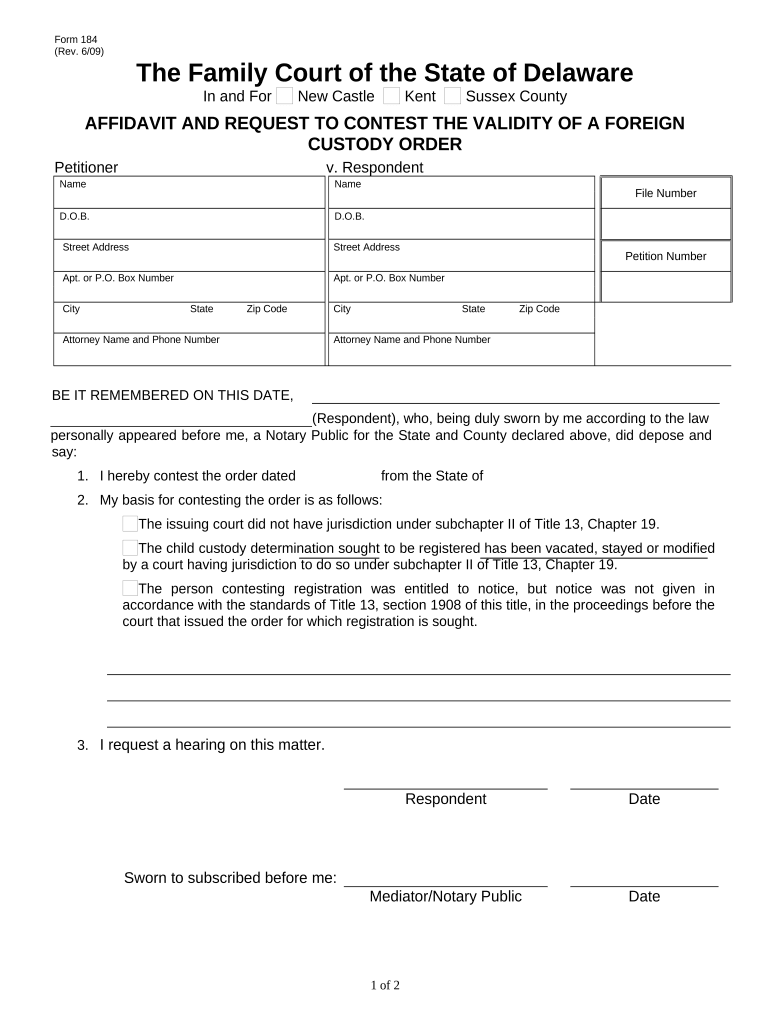
  1. Click ‘Get Form’ to open the de affidavit of in the editor.
  2. Begin by entering the names and dates of birth for both the Petitioner and Respondent in the designated fields. Ensure accuracy as this information is crucial for identification.
  3. Fill in the file number, street addresses, city, state, and zip code for both parties. This section helps establish jurisdiction and location.
  4. In the section regarding contesting the order, clearly state your basis for contesting. Choose from provided options or add your own explanation if necessary.
  5. Request a hearing by checking the appropriate box and signing where indicated. Don’t forget to date your signature.
  6. Complete the Affidavit of Mailing section by affirming that a copy was sent to the Petitioner or their attorney. Include the date and sign accordingly.

Start using our platform today to easily fill out your de affidavit of for free!

be ready to get more

Complete this form in 5 minutes or less

Get form

Got questions?

We have answers to the most popular questions from our customers. If you can't find an answer to your question, please contact us.
Contact us

With DocHub, you can quickly sign your de affidavit of or any other paperwork on iOS, even without installing extra programs. You can access your DocHub account from any web-connected browser and fill out and sign your form in any preferred method with just a couple of clicks.

Document editing with DocHub is equally convenient on desktop and mobile devices. You only need an internet browser to edit your de affidavit of on Android. Open our website and sign in to access the tools you need. Add your file and introduce your intended changes. After that, you can keep your form in your file storage or send it out right away.

This affidavit denies the identity of the affiant in a criminal case with a similar name. The affiant states that they were made aware of a criminal case against a namesake but verifies they are not the same person indicated.
be ready to get more

Complete this form in 5 minutes or less

Get form