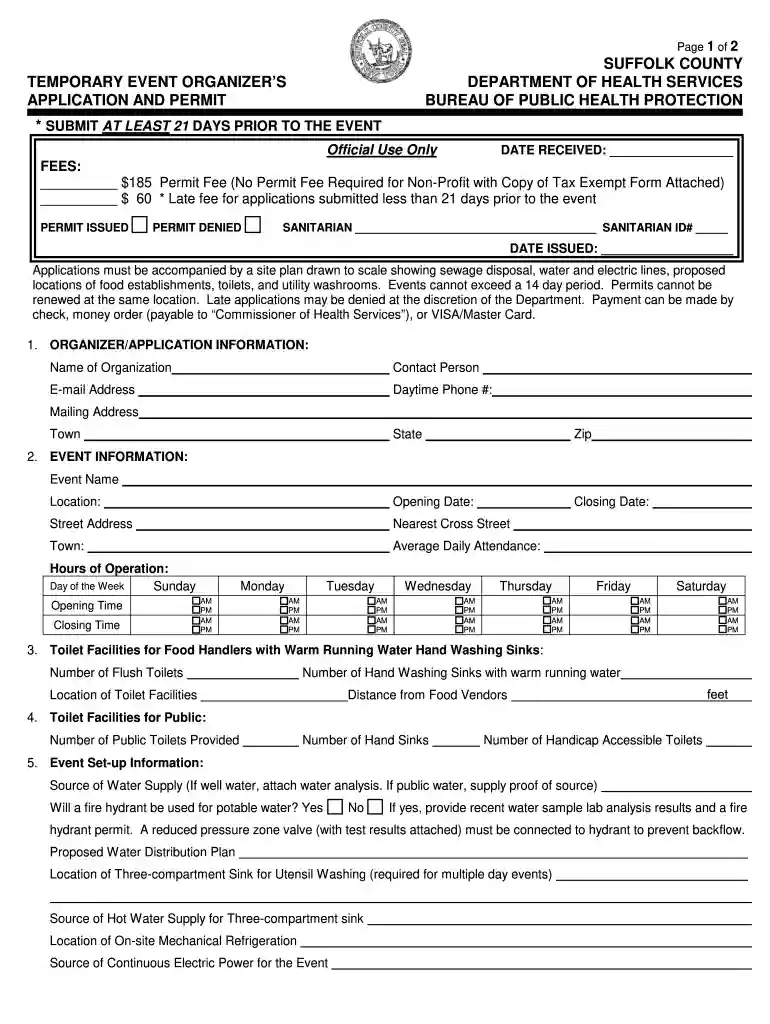
suffolk event temporary Preview on Page 1

Suffolk event temporary 2026

Here's how it works

  • 01. Edit your form online

    Type text, add images, blackout confidential details, add comments, highlights and more.

  • 02. Sign it in a few clicks

    Draw your signature, type it, upload its image, or use your mobile device as a signature pad.

  • 03. Share your form with others

    Send it via email, link, or fax. You can also download it, export it or print it out.

How to use or fill out Suffolk Event Temporary with our platform

Form edit decoration
9.5
Ease of Setup
DocHub User Ratings on G2
9.0
Ease of Use
DocHub User Ratings on G2
  1. Click ‘Get Form’ to open the Suffolk Event Temporary application in the editor.
  2. Begin by filling out the Organizer/Application Information section. Enter your organization’s name, contact person, email address, daytime phone number, and mailing address. Ensure all details are accurate for effective communication.
  3. Next, provide Event Information. Fill in the event name and hours of operation for each day of the week. Specify opening and closing times to ensure clarity on your event schedule.
  4. In the Toilet Facilities section, indicate the number of flush toilets and hand washing sinks available for food handlers. Also, specify their locations relative to food vendors.
  5. Complete the Event Set-up Information by detailing your water supply source and any necessary permits required for fire hydrant usage. Attach relevant documents as needed.
  6. Finally, list all food vendors and participants providing food at your event. Ensure you include their names, addresses, and contact numbers for compliance purposes.

Start filling out your Suffolk Event Temporary application today using our platform for a seamless experience!

be ready to get more

Complete this form in 5 minutes or less

Security and compliance

At DocHub, your data security is our priority. We follow HIPAA, SOC2, GDPR, and other standards, so you can work on your documents with confidence.

Related links

25Live - Conference and Classroom Reservations

25Live is the room scheduling software used by the Registrars Office, Conferences and Events Office, SLI and all of our campus service partners.Read more

Learn more
If you believe that this page should be taken down, please follow our DMCA take down process here