Type text, add images, blackout confidential details, add comments, highlights and more.
02. Sign it in a few clicks
Draw your signature, type it, upload its image, or use your mobile device as a signature pad.
03. Share your form with others
Send it via email, link, or fax. You can also download it, export it or print it out.
How to use or fill out kansas intent with our platform
Ease of Setup
DocHub User Ratings on G2
Ease of Use
DocHub User Ratings on G2
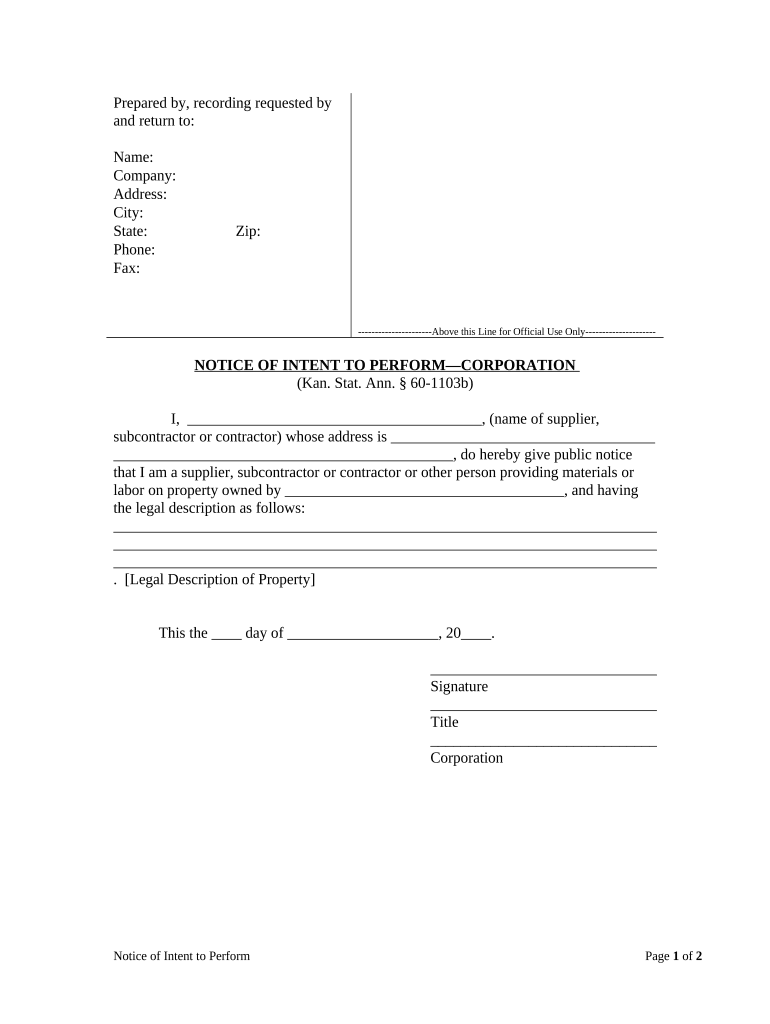
Click ‘Get Form’ to open the Kansas Intent form in the editor.
Begin by filling in the 'Prepared by, recording requested by and return to' section. Enter your name, company, address, city, state, phone, fax, and zip code.
In the 'NOTICE OF INTENT TO PERFORM—CORPORATION' section, write your name as the supplier, subcontractor, or contractor in the designated space.
Provide your address in the next field. Ensure all details are accurate for proper identification.
Next, specify the property owner’s name and include a detailed legal description of the property where materials or labor will be provided.
Date the document appropriately and sign it. Include your title and corporation name below your signature.
For notarization, complete the acknowledgment section with date and names of individuals involved. Ensure a notary public signs and stamps this section.
Start using our platform today to fill out your Kansas Intent form easily and for free!
Billionaire Charter School Funders Corrupt School Leadership
Oct 16, 2019 Charter school funders like Eli Broad turned school leadership into a cartel system focused on advancing careers and enriching businesses.
To search for an intent, enter the text in the box(es) below to choose the field(s) to search. Then click the search button. A blank query returns all records.Read more
If this form is being submitted with a Form C-1 (Intent) or CB-1 (Cathodic Protection Borehole Intent), you must supply the surface owners and the KCC with aRead more
Cookie consent notice
This site uses cookies to enhance site navigation and personalize your experience.
By using this site you agree to our use of cookies as described in our Privacy Notice.
You can modify your selections by visiting our Cookie and Advertising Notice.